Sony MF68-00258A manual User Mode Select Driving Mode, Installer Mode

Page 19

OPERATING THE RECEIVER

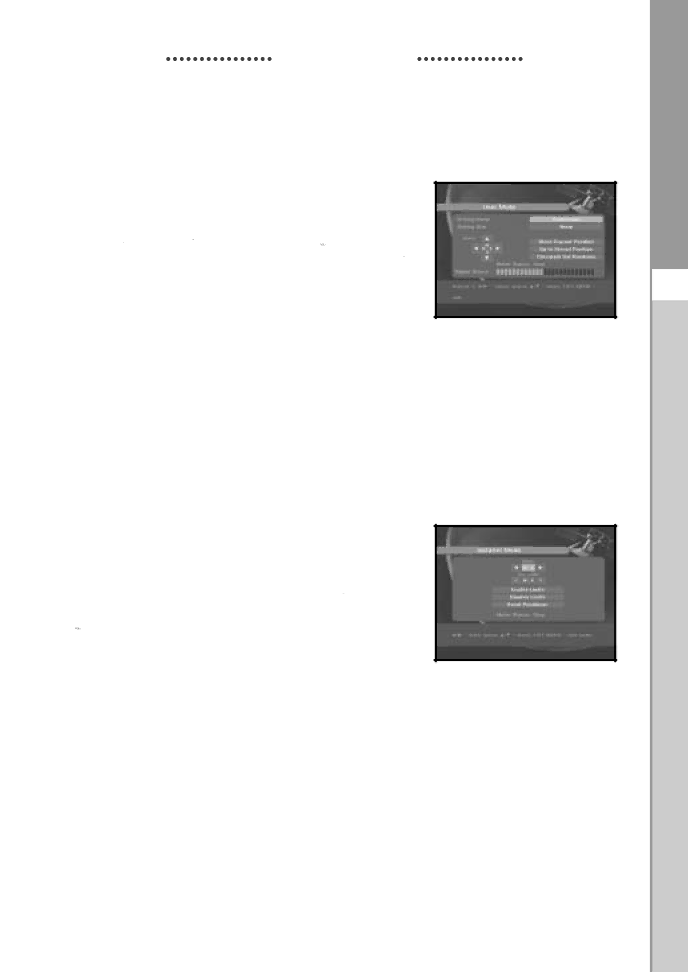
1.2.1 User Mode

Select Driving Mode:

You have an option to choose the positioner’s movement type: Continuous, Step or Time.

Position the antenna with north, south, east and west and

use the / , / key to drive motor. key drives to

west, key drives to east, key drives to north and key drives to south.

If you finished driving of motor, select “Store current Position.” and press key, to reset new driving motor.

Note : The level indicated in the “Signal Status” is only for reference.

The signal quality may be adequate even though the level indicated is not maximum.

Go to Stored Position.

When the stored position is reached then screen displays "Stop", you can now continue with the further operations.

Select the Calculate Sat Positions to recalculate the satellite position and key.

1.2.2 Installer Mode

After checking the positioner’s state, installer should use this menu. He should set the “Disable Limits” before using User mode.

Select the Drive Motor West/East and use the / keys to drive motor.

key drives to west and key drives to east.

Select “Enable Limit”, in order to enable “Set Limit”.

Select “Disable Limit”, in order to disable “Set Limit”.

Select “Reset Positioner” and key to reset positioner.

L I T E R E C E I V E R

GB-17

Image 19
Contents Digital Satellite Receiver Instructions foruse Connection to the Satellite Dish LNB Safety InstructionsContent User Section General FeaturesLocation of the Receiver Connecting Your STBConnecting Digital Audio System Manually DescriptionThis key is for turning the receiver on and Standby These keys are for changing the channelsLNB 12V This is for connecting to an external LNB switchThis is for connecting to your TV via RF cable 12 6 11This key is for toggleing between normal & muted audio Numerical keys ~This button functions same as the Blue button on the menu Use the key to switch between favorite listsIncrease or decrease the volume From the listDetailed program information Volume ControlBasic Functions Display ScreenSelect Soundtrack Service ListSelect Videotrack Service Transponder Service FavoritesService Alphabetical Service ProviderBlue RED Program InformationSubtitle EPG-Electronic Program GuideTeletext OSD Audio ModeTeletext VBI Following on screen display will appear InstallationOperating the Receiver Main MenuPositioner Setting LNB SettingInstaller Mode User Mode Select Driving ModeOff No Scan All Solarsat SettingAuto Scanning To download channels automaticallyHorizontal/Vertical/Circular Left/Circular Right Manual ScanningSmatv Scanning Reset to Factory DefaultsScreen display will be as follows Delete Channel Channel OrganisingDelete Satellite Delete TransponderTo delete channels from Favorite Group Delete All ChannelDelete Scrambled Channels Favorite ChannelTo edit Channel Name Move & Edit ChannelParental Lock To cancel the lockSet Channel Lock Change PIN Code This will take you to the following menu System SetupChange PIN Code Language SelectionMedia Settings OSD SettingTime & Timer Setting Modem SettingModem Type Copy Channel Data Software UpgradeSelect 4. System Setup System InformationEmbedded CAS Common InterfaceDisposal TroubleshootingTechnical Specifications RF modulator Video decoderAudio Decoder OutputEmbedded descrambler Serial data interface

MF68-00258A specifications

The Sony MF68-00258A is a cutting-edge audio device that exemplifies Sony's commitment to innovation and high-quality sound. Designed with both casual listeners and audiophiles in mind, this model integrates advanced technologies to deliver an immersive audio experience.

One of the standout features of the MF68-00258A is its advanced digital signal processing capabilities. This technology allows for superior sound clarity, enabling users to enjoy music and media with enhanced detail and depth. The device supports a wide frequency response range, ensuring that users can hear every note, from deep bass tones to crisp high frequencies.

Another notable characteristic of the MF68-00258A is its built-in connectivity options. Equipped with Bluetooth technology, this audio device allows for seamless wireless pairing with smartphones, tablets, and other compatible devices. Additionally, it supports multiple audio formats, including high-resolution audio files, providing versatility for various listening preferences.

The MF68-00258A also features ergonomic design elements, ensuring comfort during extended listening sessions. Its lightweight construction and adjustable components make it easy for users to find their perfect fit. The device is built with durable materials, promising longevity and reliability in various environments.

Battery life is a critical factor for any portable audio device, and the MF68-00258A excels in this area. It boasts an impressive playback time on a full charge, allowing users to enjoy uninterrupted listening for hours. When it's time to recharge, the device supports fast charging, minimizing downtime and maximizing listening time.

In addition to its audio capabilities, the MF68-00258A incorporates smart features such as voice assistant integration, allowing users to control their music and devices hands-free. This modern functionality adds convenience and promotes safety, especially when users are on the move.

In conclusion, the Sony MF68-00258A stands out in the crowded audio market thanks to its sophisticated technology, user-centric design, and impressive performance. From enhanced sound quality to wireless connectivity and durability, it offers an exceptional listening experience that is sure to appeal to a wide audience. Whether at home or on the go, the MF68-00258A is a remarkable choice for anyone looking to elevate their audio experience.