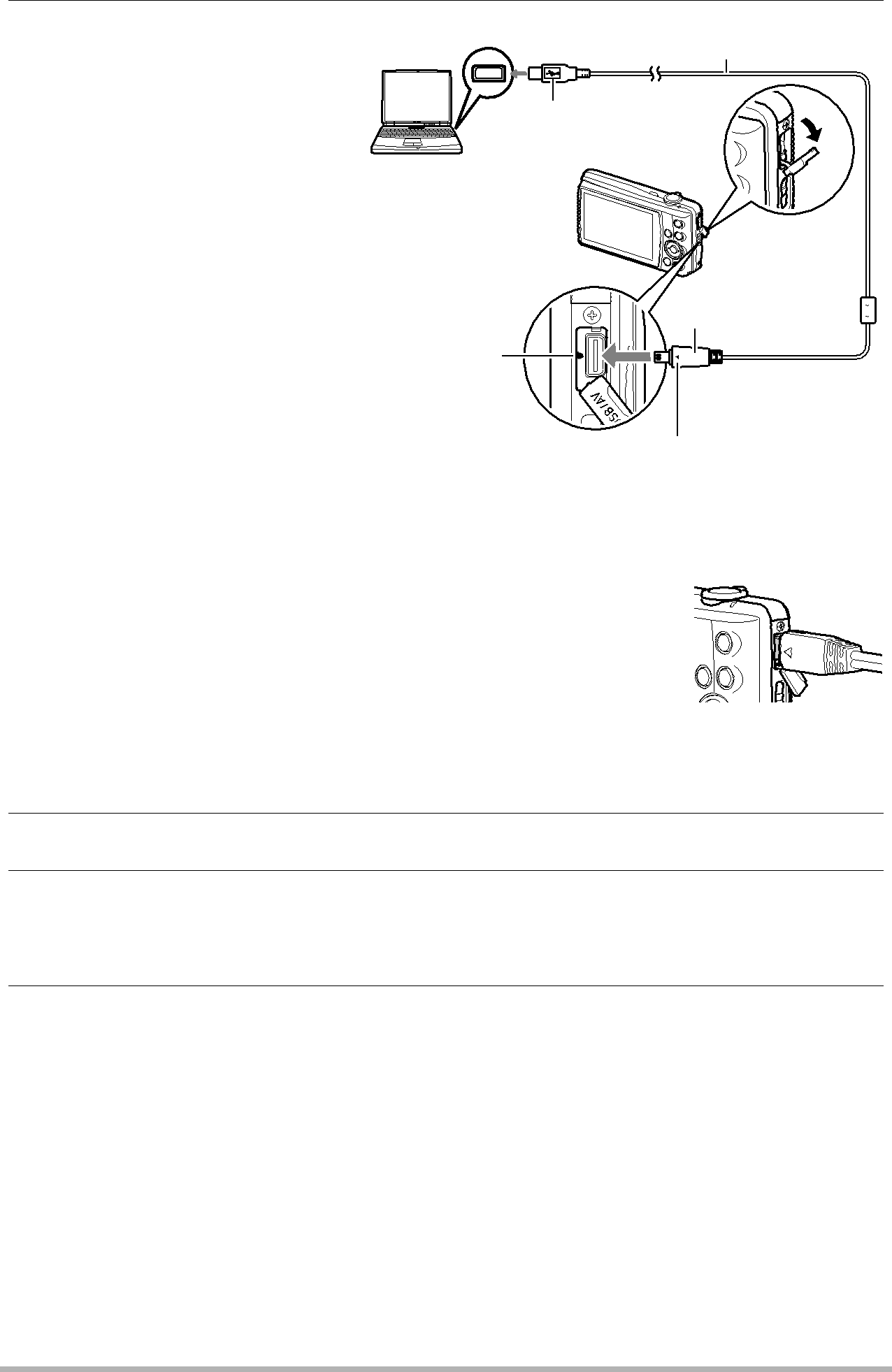
4. Turn off the camera and | USB port | |
then use the USB cable | USB cable | |
that comes with the |
| |
camera to connect it to | Large connector | |
your computer. |
| |
• The camera does not |
| |
| draw power over the |
|
| USB cable. Make sure |
|
| the camera’s battery is |
|
| sufficiently charged |
|
| before connecting. | Small connector |
• | Make sure that you insert | USB/AV |
| the cable connector into | |
| port | |
| the USB/AV port until you | |
|
| |
| feel it click securely into |
|
| place. Failure to insert | Making sure that the 6 mark on the camera is |
| the connector fully can | aligned with the 4 mark of the USB cable connector, |
| result in poor | connect the cable to the camera. |
| communication or |
|
| malfunction. |
|
• | Note that even while the |
|
connector is fully inserted, you still will be able to see the metal part of the connector as shown in the illustration.
• When connecting the USB cable to a USB port, make sure you align the connector correctly with the port.
•Your computer may not be able to recognize the camera if
you connect via a USB hub. Always connect directly to the computer’s USB port.
5.Turn on the camera.
6.Windows Vista users: Click “Start” and then “Computer”.
Windows XP users: Click “Start” and then “My Computer”.
Windows 2000 users: Doubleclick “My Computer”.
7.
•Your computer recognizes the memory card loaded in the camera (or
124Using the Camera with a Computer