L i f e B o o k E S e r i e s B I O S
Drive0 Submenu of the Main Menu
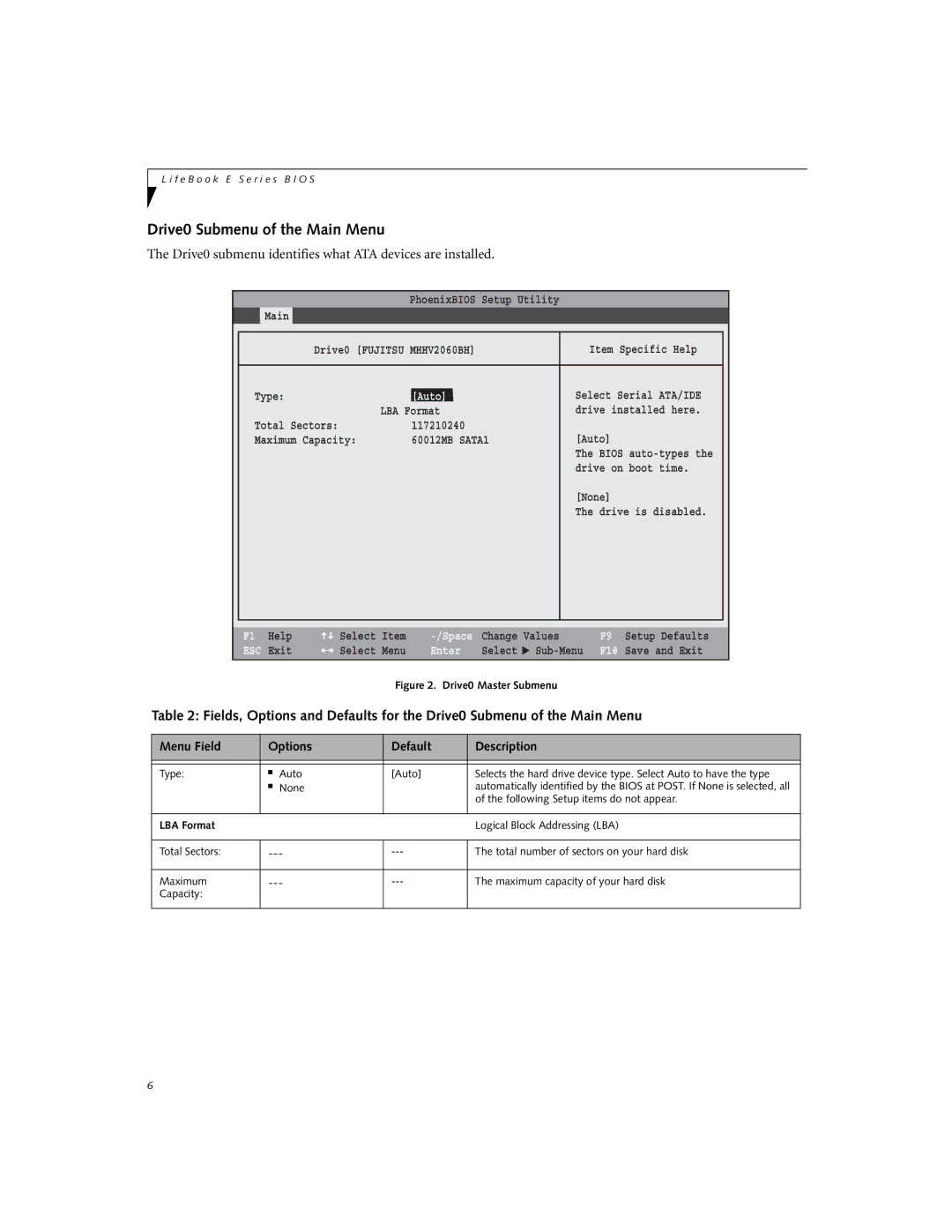
The Drive0 submenu identifies what ATA devices are installed.
PhoenixBIOS Setup Utility
Main
|
|
|
|
|
| Drive0 [FUJITSU MHHV2060BH] | Item Specific Help |
| |
|
|
|
|
|
| Type: | [Auto]] | Select Serial ATA/IDE |
|
|
| LBA Format | drive installed here. |
|
| Total Sectors: | 117210240 |
|
|
| Maximum Capacity: | 60012MB SATA1 | [Auto] |
|
|
|
| The BIOS |
|
|
|
| drive on boot time. |
|
|
|
| [None] |
|
|
|
| The drive is disabled. |
|
|
|
|
|
|
|
|
|
|
|
F1 | Help | Select | Item | Change | Values | |
ESC | Exit | Select | Menu | Enter | Select | ▲ |
Figure 2. Drive0 Master Submenu
F9 Setup Defaults
F10 Save and Exit
Table 2: Fields, Options and Defaults for the Drive0 Submenu of the Main Menu
Menu Field | Options | Default | Description | |
|
|
|
|
|
|
|
|
|
|
Type: | ■ | Auto | [Auto] | Selects the hard drive device type. Select Auto to have the type |
| ■ | None |
| automatically identified by the BIOS at POST. If None is selected, all |
|
|
|
| of the following Setup items do not appear. |
|
|
|
|
|
LBA Format |
|
|
| Logical Block Addressing (LBA) |
|
|
|
| |
Total Sectors: | The total number of sectors on your hard disk | |||
|
|
|
| |
Maximum | The maximum capacity of your hard disk | |||
Capacity: |
|
|
|
|
|
|
|
|
|
6