Inter
Page
AEDIT-86 Text Editor Users Guide
Al344 / 385 / 6K / DD / KH
REV Revision History Date Appd
002
Page
Preface
RUN AEDIT.8S F1EXAMPL.SRC MACROWORDP.MAC
Notational Conventions
Table of Contents
Viii
Part
Chapter AEDIT-86 Variables
Appendix a AEDIT-86 Command Summary
Title
VT52.MAC-DECTM VT52
Batch
Part
Page
AEDIT-86 Tutorial
Chapter
Introduction and Tutorial
Introduction
Entering, Changing, and Deleting Text
Activating the Editor
AEDIT-86 Users Guide
Copying Text
Exiting the Editor
Using the Other Command
Page
Control
Arrows
Caps Lock
Tpwr
TAB
Cursor
Menu Prompt
Prompt Line
TIle Editor Basics AEDIT-86 Users Guide
Line-Edited Prompt
Message Line
Tags
Beep Warning
Lines and Line Terminators
Printing and Nonprinting Characters
Repeat Function Count
Page
Right
Chapter Editing Commands
Cursor Movement Commands
Left
3 UP
Delete Function Keys
Carriage Return Command
CTRL-C Function Key
TAB Function Key
Delr
Undo Command
Delch
Dell
Description
HEX Function Key
Exchange
Xchange Mode
AEDIT- Users Guide Editing Commands
Home to re-edlt
Find Command
Find
Find Command
13 ?REPLACE Command
Jump Command
·3.14 TAG Command
Line
Block Command
Start
End
Buffer Delete r i n d fin d Jump Put
Block Buffer
Buffer
Home to re-edit
Cannot 5ave in memorY--5ave anyway? yl or n
Overwrite exi5ting file? y or n
View Command
GET Command
Other Command
SET Command
Again Command
Paragraph FIND, ?REPLACE
Case
Autonl
Display
Display parity-on characters as is? Cy or n
Continue macro execution after a failure? Cy or n
Automatically indent during insertion? Cy or n
Margin
Leftco
Notab
Tabs
Row for VIew
Viewrow
Output
HEX Command
Put Output
Input
To insert the digits 1, 2, and 3 to the text, type
Quit Command
Examples
Filename Specified
Init
Update
Write
Filename Not Specified
Paragraph Command
Fill
Killwnd Command
Window Command
Justify
Execute Command
Calc Command
Macro Command
AEDIT-86 Users Guide
Page
Forwardonlyinoforwardonly
Chapter AEDIT-86 Invocation
Batch I Nobatch
Invocation Controls
AEDIT-86In~ocation
Control Type
Default
Syntax
Abbreviation
Hoviewohly
Viewonly
Abbreviations
Recover
Recover I Horecover
Horecover
Macro
Macrosize
Abbreviations Default
EXAMPL.SRC
Batch
Pass
EXAMPLE.SRC
Banner
Various Satch Modes
Work Files
Page
Part
Page
Create
Chapter Macro Commands
Macro Command
Create Get Insert Lis t Save
Get
Macro name ..... i·~~~ib·
In8ert
Home to re-edit t-lecro file
Control C to stop
List
Deleting Macros
Save
Macro Modes
Single-Character Macros
Macros and AEDIT-86 Variables
Home to re-edlt Macro name
\EM
Errors
Macro Files
\MM
This is B comment
Text
Screen Display during Macro Execution
Execute C Execute D
Window
Macro Examples
Message
Prompt
~ACRO Ireate
Macro name
IND
Macro name Return
Global Numeric Variables
Global Variables
Read-Only String Variables
Using String Variables
Global String Variables
Read-Write String Variables
Curwd
BOF
COL
Curch
Curpos
Nxtwd
ROW
Upch
Time
Usage and Interpretation of Global Variables in Macros
Summary of AEDIT-86 Variables
Read-Only Variables
Local Variables
Offset of current location in file
Page
Syntax Diagrams for Calc Statement
Chapter Calc Command
~.---n...-temen-t~
String Constants
Numeric Constants
Operators Precedence and Associativity
Shift/Rotate Operators
Operators
Expression Evaluation
Errors
Examples
·CALC Command
USEFUL.MAC
Chapter Advanced AEDIT-86 Usage
Move the cursor left to the previous word
Procedure
Insert the contents of the Block buffer into the text at
Move the cursor right to the next word
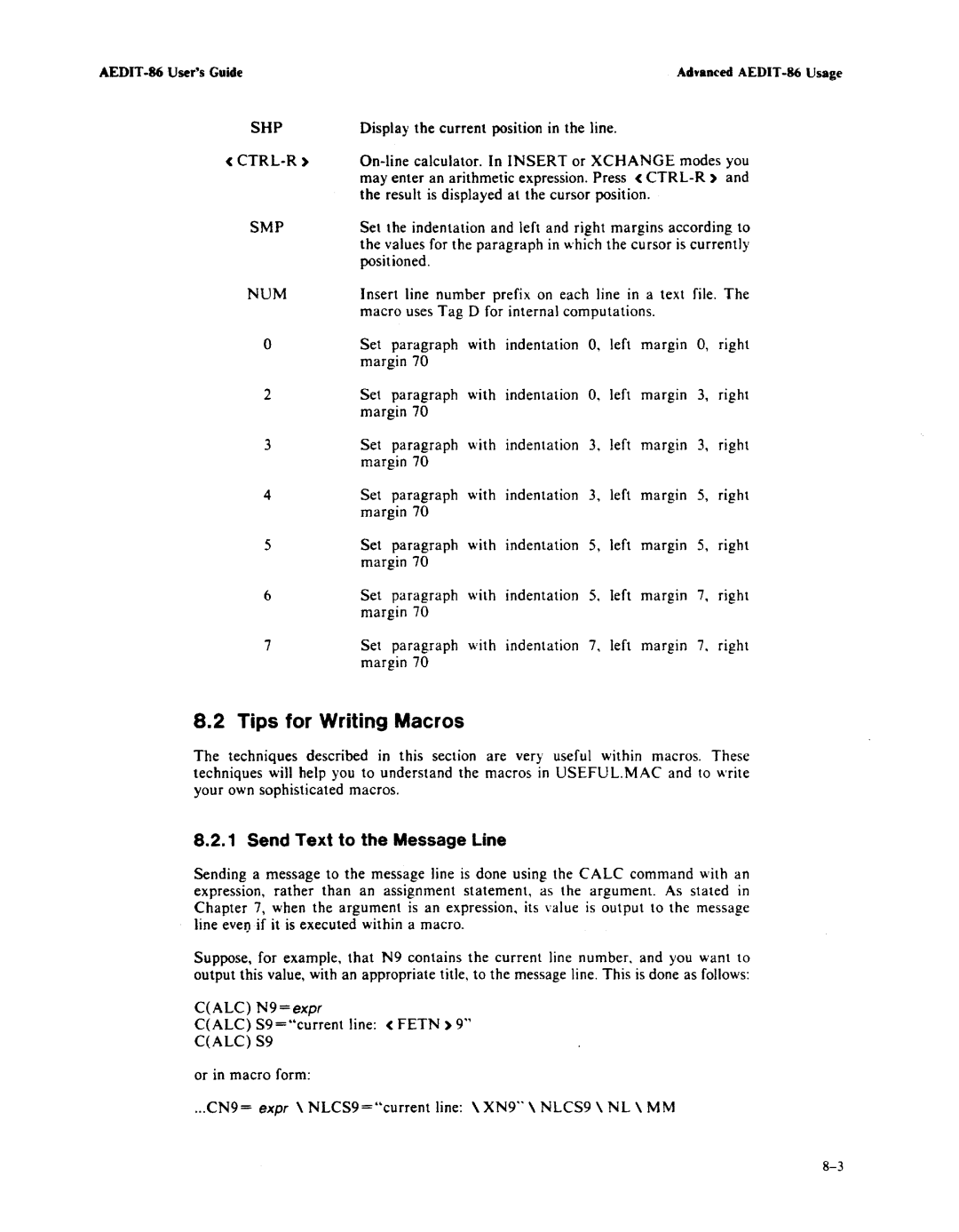
Send Text to the Message Line
Tips for Writing Macros
Simulate if cond then statemenf
Simulate if cond then Return to the caller
Simulate AdvanceWhile cond
Examples
Ad,anced AEDIT-86Usage AEDIT-86 User9s Guide
Introduction
Chapter Configuration Commands
AH=.trlng
Configuration Commands
AFXU=hhhh
Configuration Commands Contd
Configuration Command Notes
Configuration Values
Afcc
Configuration Values
Configuration Values Contd
Delay Codes
Determining the Configuration Values
Page
CTRL-C
Appendix a AEDIT-86 Command Summary
Function Keys
Delch
Or D
Fetn Fets Mexec
Again
Block
Jump
GET
HEX
Insert
Commands
Conditional REPlACE command
Sets several AEDIT-86 features
Update or Quit Exit is executed
View
TAG
Execute
AEDIT-86 Advanced Commands
Window
Calc
Invocation Errors
Appendix B AEDIT-86 Error Messages
Editing Command Errors
Not found target string
Macro File Errors
Calc Command Errors
Macro errors have the following form Err 0 r 1 nIl n e
Integrated Series IIiE Terminal
Invocation Command
Terminals Used with the Series III System
Integrated Series III Terminal
Related Publications
Work File
Acro Ireate -1 Return
Appendix D Using AEDIT-86 on the Series
Invocation Command
Keyboard
Message Line
Configuration Commands
Default Macro File
Using Series IV with Remote Terminals
Work File
Related Publications
Page
Special Considerations Default Macro File
Appendix E Using AEDIT-86 on
Page
Tested Configurations
Appendix F Configuring AEDIT-86 For Other Terminals
1510E.MAC-Hazeltine
Table F-l.Switch Settings
151OT.MAC-Hazeltine1V1510
AEDIT-16 VierS Gtdde
ADM3A.MAC-Lear Sieglerlll ADM3A
S3E.MAC-Series III with Integrated Series Iiie Terminal
MICROS.MAC-Beehive1MMini-Bee
QVT102.MAC-Qume1MQVT102
S3.MAC-Series III with Integrated Series III Terminal
This terminal displays 24 lines with 80 characters per line
Macro file S4.MAC for the Series IV terminal AH=S4
AH=VTIOO
CTRL-Z Clear Screen Enable
AB=OB
ZENTEC.MAC-Zentec Zepher and Cobra
Page
SYN ETB Can SUB ESC
Appendix G Ascii Codes
STX ETX EOT
ACK BEL OLE OCI OC2 OC3 OC4
Page
Index
Forwardonly FO
Index-~
Page
Inter
111111