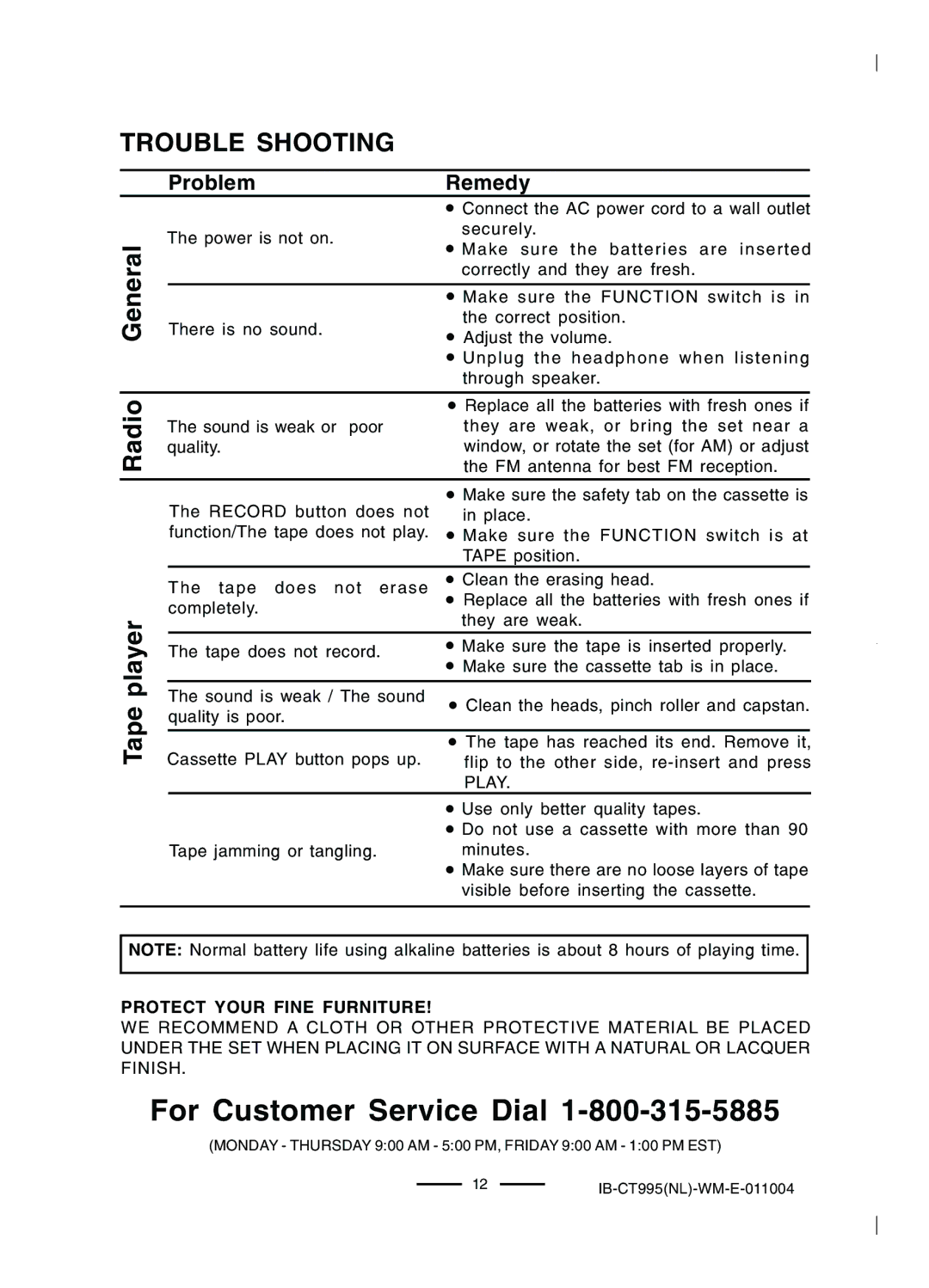
TROUBLE SHOOTING
Radio General
Tape player
Problem | Remedy | ||
| • Connect the AC power cord to a wall outlet | ||
The power is not on. | securely. | ||
• Make sure the batteries are inserted | |||
| |||
| correctly and they are fresh. | ||
|
| ||
| • Make sure the FUNCTION switch is in |
| |
There is no sound. | the correct position. | ||
• Adjust the volume. | |||
| |||
| • Unplug the headphone when listening | ||
| through speaker. | ||
| • Replace all the batteries with fresh ones if | ||
The sound is weak or poor | they are weak, or bring the set near a | ||
quality. | window, or rotate the set (for AM) or adjust | ||
| the FM antenna for best FM reception. | ||
The RECORD button does not | • Make sure the safety tab on the cassette is | ||
in place. | |||
function/The tape does not play. • Make sure the FUNCTION switch is at
| TAPE position. | |||
The tape does not erase | • Clean the erasing head. |
|
|
|
completely. | • Replace all the batteries with fresh ones if | |||
| they are weak. | |||
The tape does not record. | • Make sure the tape is inserted properly. |
| ||
| • Make sure the cassette tab is in place. |
| ||
The sound is weak / The sound | • Clean the heads, pinch roller and capstan. | |||
quality is poor. | ||||
|
| |||
Cassette PLAY button pops up. | • The tape has reached its end. Remove it, |
| ||
flip to the other side, | ||||
| PLAY. |
| ||
| • Use only better quality tapes. | |||
| • Do not use a cassette with more than 90 | |||
Tape jamming or tangling. | minutes. | |||
| • Make sure there are no loose layers of tape | |||
| visible before inserting the cassette. | |||
NOTE: Normal battery life using alkaline batteries is about 8 hours of playing time.
PROTECT YOUR FINE FURNITURE!
WE RECOMMEND A CLOTH OR OTHER PROTECTIVE MATERIAL BE PLACED UNDER THE SET WHEN PLACING IT ON SURFACE WITH A NATURAL OR LACQUER FINISH.
For Customer Service Dial 1-800-315-5885
(MONDAY - THURSDAY 9:00 AM - 5:00 PM, FRIDAY 9:00 AM - 1:00 PM EST)
12IB-CT995(NL)-WM-E-011004