Nse6nx.frm Page 1 Friday, July 3, 1998 1248 PM
Issue
Nse6nx.frm Page 2 Friday, July 3, 1998 1248 PM
Nse6nx.frm Page 3 Friday, July 3, 1998 1248 PM
Making Your First Call
Call Functions
Essential Shortcuts
Nse6nx.frm Page 4 Friday, July 3, 1998 1248 PM
Contents
Profiles
Nse6nx.frm Page 6 Wednesday, July 8, 1998 154 PM
Reference Information
Nse6nx.frm Page 7 Friday, July 3, 1998 1248 PM
Nse6nx.frm Page 8 Friday, July 3, 1998 1248 PM
For Your Safety
Using This Guide
About Labels and Security Code
Nse6nx.frm Page 9 Friday, July 3, 1998 1248 PM
Nse6nx.frm Page 10 Friday, July 3, 1998 1248 PM
Your Phone
Display Indicators
Nse6nx.frm Page 11 Friday, July 3, 1998 1248 PM
Clear Display
Nse6nx.frm Page 12 Friday, July 3, 1998 1248 PM
Selection Keys
Installing the SIM card
Nse6nx.frm Page 13 Friday, July 3, 1998 1248 PM
Close the sliding cover
Connect the lead from Charger to the bottom of the phone
Charging Battery
Removing the SIM card
Nse6nx.frm Page 14 Friday, July 3, 1998 1248 PM
Switching the Phone On and Off
Nse6nx.frm Page 15 Friday, July 3, 1998 1248 PM
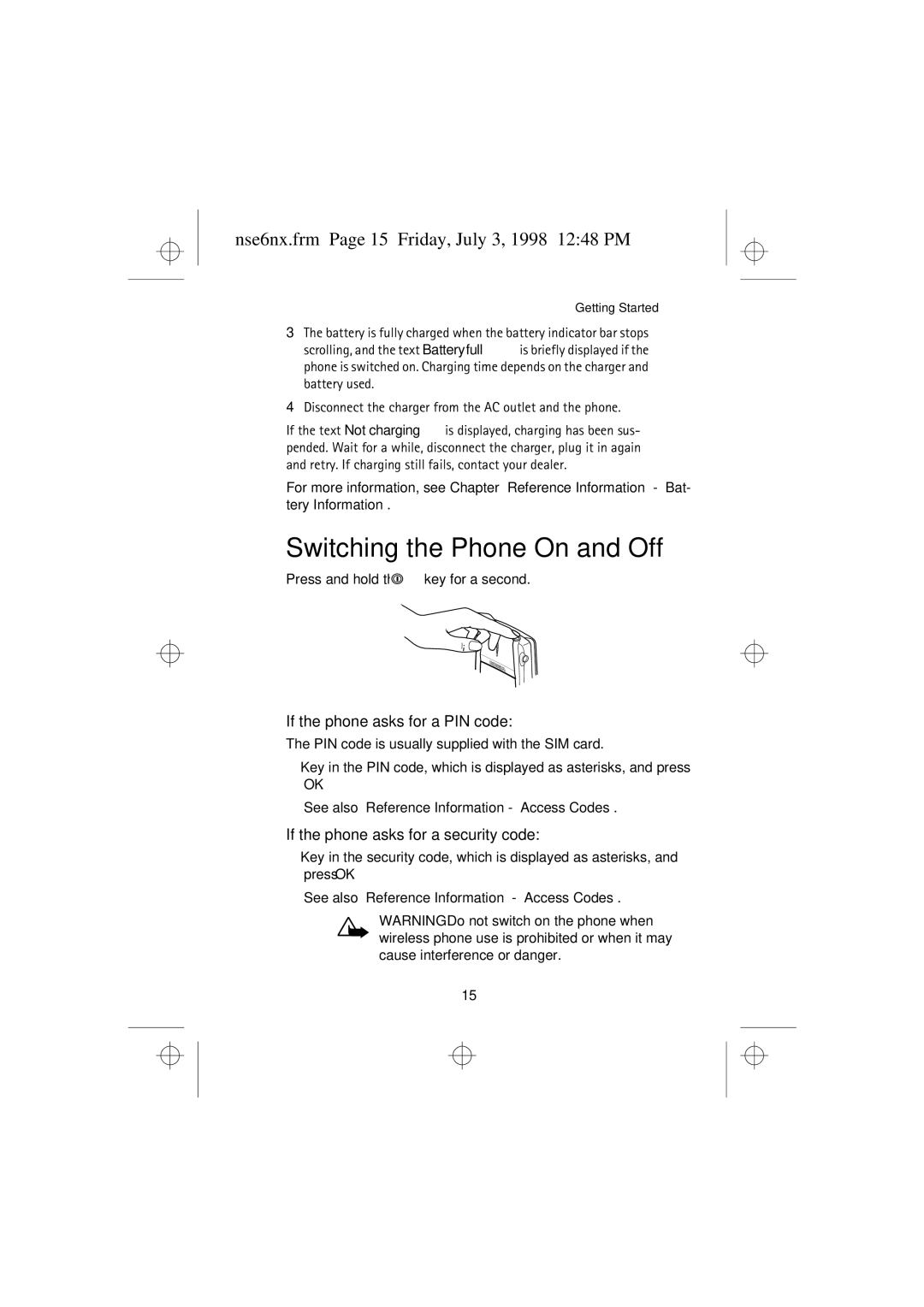
Press and hold the key for a second
Using the Sliding Cover
Nse6nx.frm Page 16 Friday, July 3, 1998 1248 PM
Ation Your phone has a
Nse6nx.frm Page 17 Friday, July 3, 1998 1248 PM
Making a Call Using the Phone Book
Making and Answering Calls
Making Calls
Speed Dialling a Phone Number
Nse6nx.frm Page 18 Friday, July 3, 1998 1248 PM
Last Number Redial
Calling Your Voice Mailbox
Answering Calls
Nse6nx.frm Page 19 Friday, July 3, 1998 1248 PM
Call Waiting
Making a Conference Call
Adjusting the Earpiece Volume
In-Call Options
Nse6nx.frm Page 20 Friday, July 3, 1998 1248 PM
Keypad Lock Keyguard
Nse6nx.frm Page 21 Friday, July 3, 1998 1248 PM
While the display is clear, press Menu
Nse6nx.frm Page 22 Friday, July 3, 1998 1248 PM
About the Phone Book Names
Entering the Phone Book
Selecting the Phone Book Memory in Use
Name, number
Nse6nx.frm Page 23 Friday, July 3, 1998 1248 PM
To Set the Type of View
Name list
Nse6nx.frm Page 24 Friday, July 3, 1998 1248 PM
Storing a Phone Number with a Name Add Entry
Nse6nx.frm Page 25 Friday, July 3, 1998 1248 PM
Recalling a Name and Phone Number
One by One
Erasing a Name and Phone Number
Assigning a Phone Number as a Speed Dial Number
Nse6nx.frm Page 26 Friday, July 3, 1998 1248 PM
Including a Phone Number in a Caller Group
Caller Groups
Nse6nx.frm Page 27 Friday, July 3, 1998 1248 PM
To Use the Speed Dial Key
Group ringing tone
Setting the Ringing Tone and Graphic for a Caller Group
Nse6nx.frm Page 28 Friday, July 3, 1998 1248 PM
Rename group
Service Numbers Service Nos
Phone Book Status
Nse6nx.frm Page 29 Friday, July 3, 1998 1248 PM
Copying and Printing via IR
Nse6nx.frm Page 30 Friday, July 3, 1998 1248 PM
Copying a Name and a Phone Number to Your Phone
Nse6nx.frm Page 31 Friday, July 3, 1998 1248 PM
Accessing a Menu Function by Scrolling
To access the menu facility, press Menu
Call Settings
Press Menu Menu for entering the menu
For Settings For Call Settings For Anykey Answer
Nse6nx.frm Page 32 Friday, July 3, 1998 1248 PM
Press Menu
Voice messages Listen to voice mes- sages
Outbox Write messages Message settings Set 1
List of Menu Functions
Nse6nx.frm Page 33 Friday, July 3, 1998 1248 PM
Nse6nx.frm Page 34 Friday, July 3, 1998 1248 PM
Rename
Headset Activate
Memory Snake Logic
Closed user group Security level Change access codes
Nse6nx.frm Page 35 Friday, July 3, 1998 1248 PM
Incoming calls Incoming calls if abroad
Nse6nx.frm Page 36 Friday, July 3, 1998 1248 PM
Service name Add New Service
Service name Operator Settings
Update Operator Services
Erase Reply Edit
About Messages
Reading a Text Message Inbox Menu
Nse6nx.frm Page 37 Friday, July 3, 1998 1248 PM
Writing, Sending and Saving a Text Message
Nse6nx.frm Page 38 Friday, July 3, 1998 1248 PM
Message Settings Menu
Nse6nx.frm Page 39 Friday, July 3, 1998 1248 PM
Message centre number
Info Service Menu
Nse6nx.frm Page 40 Friday, July 3, 1998 1248 PM
Common Menu
Key in or recall the desired phone number and press OK
Service Command Editor Menu
Fax or Data Call Menu
Nse6nx.frm Page 41 Friday, July 3, 1998 1248 PM
Listen to Voice Messages Menu
TIP Alternatively, press and hold when the display is clear
Voice Messages Menu
Nse6nx.frm Page 42 Friday, July 3, 1998 1248 PM
Nse6nx.frm Page 43 Friday, July 3, 1998 1248 PM
About Call Register
Missed Calls Menu
Received Calls Menu
Nse6nx.frm Page 44 Friday, July 3, 1998 1248 PM
Dialled Numbers Menu
Erase Recent Call Lists Menu
Show Call Duration Menu
Call Costs’ Limit Menu
Call Cost Settings Menu
Show Call Costs Menu
Nse6nx.frm Page 45 Friday, July 3, 1998 1248 PM
Nse6nx.frm Page 46 Friday, July 3, 1998 1248 PM
What You Can Do with Profiles
Selecting Different Profiles
Customising Profiles
Ing, Ring once, Beep once, Caller Groups and Off
Settings for Profiles
Nse6nx.frm Page 47 Friday, July 3, 1998 1248 PM
Incoming Call Alert
Nse6nx.frm Page 48 Friday, July 3, 1998 1248 PM
Nse6nx.frm Page 49 Friday, July 3, 1998 1248 PM
Renaming Profiles
Nse6nx.frm Page 50 Friday, July 3, 1998 1248 PM
Alarm Clock Menu
Setting the Clock
Clock Menu
Nse6nx.frm Page 51 Friday, July 3, 1998 1248 PM
Call Settings Menu
Phone Settings Menu
Nse6nx.frm Page 54 Friday, July 3, 1998 1248 PM
Nse6nx.frm Page 55 Friday, July 3, 1998 1248 PM
Security Settings Menu
Call Barring Service Menu
PIN-Code Request Menu
Nse6nx.frm Page 56 Friday, July 3, 1998 1248 PM
Fixed Dialling Menu
Closed User Group Menu
Security Level Menu
Restore Factory Settings Menu
Change Access Codes Menu
Nse6nx.frm Page 57 Friday, July 3, 1998 1248 PM
Divert all voice calls without ringing
Menu Divert when busy Menu 5-2 for voice calls only
Cancel all diverts Menu 5-7All diverts are set off
Nse6nx.frm Page 58 Friday, July 3, 1998 1248 PM
Logic
Nse6nx.frm Page 59 Friday, July 3, 1998 1248 PM
Memory
Snake
Nse6nx.frm Page 60 Friday, July 3, 1998 1248 PM
Starting a 2 -player game
Nse6nx.frm Page 61 Friday, July 3, 1998 1248 PM
Nse6nx.frm Page 62 Friday, July 3, 1998 1248 PM
Using the Calculator
To Make a Currency Conversion
Nse6nx.frm Page 63 Friday, July 3, 1998 1248 PM
Options, scroll to To domestic or To foreign and press OK
View day
Nse6nx.frm Page 64 Friday, July 3, 1998 1248 PM
Birthday
Nse6nx.frm Page 65 Friday, July 3, 1998 1248 PM
Make note
Call
Set the date
Nse6nx.frm Page 66 Friday, July 3, 1998 1248 PM
View all
Go to date
Nse6nx.frm Page 67 Friday, July 3, 1998 1248 PM
Receiving Data via the IR Port
Sending Data via the IR Port
Checking the Status of an IR Connection
Nse6nx.frm Page 68 Friday, July 3, 1998 1248 PM
Nse6nx.frm Page 69 Friday, July 3, 1998 1248 PM
Smart Messaging Services
Select the menu item Update Nokia Services or UP
Using Nokia and Operator Services
Storing Access Numbers
Downloading the List of Services
Nse6nx.frm Page 71 Friday, July 3, 1998 1248 PM
Saving a Service Message as a Bookmark
Using a Service Saved as a Bookmark
Save the Service MESSAGE? will be displayed
An Example of Downloading and Using a Nokia Service
Once in the Nokia Services menu, select Ringtones
Nse6nx.frm Page 72 Friday, July 3, 1998 1248 PM
Nse6nx.frm Page 73 Friday, July 3, 1998 1248 PM
Other Services
Saving a Service Address
Accessing a Service
Nse6nx.frm Page 74 Friday, July 3, 1998 1248 PM
PIN2 Code 4 to 8 digits
Access Codes
Security Code 5 digits
PIN Code 4 to 8 digits
Nse6nx.frm Page 76 Friday, July 3, 1998 1248 PM
Barring Password
PUK Code 8 digits
PUK2 Code 8 digit
Nse6nx.frm Page 77 Friday, July 3, 1998 1248 PM
Battery Information
Charging and Discharging the Battery
Your phone is powered by a rechargeable battery
Nse6nx.frm Page 78 Friday, July 3, 1998 1248 PM
Using the Batteries
Accessories and Batteries
How to Fasten Your Carrying Strap
Nse6nx.frm Page 79 Friday, July 3, 1998 1248 PM
Nse6nx.frm Page 80 Friday, July 3, 1998 1248 PM
Care and Maintenance
Nse6nx.frm Page 81 Friday, July 3, 1998 1248 PM
Important Safety Information
Vehicles
Nse6nx.frm Page 82 Friday, July 3, 1998 1248 PM
Hearing Aids
Other Medical Devices
Potentially Explosive Atmospheres
Nse6nx.frm Page 83 Friday, July 3, 1998 1248 PM
Emergency Calls
Nse6nx.frm Page 84 Friday, July 3, 1998 1248 PM

 key for a second.