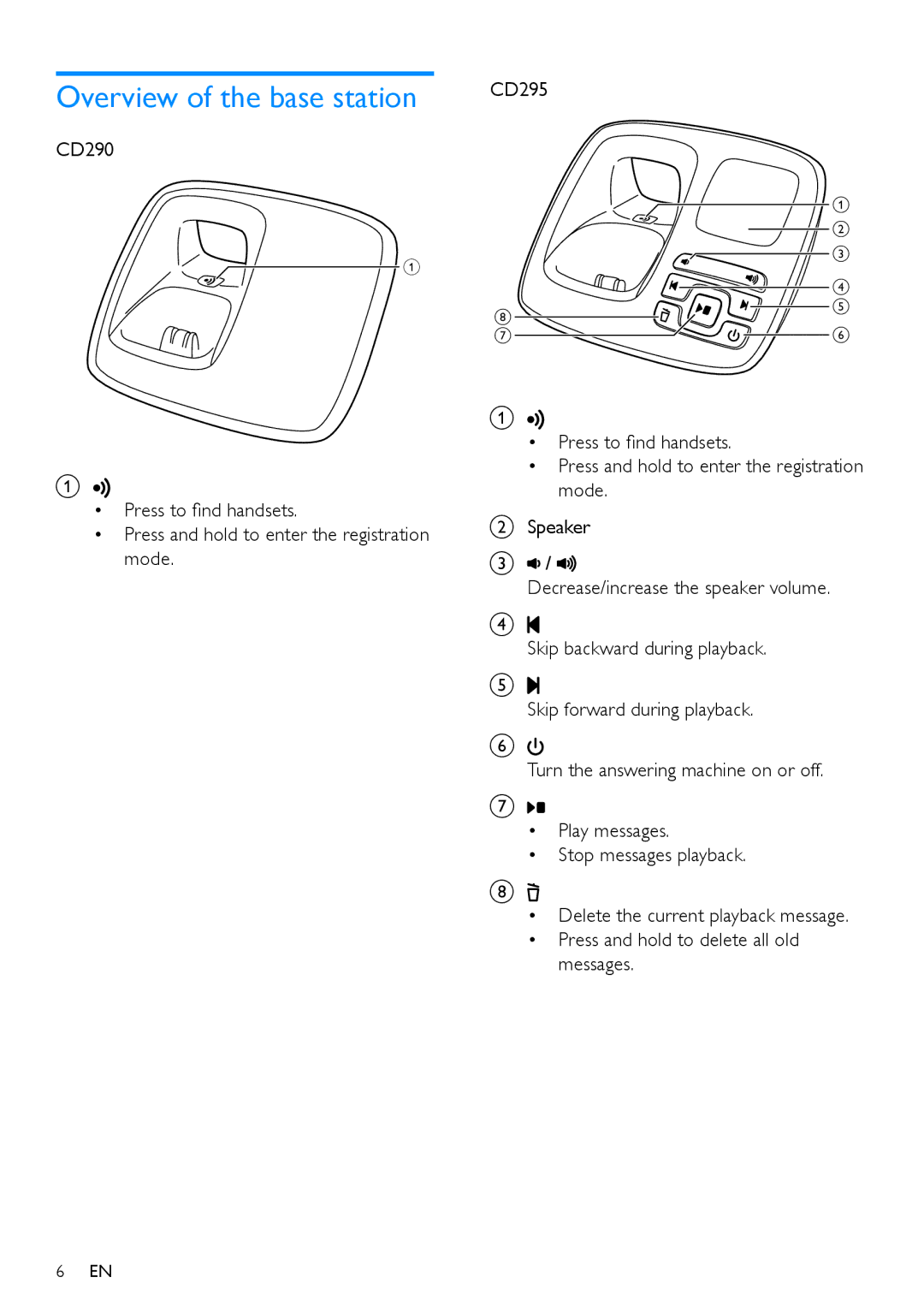
Overview of the base station
CD290
A
CD295
 a b
a b  c
c
h
d e
A
•Press to find handsets.
•Press and hold to enter the registration mode.
6EN
g
 f
f
A

•Press to find handsets.
•Press and hold to enter the registration mode.
BSpeaker
C /
/ 
Decrease/increase the speaker volume.
D
Skip backward during playback.
E
Skip forward during playback.
F
Turn the answering machine on or off.
G
•Play messages.
•Stop messages playback.
H
•Delete the current playback message.
•Press and hold to delete all old messages.