Manuals
/
Philips
/
Car Audio and Video
/
Car Stereo System
Philips
CE150
user manual
Adjust system settings
Models:
CE150
1
10
24
24
Download
24 pages
46.13 Kb
7
8
9
10
11
12
13
14
Page 10
Image 10
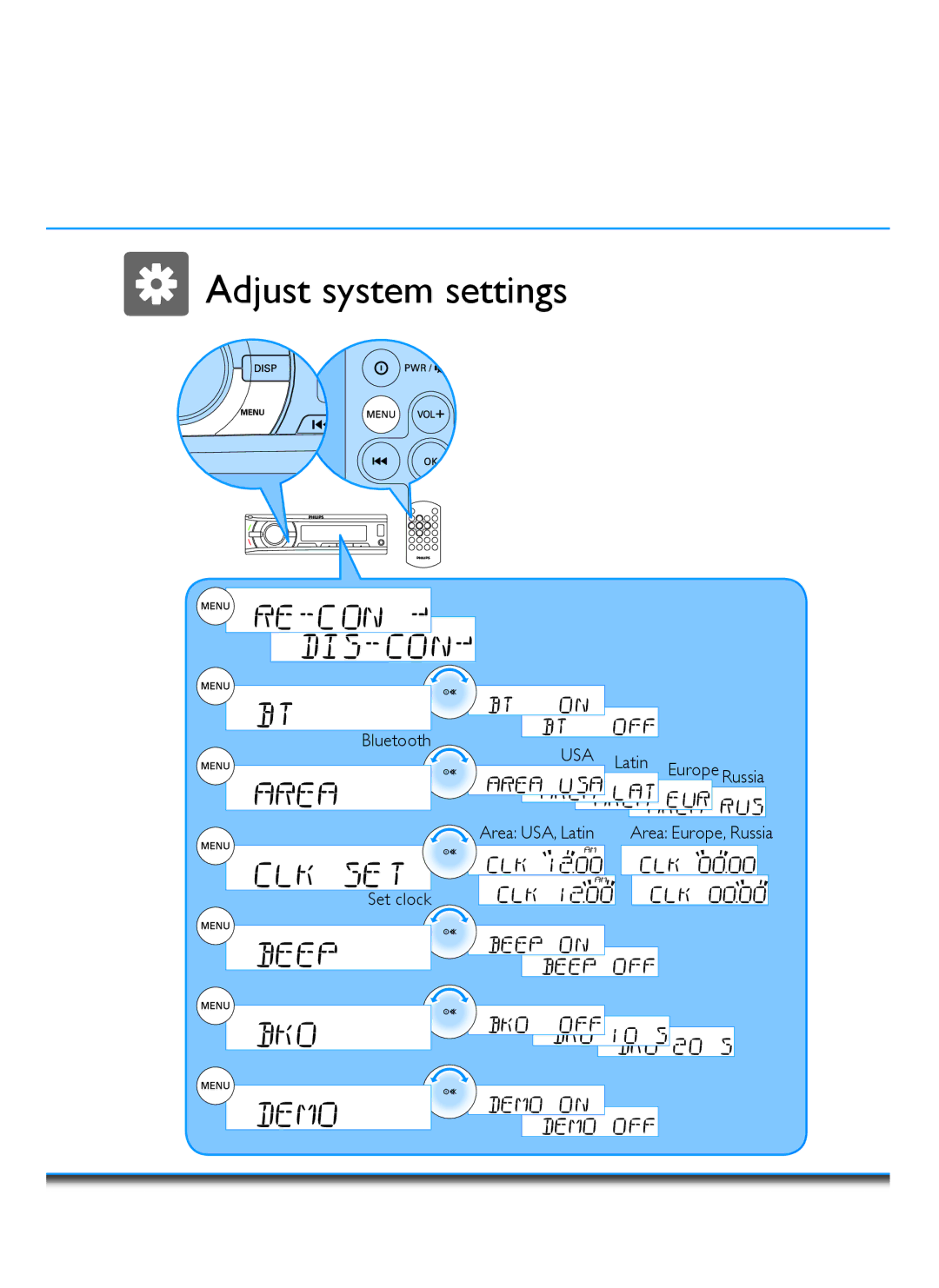
Adjust system settings
Bluetooth
USA
Latin
Europe
Russia
Area: USA, Latin
Area: Europe, Russia
Set clock
Page 9
Page 11
Page 10
Image 10
Page 9
Page 11
Contents
Register your product and get support at CE150
Introduction
Connect
Antenna
Mount into dashboard
Page
Remote control
Get started Turn on / Turn off
Maximizing
Adjust system settings
Adjust sound settings
Equalizer Reset View clock
Connect Bluetooth Pairing Make a call
End a call
Radio Manual tune
Select band
SD card / USB Insert SD card Insert USB device
Play option
Song
Track
Product information
Troubleshooting
Safety
CE15055UMENV.01 wk10281
Top
Page
Image
Contents

 Adjust system settings Adjust system settings