E6170UD_QUG_1217.qx4 12/17/04 6:20 PM Page 2
Quick-Use Guide (cont’d)
1 | LABEL |
|
Recordable ReWritable
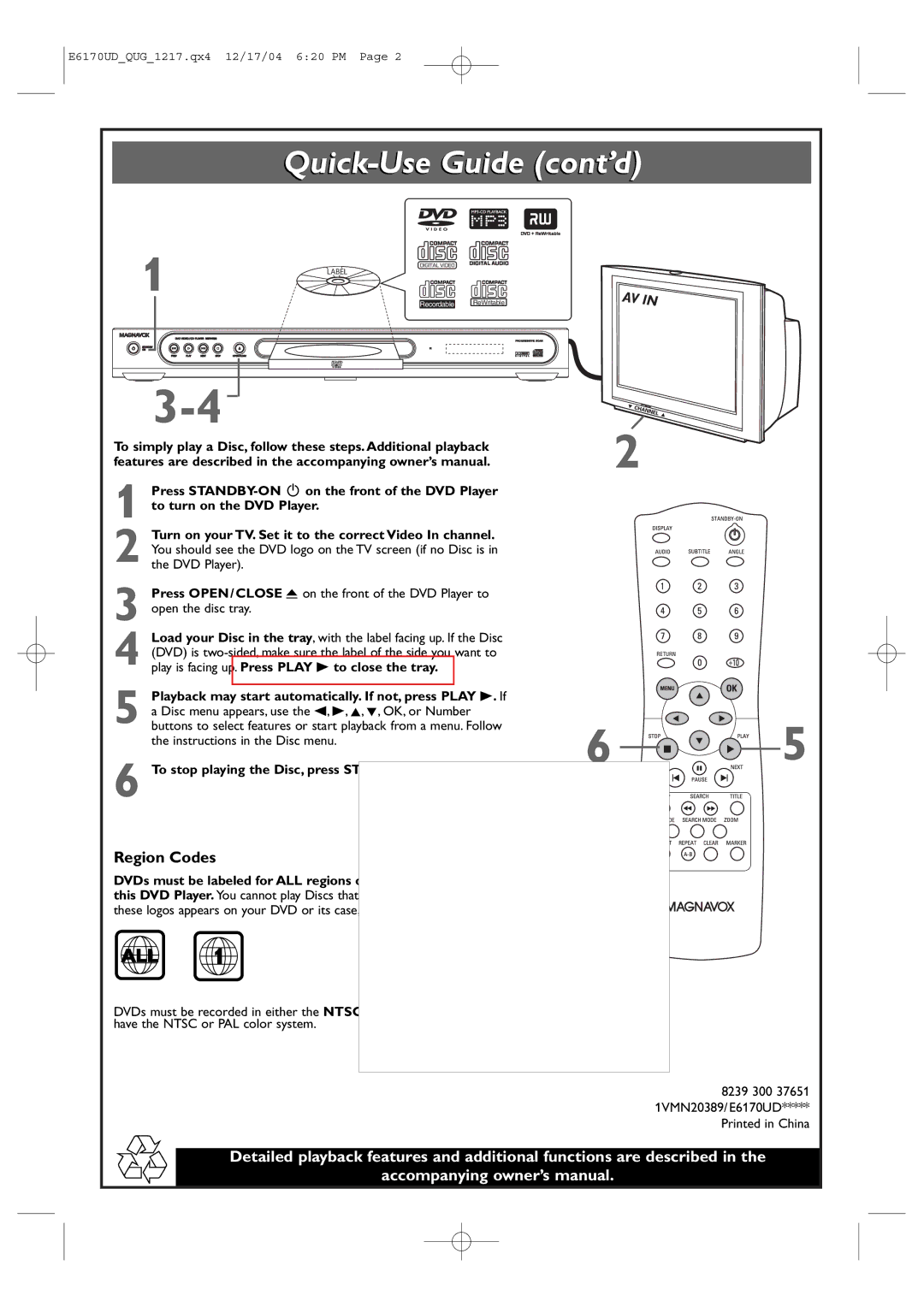
To simply play a Disc, follow these steps. Additional playback features are described in the accompanying owner’s manual.
1 Press
2 Turn on your TV. Set it to the correct Video In channel. You should see the DVD logo on the TV screen (if no Disc is in the DVD Player).
3 Press OPEN/CLOSE A on the front of the DVD Player to open the disc tray.
4 Load your Disc in the tray, with the label facing up. If the Disc (DVD) is
5 Playback may start automatically. If not, press PLAY B. If a Disc menu appears, use the s, B, K, L, OK, or Number buttons to select features or start playback from a menu. Follow the instructions in the Disc menu.
6 To stop playing the Disc, press STOP C.
Region Codes
DVDs must be labeled for ALL regions or for Region 1 in order to play on this DVD Player. You cannot play Discs that are labeled for other regions. If one of
these logos appears on your DVD or its case, it should play on this DVD Player.
2
6 


 5
5
ALL 1
DVDs must be recorded in either the NTSC or PAL color system.Your TV must also have the NTSC or PAL color system.
8239 300 37651 1VMN20389/E6170UD***** Printed in China
Detailed playback features and additional functions are described in the
accompanying owner’s manual.