Manuals
/
Rosewill
/
Computer Equipment
/
Computer Drive
Rosewill
RX20-U2
user manual
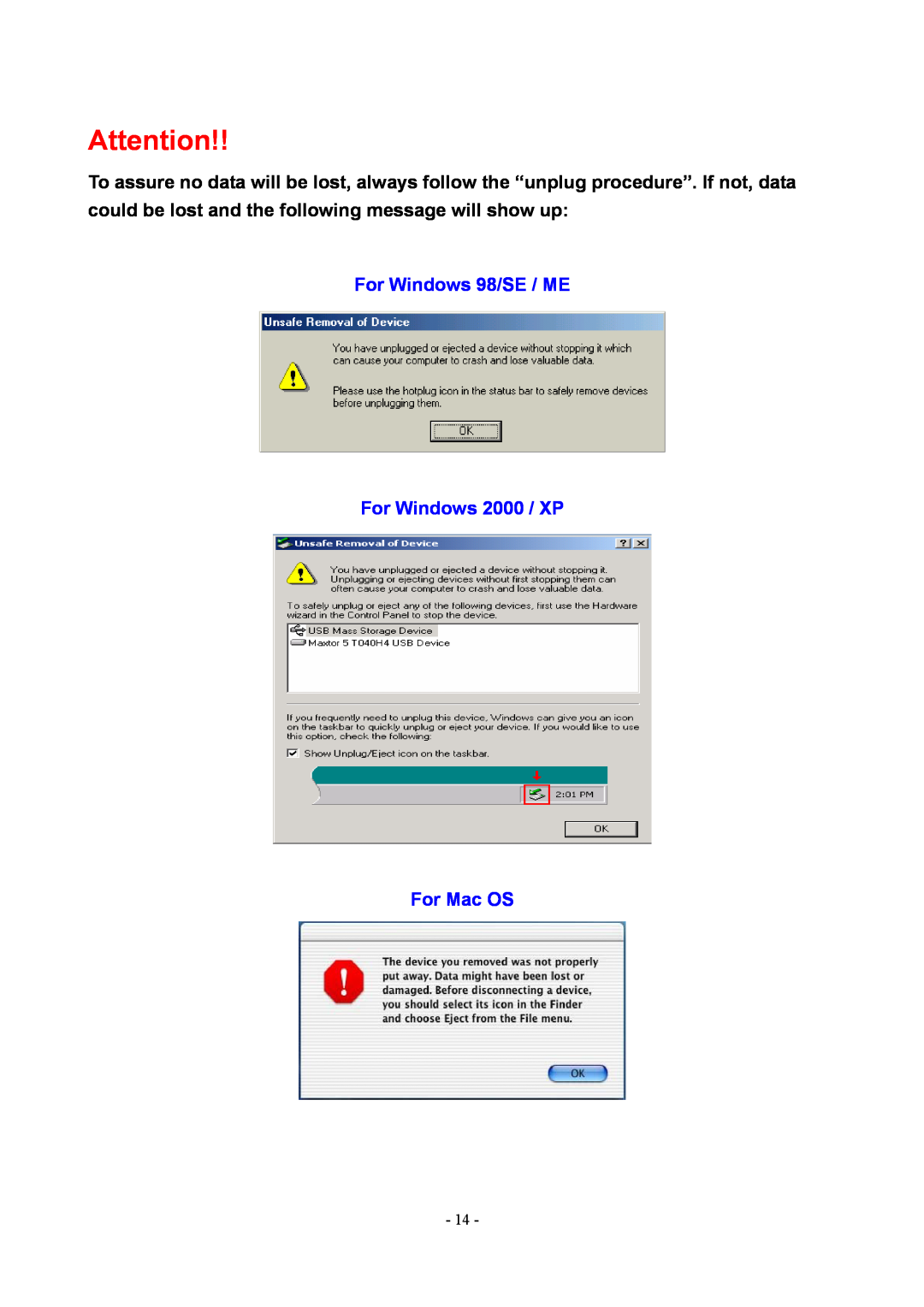
For Windows 98/SE / ME For Windows 2000 / XP For Mac OS
Models:
RX20-U2
1
14
18
18
Download
18 pages
62.99 Kb
11
12
13
14
15
16
17
18
Page 14
Image 14
Page 13
Page 15
Page 14
Image 14
Page 13
Page 15
Contents
Rosewill RX20-U2 USB
User Manual
Table of Contents
Chapter
Introduction
RX20-U2
1. RX20-U2 ATA to USB 2.0 External Hard Drive Enclosure
2. USB 2.0 Cable 3. CD with Driver
Figure A
Hardware Installation Guide
3.1 Exploded View See Figure A
3.2 Chassis Assembly
Unscrew the two screws, then remove the back panel See Figure B - D
Figure B Figure C Figure D
Hard Drive jumper settings Set to “Master”
Figure C Figure D
3.3 Hard Drive Installation
Hard Disk maximum thickness 9.5mm
Figure E Figure F Figure G
COMPUTER
3.3 System Set Up See Figure H
Figure H
„ Driver Installation
Installation Procedure
4.1 Installation on Windows 98/SE USB
„ Turn on your computer and start Windows
RX20-U2
4.2 Installation on Windows ME / 2000 / XP
4.3 Installation on a Macintosh USB 2.0 High Speed only on Mac OSX
5.2 Windows ME / 2000 / XP
Unplug Procedure
5.1 Windows 98/SE
5.3 Mac OS
Drag the icon to the trash bin and remove the device see Figure
For Windows 98/SE / ME For Windows 2000 / XP For Mac OS
Windows 98/SE, Windows ME DOS command “fdisk”
Partitioning & Formatting
Select “My Computer”, then right click Æ “Manage”
Windows 2000, Windows XP
Disk Management Program
Select “Disk Management” Follow the Wizard
Mac OS
Select ”Disk Utility “ in the Utilities folder
Hard Drive
Performance Test
Test Computer
Test Data
Top
Page
Image
Contents