TROUBLESHOOTING
■Before calling for repair service, check the following items for possible remedies to the encountered symptoms.
TV set
| Problem |
| Check item | Reference | |
|
| Pages | |||
|
|
|
|
| |
|
|
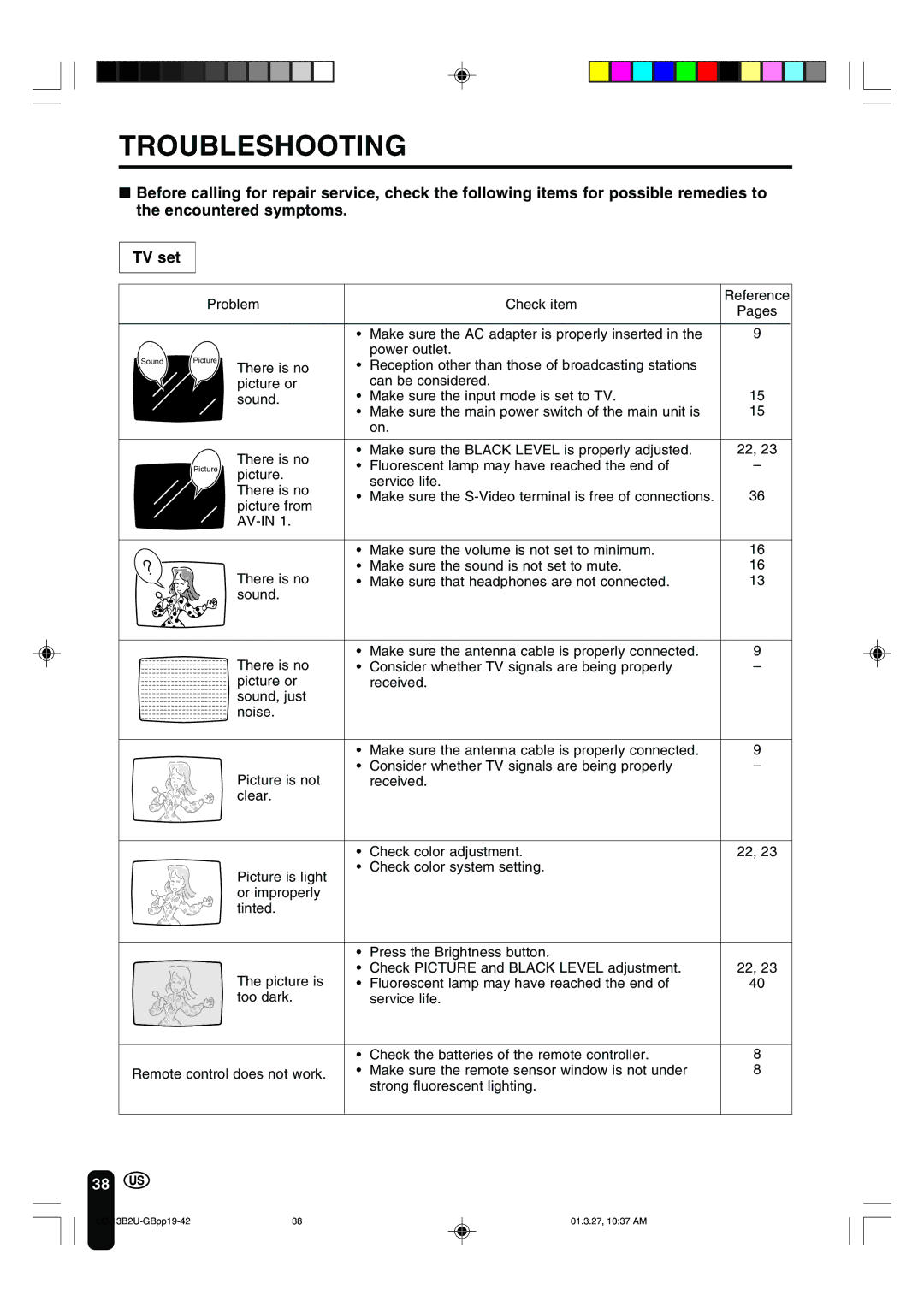
| • | Make sure the AC adapter is properly inserted in the | 9 |
| Picture |
|
| power outlet. |
|
Sound | There is no | • | Reception other than those of broadcasting stations |
| |
|
|
| |||
|
| picture or |
| can be considered. | 15 |
|
| sound. | • | Make sure the input mode is set to TV. | |
|
|
| • | Make sure the main power switch of the main unit is | 15 |
|
|
|
| on. |
|
|
| There is no | • | Make sure the BLACK LEVEL is properly adjusted. | 22, 23 |
| Picture | • | Fluorescent lamp may have reached the end of | – | |
| picture. | ||||
|
|
| service life. |
| |
|
| There is no |
| 36 | |
|
| • | Make sure the | ||
|
| picture from | |||
|
|
|
|
| |
|
|
|
|
| |
|
|
| • | Make sure the volume is not set to minimum. | 16 |
|
| There is no | • | Make sure the sound is not set to mute. | 16 |
|
| • | Make sure that headphones are not connected. | 13 | |
|
| sound. |
|
|
|
|
| There is no | • | Make sure the antenna cable is properly connected. | 9 |
|
| • | Consider whether TV signals are being properly | – | |
|
| picture or |
| received. |
|
|
| sound, just |
|
|
|
|
| noise. |
|
|
|
|
|
| • | Make sure the antenna cable is properly connected. | 9 |
|
| Picture is not | • | Consider whether TV signals are being properly | – |
|
|
| received. |
| |
|
| clear. |
|
|
|
|
|
| • | Check color adjustment. | 22, 23 |
•Check color system setting.
Picture is light or improperly tinted.
| • | Press the Brightness button. |
|
The picture is | • | Check PICTURE and BLACK LEVEL adjustment. | 22, 23 |
• | Fluorescent lamp may have reached the end of | 40 | |
too dark. |
| service life. |
|
| • | Check the batteries of the remote controller. | 8 |
Remote control does not work. | • | Make sure the remote sensor window is not under | 8 |
|
| strong fluorescent lighting. |
|
38
38 | 01.3.27, 10:37 AM |