Changing the TV Settings
5
Changing the Input Source
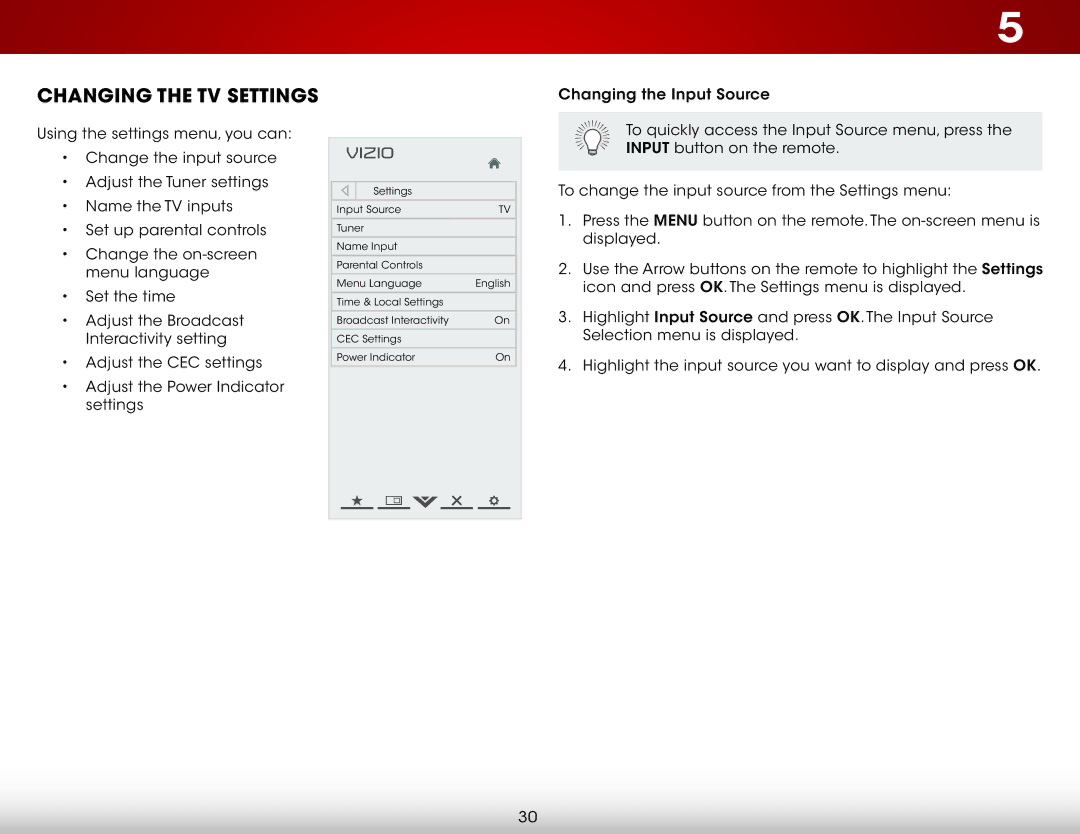
Using the settings menu, you can:
•Change the input source
•Adjust the Tuner settings
•Name the TV inputs
•Set up parental controls
•Change the
•Set the time
•Adjust the Broadcast Interactivity setting
•Adjust the CEC settings
•Adjust the Power Indicator settings
VIZIO |
|
Settings |
|
Input Source | TV |
Tuner |
|
Name Input |
|
Parental Controls |
|
Menu Language | English |
Time & Local Settings |
|
Broadcast Interactivity | On |
CEC Settings |
|
Power Indicator | On |
To quickly access the Input Source menu, press the INPUT button on the remote.
To change the input source from the Settings menu:
1.Press the MENU button on the remote. The
2.Use the Arrow buttons on the remote to highlight the Settings icon and press OK. The Settings menu is displayed.
3.Highlight Input Source and press OK. The Input Source Selection menu is displayed.
4.Highlight the input source you want to display and press OK.
30