User Guide
Contents
Media Center
Recent Calls
139
Month Limited Warranty
Phone Overview
Getting Started with Your Phone
Outside Display LCD Screen
Earpiece LCD Screen
Clear/Voice Commands Key
Microphone Left Soft Key
Camera/Video Key
17. # Vibrate Mode Key
End/Power Key
Charge Indicator
Directional Key
Lock Switch Internal Antenna Area Battery Cover Speaker
Volume/Zoom In/Out Keys
Shutter Key
Side Select Key
Water Resistance
Shock Resistance
Dust Resistance
Battery
Installing the Battery
Removing the battery
Charging the Battery
Charging by connecting to PC
Getting Started with Your Phone
Opening and Closing the Charging/Data Port Cover
Charging the battery by directly connecting Wall Charger
Battery Level
Turning the Phone On and Off
Making Calls
Redialing Calls
Screen Icons
Receiving Calls
Tab, List, and Grid
Menu Access
Grid Menu
Menu Overview
Bluetooth Menu
Display Settings
Sounds Settings
Browse & Download
Phone Settings Phone Info
Call Settings
Memory
Twist and Close the phone
Function Select Menu
Using a Memory Card
Installing a Memory Card
Removing a Memory Card
Getting Started with Your Phone
Using the Headset Adapter
Vibrate Mode
Lock Mode
Mute Function
Volume Quick Adjustment
Voice Commands
Call Waiting
Caller ID
Speed Dialing
T9 Word/Abc/ABC/123/Symbols/Add Quick Text
Using Abc Multi-tap Text Input
Text Input
Text Input Modes
Using the Next Key
Using T9 Word Mode Text Input
Using 123 Numbers Text Input
Using Symbol Text Input
Adding Words to the T9 Database
Contacts Entries
Basics of Storing Contact Entries
Adding or Changing Groups
Options to Customize Your Contacts
No Group/Club/Family/Friends/Work
Changing the Call Ringtone
Adding or Changing the Pictures ID
Adding or Changing an E-mail Address
Adding a Speed Dial Entry
Adding a Phone Number from the idle screen
Editing Contact Entries
Default Numbers
Changing the Default Number
Adding a Phone Number from the Contact List Screen
Editing Stored Names
Editing Stored Phone Numbers
Deleting a Phone Number from a Contact
Deleting
Deleting a Contact Entry
Deleting a Speed Dial
Wait W
Phone Numbers with Pauses
Sec Pause P
Storing a Phone Number with Pauses
Adding a Pause to an Existing Number
Searching Your Phone’s Memory
Scrolling Through Your Contacts
Making a Call from Your Phone’s Memory
Searching by Letter
From Contacts
From Recent Calls
Speed Dialing
Missed/Received/Dialed/Blocked/All
For Single-Digit Speed Dials
For Double-Digit Speed Dials
For Triple-Digit Speed Dials
Tips for stabilizing your camera
How to hold your phone when shooting
Viewing direction of saved picture and video
Options Flip Open
Take Picture
Display Setting
Self Timer
Macro
Brightness
Options Twist and Close
Normal Shot Flip Open
Camera
Camera
Normal Shot Twist and Close
Perspective Adjustment Twist and Close
Multi Shot Flip Open
Multi Shot Twist and Close
Multi Shot View Flip Open
Multi Shot View Twist and Close
Take Picture mode Icon Reference
Camera
Recording Light
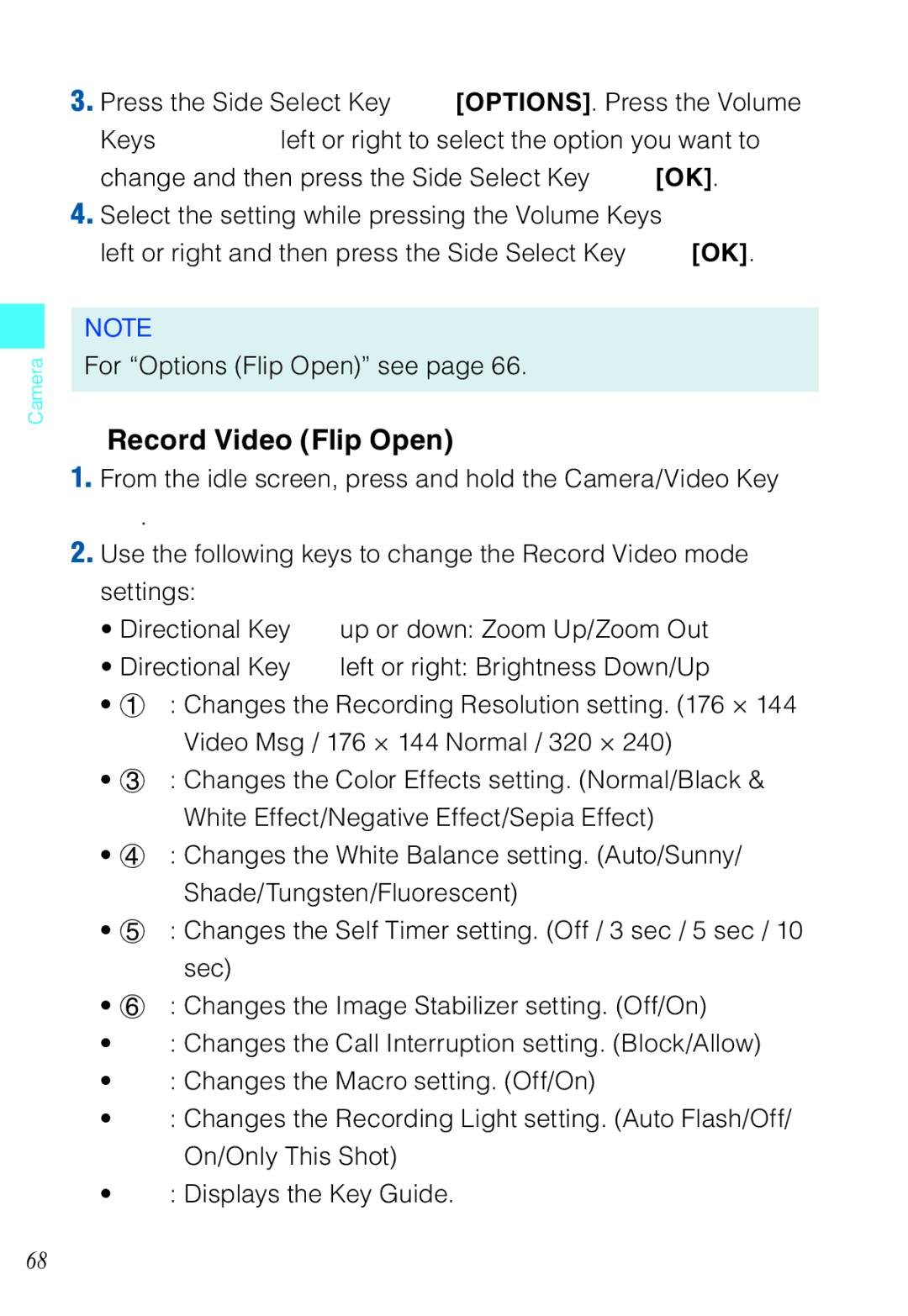
Record Video
Color Effects
Call Interruption
Camera
Start Sound
Record Video Flip Open
Record Video Twist and Close
Record Video mode Icon Reference
Color Effects
Downloading Applications
Access and Options
Music & Tones
Cast Music with Rhapsody
Press 1 Music & Tones
Press 1 Music & Tones, 1 V Cast Music Rhapsody
Get New Ringtones
My Ringtones
Press 1 Music & Tones, 3 My Ringtones
My Music
Recording New Sounds
My Sounds
Shortcut
Erase Sound
Media Center
Picture & Video
Quick Access to Picture & Video Feature
Cast Videos
Press 2 Picture & Video
Browsing, Selecting, and Playing Video Clips
Downloading a Video Clip
Press 2 Picture & Video. Press 1 V Cast Videos
Deleting Video Clips
Configuring Alerts for New Video Clips
Get New Pictures
Press 2 Picture & Video, 3 My Pictures
My Pictures
Set As
Slide Show
Rotate
Browse My Pictures Twist and Close
Resize
Zoom
You can crop pictures saved in My Pictures
Crop
Pers.Adj
Perspective Adjustment Pers.Adj
Slide Show Flip Open
Slide Show Twist and Close
Erase Picture
Erase All Pictures
My Videos
Erase Video
Set As Wallpaper
View
Erase All Videos
Games
Online Album
Press 2 Picture & Video, 7 Online Album
Playing Downloaded Games
Mobile Web
Starting the Dashboard
Starting the Mobile Web
Ending a Browser Session
Initiating a Phone Call from the Browser
Action Menu
Main Menu
Changing Display Mode
Settings
Browse & Download
VZ NavigatorSM
Press 5 Browse & Download
Extras
Info
App. Memory/Phone Memory/View Log/Help
New Message
Messaging
New Message Alert
New Message
Sending a Text Message
New Message Press 1 TXT Message
Press 2 Picture Message
Sending a Picture Message
Sending a Voice Message
Sending a Video Message
Press 3 Video Message
New Message Press 4 Voice Message
Customizing the Message Using Options
Using Contacts to Send a Message
Inbox
Out of Memory Warning
Press 1 From Contacts
Viewing Your Inbox
Sent
Message Icon Reference
Unread Messages or Only Read Messages
Resend
Drafts
Erase Sent
Message Info
Voicemail
Checking Your Voicemail Box
Erase Drafts
Visual Voice Mail
Mobile IM
Mobile IM. Mobile IM launches
Chat
Message Settings
Entry Mode
Message Settings Submenu Descriptions
SignatureNone/Custom Messaging Font Size Small/Normal/Large
Multimedia Auto Receive
Signature
Message Erase
Confirmation message appears
New Contact
Contacts
Contact List
Press 1 New Contact
Email 1/Group/Picture/Ringtone/Mobile 2/Email
Groups
Add a New Group
Add Contacts to Group
Change Group Name
Erase Group
Speed Dials
Case of Emergency ICE
Adding a Contact to ICE
Press 5 In Case of Emergency
Entering Personal Info
Press 6 My Name Card
My Name Card
Missed Received Dialed Blocked All
Recent Calls
Missed
Received
Press 2 Received
Save to Contacts/Erase/Lock Unlock/Erase All/View Timers
Dialed
Blocked
All
View Timers
Press 1 My Verizon. The browser will launch
My Verizon
Voice Commands
Alarm Clock Stop Watch Countdown Timer World Clock Notepad
Tools
Press 2 Tools, 1 Voice Commands
Call Name or #
Send MSG Type
Check Item
Go To Shortcut
Contact Name
Play Playlist
Calculator
Voice Commands Settings
Sensitive
Press 2 Tools, 2 Calculator
Calendar
Adding a New Event
Press 2 Tools, 3 Calendar
Viewing and Editing Event Details
Setting an Alarm
Alarm Clock
Disabling an alarm before it sounds
Press 2 Tools, 4 Alarm Clock
Press 2 Tools, 6 Countdown Timer
Countdown Timer
Stop Watch
Press 2 Tools, 5 Stop Watch
Adding a New Note
World Clock
Viewing and Editing a Note
Press 2 Tools, 7 World Clock
Bluetooth Menu
Power
Press 3 Bluetooth Menu
Add New Devices
141
Icon References When Successfully Connected
Icon Reference When Adding New Device
Options
Press 2 Discovery Mode
Discovery Mode
My Phone Name
Supported Profiles
Sending and Receiving Name Cards
Sending a Name Card
Press 3 Supported Profiles
Sending My Name Card
Pulling a Name Card
Receiving a Name Card
Sending and Receiving Images
Sending an Image
Receiving an Image
Sounds Settings
Call Sounds
Call Ringtone
Press 4 Sounds Settings, 2 Alert Sounds
Press 4 Sounds Settings, 1 Call Sounds, 2 Call Vibrate
Call Vibrate
Alert Sounds
Keypad Volume
Service Alerts
Power On/Off
Press 5 Display Settings
Display Settings
Press 5 Display Settings, 1 Banner, 1 Personal Banner
Banner
ERI Banner
Press 5 Display Settings, 1 Banner, 2 ERI Banner
Backlight
Seconds/15 seconds/30 seconds/Always On/Always Off
Contrast
Wallpaper
Display Themes
Dial Fonts
Main Menu Settings
Slide Show
Clock Format
Auto Start On/Off
Normal/Large Only
Press 5 Display Settings, 9 Slide Show, 2 Duration
Press 5 Display Settings, 9 Slide Show, 1 Auto Start On/Off
Duration
Seconds / 5 seconds / 30 seconds / 180 seconds
Airplane Mode
Phone Settings
Press 5 Display Settings, 9 Slide Show, 3 Repeat
Press 6 Phone Settings
Press 6 Phone Settings, 2 Set Shortcuts, 1 Set My Shortcuts
Press 6 Phone Settings, 1 Airplane Mode
Set Shortcuts
Set My Shortcuts
Set Directional Keys
Resetting My Shortcuts
Resetting the Directional Key Settings
Press 6 Phone Settings, 3 Voice Commands
Language
Location
Security
Edit Codes
Press 6 Phone Settings, 6 Security
Restrictions
Press 1 Edit Codes
Phone Lock Setting
Press 2 Restrictions
Only/Block All
Press 3 Phone Lock Setting
Restore Phone
Lock Phone Now
Press 4 Lock Phone Now
Press 5 Restore Phone
Press 6 Phone Settings, 7 System Select
System Select
Press 6 Phone Settings, 8 NAM Selection
Call Settings
Press 7 Call Settings
NAM Selection
Press 7 Call Settings, 2 Auto Retry
Press 7 Call Settings, 1 Answer Options
Answer Options
Auto Retry
Press 7 Call Settings, 3 TTY Mode
TTY Mode
Press 7 Call Settings, 4 One Touch Dial
One Touch Dial
Voice Privacy
PC Connections
Dtmf Tones
Save Options
Memory
Phone Memory
Phone Memory Usage
Press 8 Memory, 2 Phone Memory, 1 Phone Memory Usage
Deleting and Moving Files
Press 8 Memory, 2 Phone Memory
My Pictures/My Videos/My Ringtones/My Music/My Sounds
Card Memory Usage
Card Memory
Press 8 Memory, 3 Card Memory, 1 Card Memory Usage
Press 8 Memory, 3 Card Memory
My Number/SW/HW Version/Icon Glossary/Software Update
Phone Info
Press 9 Phone Info
My Number
SW/HW Version
Icon Glossary
Press 9 Phone Info, 4 Software Update, 1 Status
Software Update
Press 9 Phone Info, 4 Software Update, 2 Check New
Status
Install Deferred S/W
Included Items
TIA Safety Information
Tips on Efficient Operation
Driving
Electronic Devices
Pacemakers
Vehicles
Posted Facilities
Aircraft
Safety Information for FCC RF Exposure
Blasting Areas
Potentially Explosive Atmospheres
SAR information
Body-Worn Operation
183
184
FDA Information
What kinds of phones are the subject of this update?
What is FDA’s role concerning the safety of wireless phones?
Do wireless phones pose a health hazard?
187
What are the results of the research done already?
189
190
Use a wireless phone connected to a remote antenna
What about children using wireless phones?
192
193
Emergency Calls
FCC Enhanced 911 E911 Rules
Casio Exilim Phone’s ALI Capability
Compliance with Other FCC Regulations
Operating Procedures
Precautions
General Safety
197
198
Battery Safety
Antenna Safety
DON’Ts
Charger
202
Repetitive Motion Injuries
Seizures/Blackouts
Camera
Accessibility
What is Hearing Aid Compatibility?
Gallaudet University, Rerc
Avoid potential hearing loss
207
American Academy of Audiology
National Institute for Occupational Safety and Health
Call to Protect
Month Limited Warranty
211
212
USA
Index
ERI
Recent Calls
Settings & Tools
218
219