➊
➋
➐
➑
➒
➑
➒
Before operation
Controls and connections
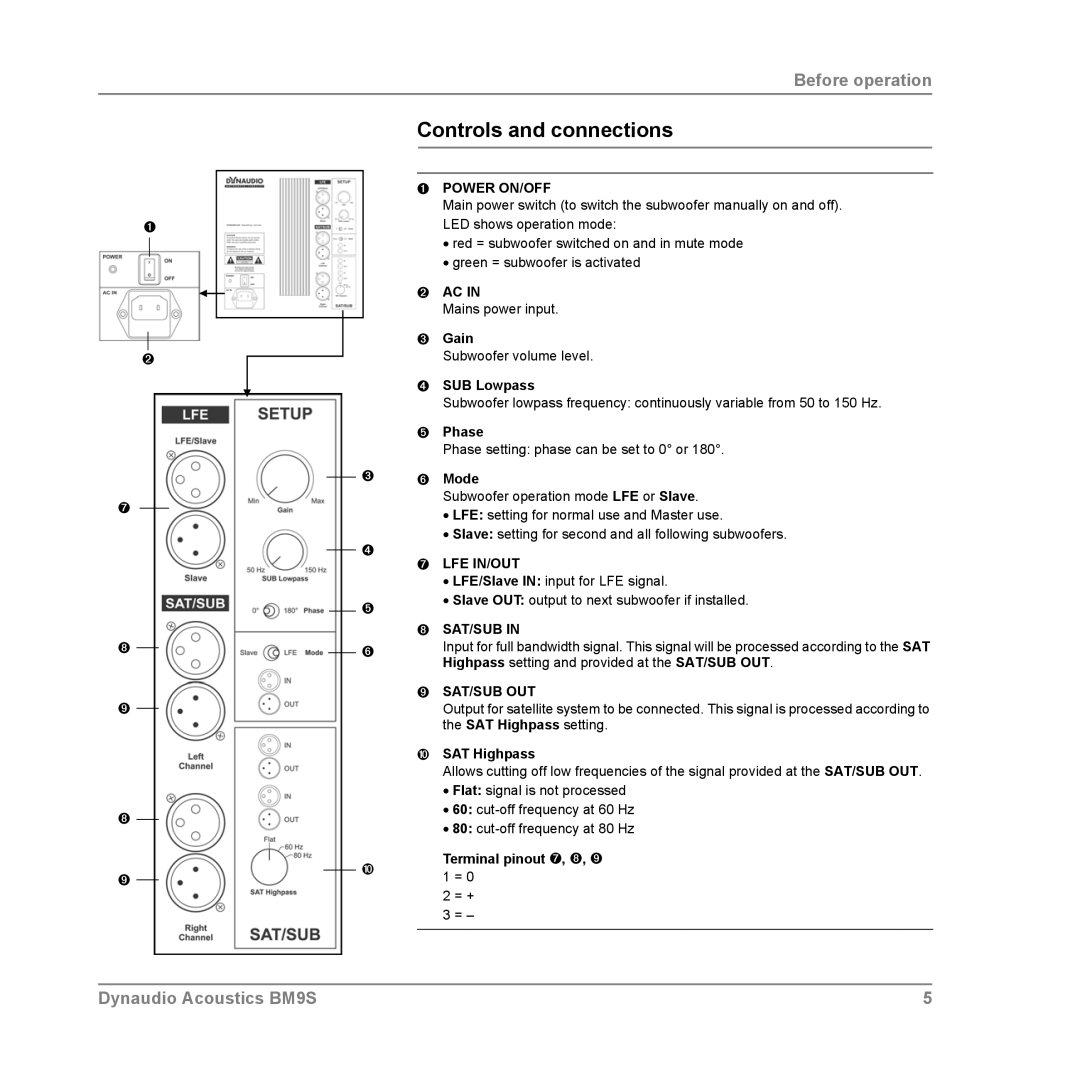
➊POWER ON/OFF
Main power switch (to switch the subwoofer manually on and off). LED shows operation mode:
•red = subwoofer switched on and in mute mode
•green = subwoofer is activated
➋AC IN
Mains power input.
➌Gain
Subwoofer volume level.
➍SUB Lowpass
Subwoofer lowpass frequency: continuously variable from 50 to 150 Hz.
➎Phase
Phase setting: phase can be set to 0° or 180°.
➌➏ Mode
Subwoofer operation mode LFE or Slave.
•LFE: setting for normal use and Master use.
•Slave: setting for second and all following subwoofers.
➍
➐LFE IN/OUT
• LFE/Slave IN: input for LFE signal.
➎• Slave OUT: output to next subwoofer if installed.
➑SAT/SUB IN
➏Input for full bandwidth signal. This signal will be processed according to the SAT Highpass setting and provided at the SAT/SUB OUT.
➒SAT/SUB OUT
Output for satellite system to be connected. This signal is processed according to the SAT Highpass setting.
➓SAT Highpass
Allows cutting off low frequencies of the signal provided at the SAT/SUB OUT.
•Flat: signal is not processed
•60:
•80:
➓ | Terminal pinout ➐, ➑, ➒ | |
1 = 0 | ||
| ||
| 2 = + | |
| 3 = – | |
|
|
Dynaudio Acoustics BM9S | 5 |