Ports and operating elements
Removing a SIM card
►Switch the notebook off and pull the power plug out of the mains socket.
►Close the LCD screen so that it locks into place.
►Disconnect all cables connected to the notebook.
►Turn your notebook over and place it on a stable, flat and clean surface. If necessary, lay an
►Remove the battery (see Section "Removing the battery", Page 16).
a
1
2
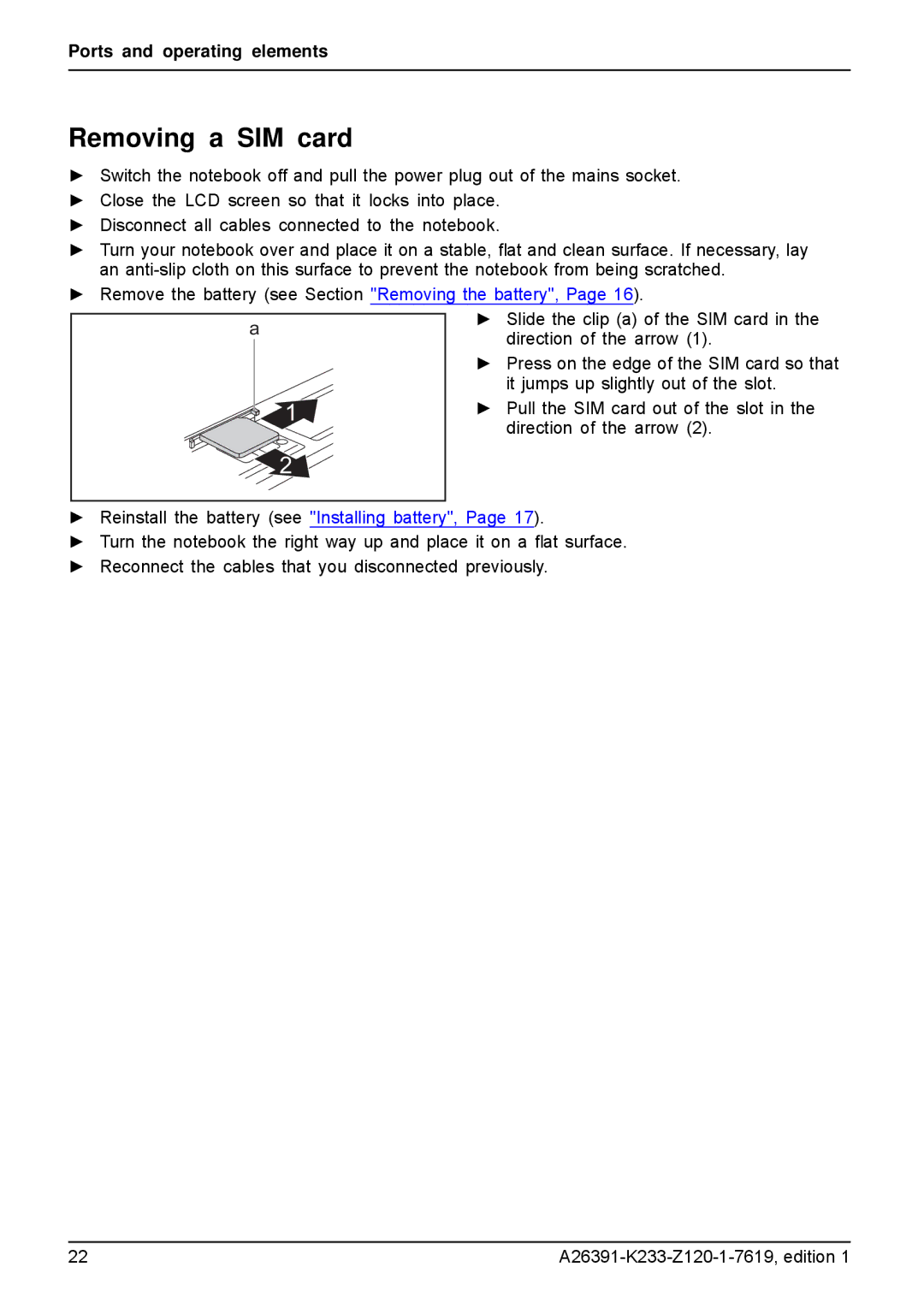
►Slide the clip (a) of the SIM card in the direction of the arrow (1).
►Press on the edge of the SIM card so that it jumps up slightly out of the slot.
►Pull the SIM card out of the slot in the direction of the arrow (2).
►Reinstall the battery (see "Installing battery", Page 17).
►Turn the notebook the right way up and place it on a flat surface.
►Reconnect the cables that you disconnected previously.
22 |