A d v a n c e d M e n u
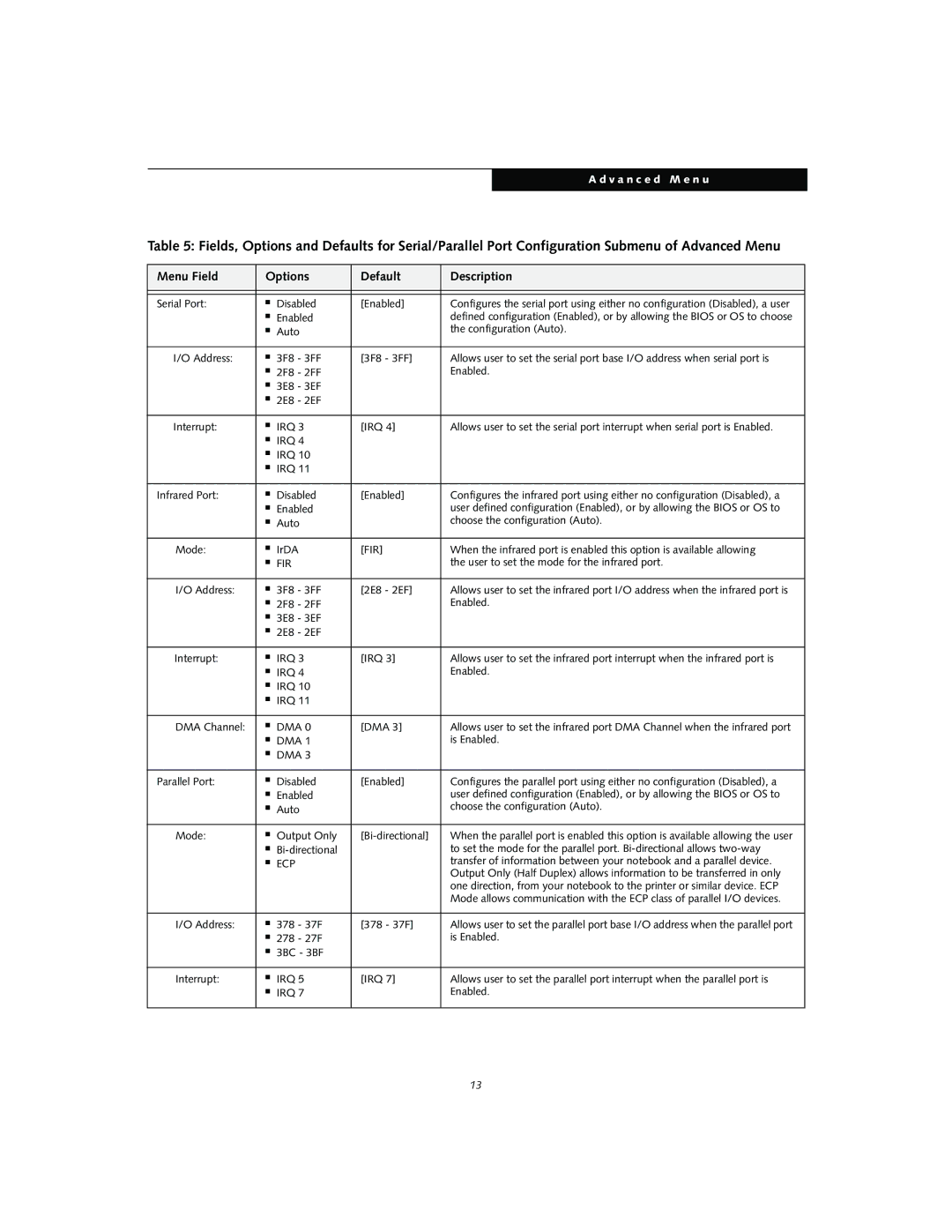
Table 5: Fields, Options and Defaults for Serial/Parallel Port Configuration Submenu of Advanced Menu
Menu Field | Options | Default | Description | |
|
|
|
|
|
|
|
|
|
|
Serial Port: | ■ | Disabled | [Enabled] | Configures the serial port using either no configuration (Disabled), a user |
| ■ | Enabled |
| defined configuration (Enabled), or by allowing the BIOS or OS to choose |
| ■ | Auto |
| the configuration (Auto). |
|
|
|
|
|
I/O Address: | ■ | 3F8 - 3FF | [3F8 - 3FF] | Allows user to set the serial port base I/O address when serial port is |
| ■ | 2F8 - 2FF |
| Enabled. |
| ■ | 3E8 - 3EF |
|
|
| ■ | 2E8 - 2EF |
|
|
|
|
|
|
|
Interrupt: | ■ | IRQ 3 | [IRQ 4] | Allows user to set the serial port interrupt when serial port is Enabled. |
| ■ | IRQ 4 |
|
|
| ■ | IRQ 10 |
|
|
| ■ | IRQ 11 |
|
|
|
|
|
|
|
Infrared Port: | ■ | Disabled | [Enabled] | Configures the infrared port using either no configuration (Disabled), a |
| ■ | Enabled |
| user defined configuration (Enabled), or by allowing the BIOS or OS to |
| ■ | Auto |
| choose the configuration (Auto). |
|
|
|
|
|
Mode: | ■ | IrDA | [FIR] | When the infrared port is enabled this option is available allowing |
| ■ | FIR |
| the user to set the mode for the infrared port. |
|
|
|
|
|
I/O Address: | ■ | 3F8 - 3FF | [2E8 - 2EF] | Allows user to set the infrared port I/O address when the infrared port is |
| ■ | 2F8 - 2FF |
| Enabled. |
| ■ | 3E8 - 3EF |
|
|
| ■ | 2E8 - 2EF |
|
|
|
|
|
|
|
Interrupt: | ■ | IRQ 3 | [IRQ 3] | Allows user to set the infrared port interrupt when the infrared port is |
| ■ | IRQ 4 |
| Enabled. |
| ■ | IRQ 10 |
|
|
| ■ | IRQ 11 |
|
|
|
|
|
|
|
DMA Channel: | ■ | DMA 0 | [DMA 3] | Allows user to set the infrared port DMA Channel when the infrared port |
| ■ | DMA 1 |
| is Enabled. |
| ■ | DMA 3 |
|
|
|
|
|
|
|
Parallel Port: | ■ | Disabled | [Enabled] | Configures the parallel port using either no configuration (Disabled), a |
| ■ | Enabled |
| user defined configuration (Enabled), or by allowing the BIOS or OS to |
| ■ | Auto |
| choose the configuration (Auto). |
|
|
|
|
|
Mode: | ■ | Output Only | When the parallel port is enabled this option is available allowing the user | |
| ■ |
| to set the mode for the parallel port. | |
| ■ | ECP |
| transfer of information between your notebook and a parallel device. |
|
|
|
| Output Only (Half Duplex) allows information to be transferred in only |
|
|
|
| one direction, from your notebook to the printer or similar device. ECP |
|
|
|
| Mode allows communication with the ECP class of parallel I/O devices. |
|
|
|
|
|
I/O Address: | ■ | 378 - 37F | [378 - 37F] | Allows user to set the parallel port base I/O address when the parallel port |
| ■ | 278 - 27F |
| is Enabled. |
| ■ | 3BC - 3BF |
|
|
|
|
|
|
|
Interrupt: | ■ | IRQ 5 | [IRQ 7] | Allows user to set the parallel port interrupt when the parallel port is |
| ■ | IRQ 7 |
| Enabled. |
|
|
|
|
|
13