|
|
|
|
|
| M a i n M e n u | |
|
|
|
|
|
|
| |
|
|
|
|
|
| ||
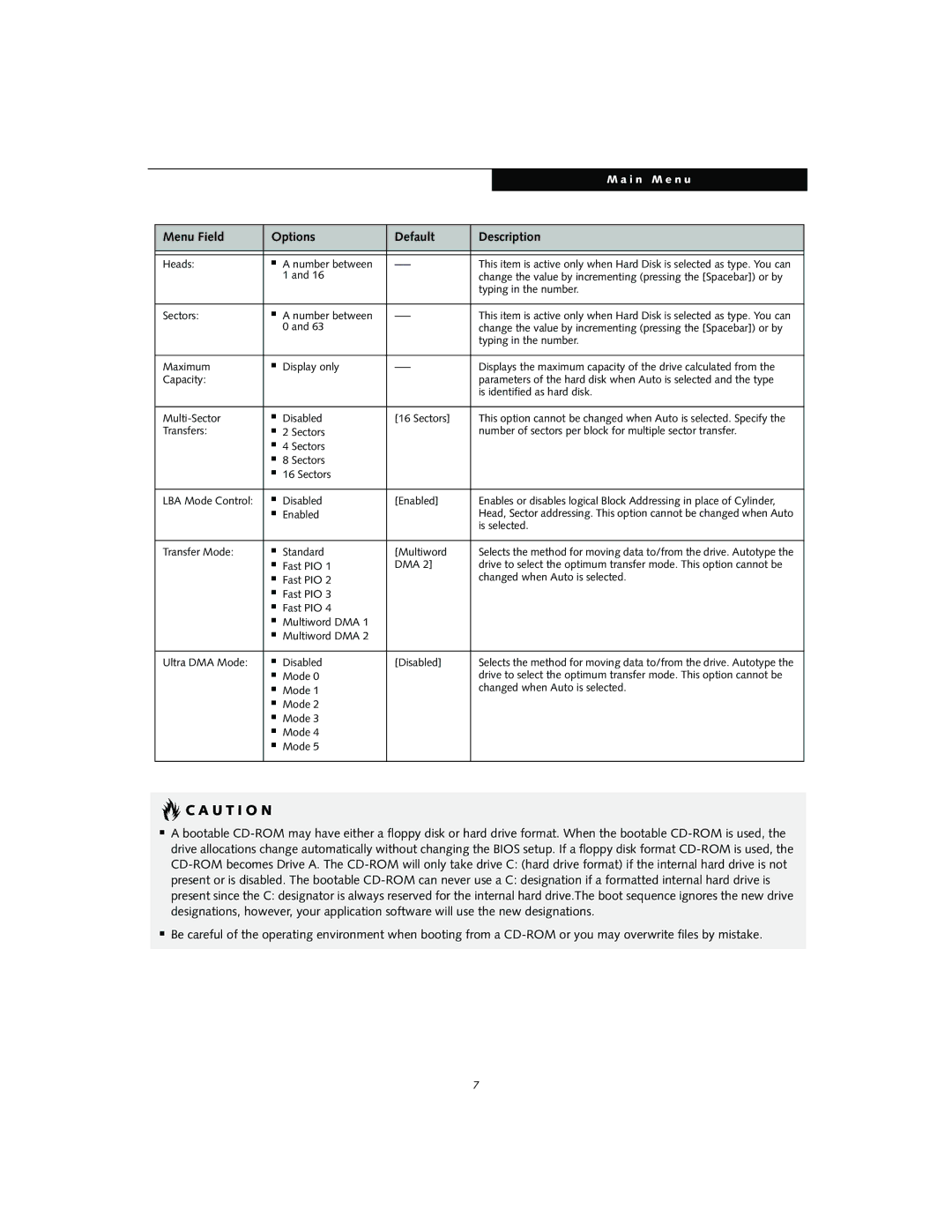
| Menu Field | Options | Default | Description |
| ||
|
|
|
|
|
|
| |
|
|
|
|
|
|
| |
| Heads: | ■ | A number between | This item is active only when Hard Disk is selected as type. You can |
| ||
|
|
| 1 and 16 |
| change the value by incrementing (pressing the [Spacebar]) or by |
| |
|
|
|
|
| typing in the number. |
| |
|
|
|
|
|
|
| |
| Sectors: | ■ | A number between | This item is active only when Hard Disk is selected as type. You can |
| ||
|
|
| 0 and 63 |
| change the value by incrementing (pressing the [Spacebar]) or by |
| |
|
|
|
|
| typing in the number. |
| |
|
|
|
|
|
|
| |
| Maximum | ■ | Display only | Displays the maximum capacity of the drive calculated from the |
| ||
| Capacity: |
|
|
| parameters of the hard disk when Auto is selected and the type |
| |
|
|
|
|
| is identified as hard disk. |
| |
|
|
|
|
|
|
| |
| ■ | Disabled | [16 Sectors] | This option cannot be changed when Auto is selected. Specify the |
| ||
| Transfers: | ■ | 2 Sectors |
| number of sectors per block for multiple sector transfer. |
| |
|
| ■ | 4 Sectors |
|
|
|
|
|
| ■ | 8 Sectors |
|
|
|
|
|
| ■ | 16 Sectors |
|
|
|
|
|
|
|
|
|
|
| |
| LBA Mode Control: | ■ | Disabled | [Enabled] | Enables or disables logical Block Addressing in place of Cylinder, |
| |
|
| ■ | Enabled |
| Head, Sector addressing. This option cannot be changed when Auto |
| |
|
|
|
|
| is selected. |
| |
|
|
|
|
|
|
| |
| Transfer Mode: | ■ | Standard | [Multiword | Selects the method for moving data to/from the drive. Autotype the |
| |
|
| ■ | Fast PIO 1 | DMA 2] | drive to select the optimum transfer mode. This option cannot be |
| |
|
| ■ | Fast PIO 2 |
| changed when Auto is selected. |
| |
|
| ■ | Fast PIO 3 |
|
|
|
|
|
| ■ | Fast PIO 4 |
|
|
|
|
|
| ■ | Multiword DMA 1 |
|
|
|
|
|
| ■ | Multiword DMA 2 |
|
|
|
|
|
|
|
|
|
|
| |
| Ultra DMA Mode: | ■ | Disabled | [Disabled] | Selects the method for moving data to/from the drive. Autotype the |
| |
|
| ■ | Mode 0 |
| drive to select the optimum transfer mode. This option cannot be |
| |
|
| ■ | Mode 1 |
| changed when Auto is selected. |
| |
|
| ■ | Mode 2 |
|
|
|
|
|
| ■ | Mode 3 |
|
|
|
|
|
| ■ | Mode 4 |
|
|
|
|
|
| ■ | Mode 5 |
|
|
|
|
|
|
|
|
|
|
|
|
 C A U T I O N
■A bootable
■Be careful of the operating environment when booting from a
7