QUICK OPERATION GUIDE
SUPPLY POWER
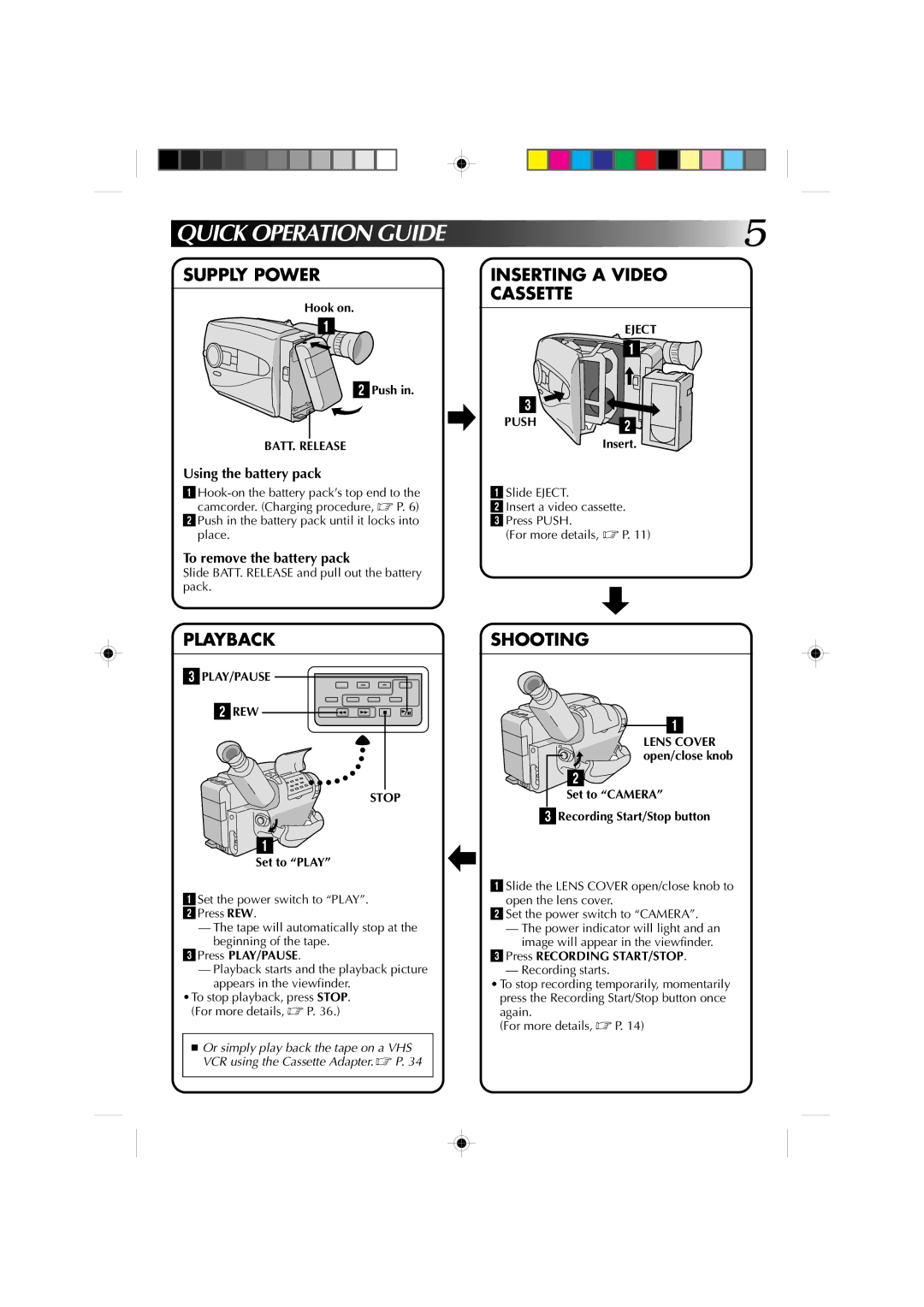
Hook on.


 1
1
2Push in.
BATT. RELEASE
Using the battery pack
2Push in the battery pack until it locks into place.
To remove the battery pack
Slide BATT. RELEASE and pull out the battery pack.
 5
5
INSERTING A VIDEO
CASSETTE
| EJECT |
| 1 |
3 |
|
PUSH | 2 |
| |
| Insert. |
1 Slide EJECT.
2 Insert a video cassette.
3 Press PUSH.
(For more details, ☞ P. 11)
PLAYBACK
3PLAY/PAUSE
2REW
STOP
1
Set to “PLAY”
1Set the power switch to “PLAY”.
2Press REW.
—The tape will automatically stop at the beginning of the tape.
3Press PLAY/PAUSE.
—Playback starts and the playback picture appears in the viewfinder.
•To stop playback, press STOP. (For more details, ☞ P. 36.)
■Or simply play back the tape on a VHS VCR using the Cassette Adapter. ☞ P. 34
SHOOTING
1
LENS COVER open/close knob
2
Set to “CAMERA”
3Recording Start/Stop button
1 Slide the LENS COVER open/close knob to open the lens cover.
2 Set the power switch to “CAMERA”.
—The power indicator will light and an image will appear in the viewfinder.
3Press RECORDING START/STOP.
— Recording starts.
•To stop recording temporarily, momentarily press the Recording Start/Stop button once
again.
(For more details, ☞ P. 14)