25
25
INDICATION | MODE | EFFECT | ||
|
|
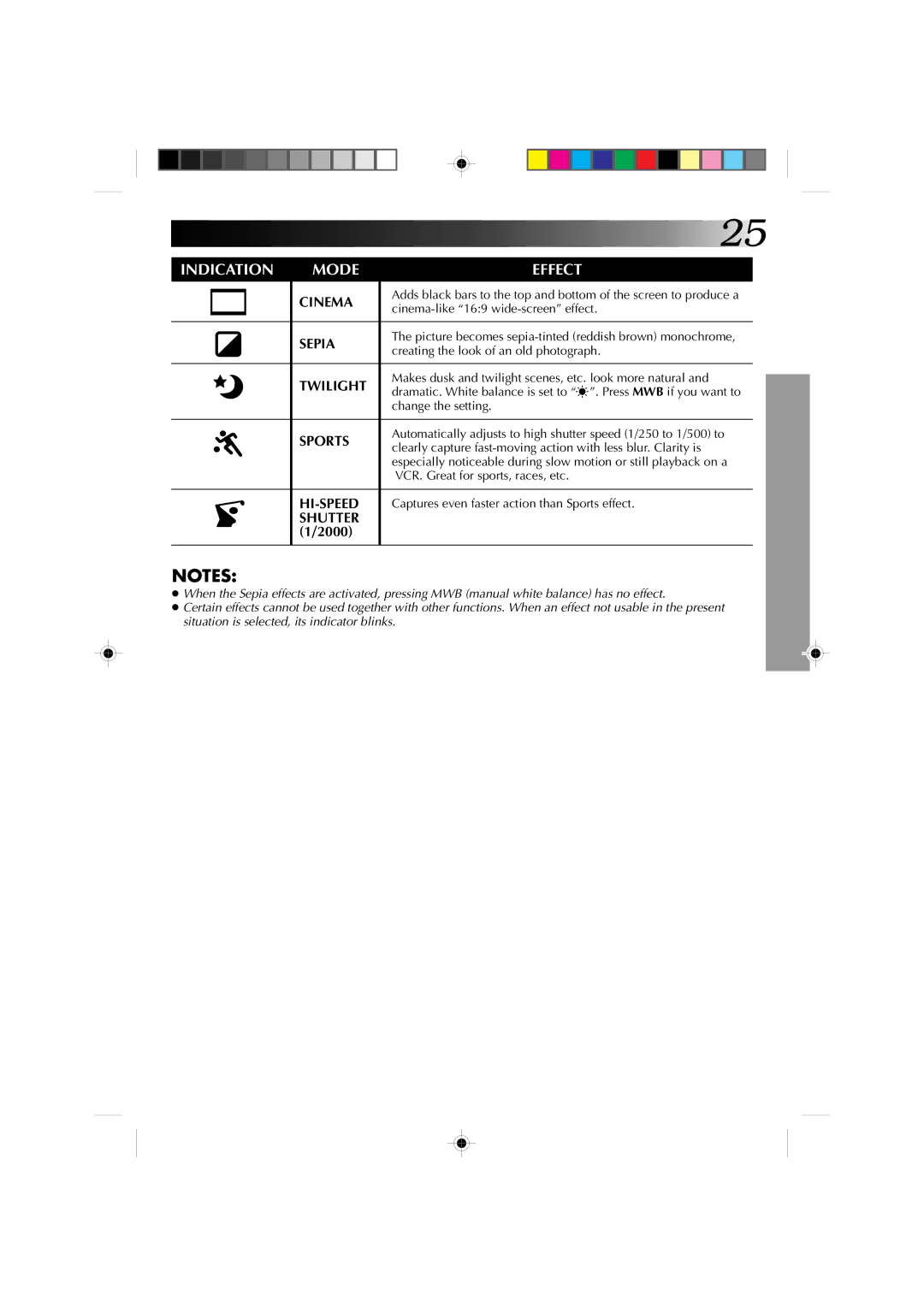
| CINEMA | Adds black bars to the top and bottom of the screen to produce a |
|
|
| ||
|
|
| ||
|
|
|
| |
|
|
|
|
|
|
|
| SEPIA | The picture becomes |
|
|
| creating the look of an old photograph. | |
|
|
|
| |
|
|
|
|
|
|
|
| TWILIGHT | Makes dusk and twilight scenes, etc. look more natural and |
|
|
| dramatic. White balance is set to “ ”. Press MWB if you want to | |
|
|
|
| |
|
|
|
| change the setting. |
|
|
|
|
|
|
|
| SPORTS | Automatically adjusts to high shutter speed (1/250 to 1/500) to |
|
|
| clearly capture | |
|
|
|
| |
|
|
|
| especially noticeable during slow motion or still playback on a |
|
|
|
| VCR. Great for sports, races, etc. |
|
|
|
|
|
|
|
| Captures even faster action than Sports effect. | |
|
|
| SHUTTER |
|
|
|
| (1/2000) |
|
|
|
|
|
|
NOTES:
●When the Sepia effects are activated, pressing MWB (manual white balance) has no effect.
●Certain effects cannot be used together with other functions. When an effect not usable in the present situation is selected, its indicator blinks.