5312 and 5324 IP Phone SIP User and Administrator Guide
3.From the Feature list, select Shared Line.
4.From the Context list, select the User ID with which to associate this key.
5.Enter a label/description for this key (optional).
6.Click Apply to apply the changes.
Line Key Status
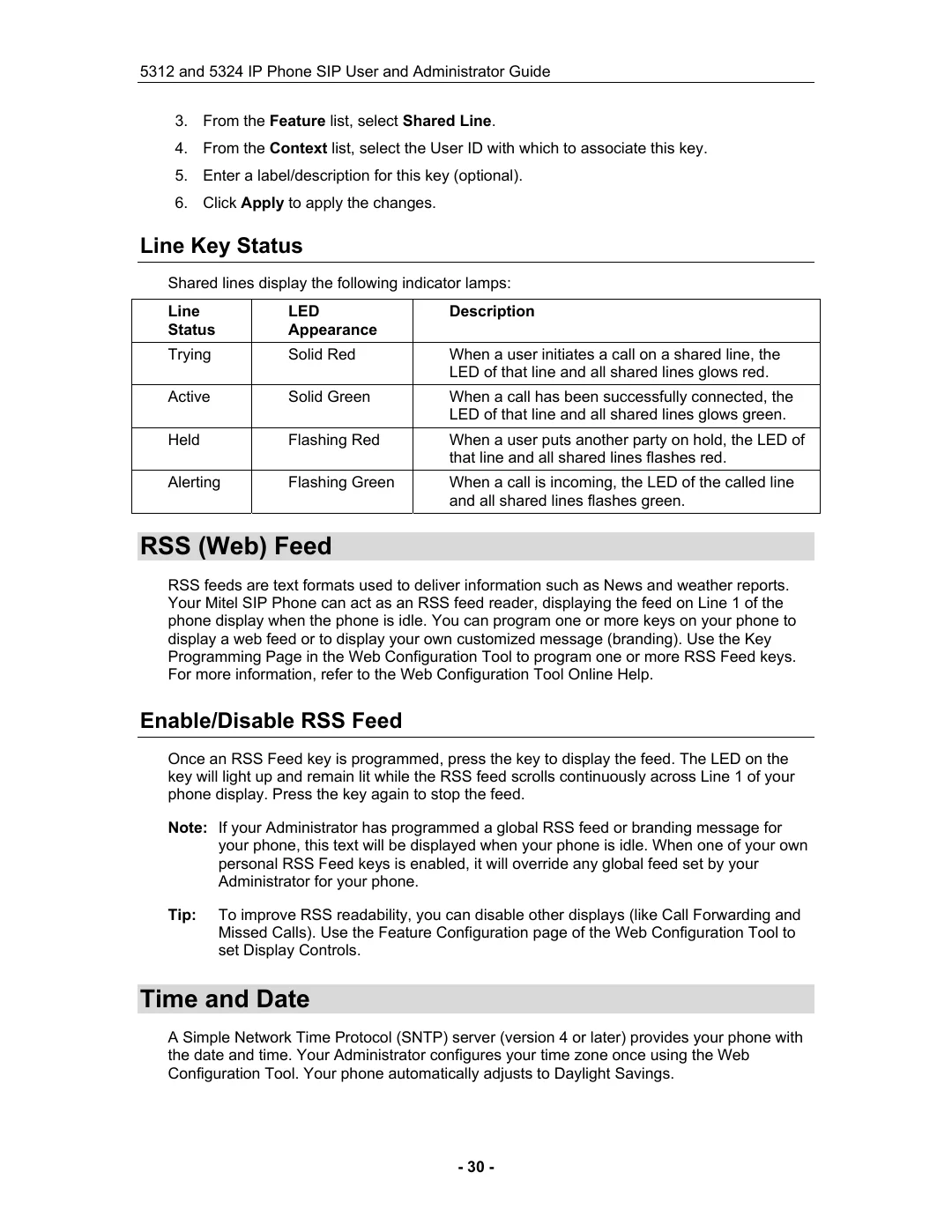
Shared lines display the following indicator lamps:
Line | LED | Description |
Status | Appearance |
|
Trying | Solid Red | When a user initiates a call on a shared line, the |
|
| LED of that line and all shared lines glows red. |
Active | Solid Green | When a call has been successfully connected, the |
|
| LED of that line and all shared lines glows green. |
Held | Flashing Red | When a user puts another party on hold, the LED of |
|
| that line and all shared lines flashes red. |
Alerting | Flashing Green | When a call is incoming, the LED of the called line |
|
| and all shared lines flashes green. |
RSS (Web) Feed
RSS feeds are text formats used to deliver information such as News and weather reports. Your Mitel SIP Phone can act as an RSS feed reader, displaying the feed on Line 1 of the phone display when the phone is idle. You can program one or more keys on your phone to display a web feed or to display your own customized message (branding). Use the Key Programming Page in the Web Configuration Tool to program one or more RSS Feed keys. For more information, refer to the Web Configuration Tool Online Help.
Enable/Disable RSS Feed
Once an RSS Feed key is programmed, press the key to display the feed. The LED on the key will light up and remain lit while the RSS feed scrolls continuously across Line 1 of your phone display. Press the key again to stop the feed.
Note: If your Administrator has programmed a global RSS feed or branding message for your phone, this text will be displayed when your phone is idle. When one of your own personal RSS Feed keys is enabled, it will override any global feed set by your Administrator for your phone.
Tip: To improve RSS readability, you can disable other displays (like Call Forwarding and Missed Calls). Use the Feature Configuration page of the Web Configuration Tool to set Display Controls.
Time and Date
A Simple Network Time Protocol (SNTP) server (version 4 or later) provides your phone with the date and time. Your Administrator configures your time zone once using the Web Configuration Tool. Your phone automatically adjusts to Daylight Savings.
- 30 -