Page
Volume
Keys
Display
Your Personal Directory
Menu
Data & Fax Calls Accessories
Security Features
Temporary Lists & Call Timers
Care & Maintenance For Your Safety
Safety At a Glance
FCC/Industry Canada Notice
To remove your battery
Your Phone’s Battery
To install your battery
Charger to a standard 120V AC outlet
When should you charge?
To charge or recharge your battery
Can you make calls while charging?
When is charging complete?
To discharge your battery
What if charging fails?
Important battery information
Page
Unavailable service
Signal Strength
No service
When network service is unavailable
Basics
Cool Features
To Switch Your Phone On
To Answer a Call
If you make a mistake dialing
To Make a Call
If the call didn’t go through
To Make An Emergency Call
When you want to hang up
When you want to clear the display Press and hold ù
Press ô
Keyguard
Speed Dial
One-Touch Dialing
Distinct Ringing
Caller ID
Last Number Redial
To activate or deactivate Call Waiting
Press íto switch between calls
Call Waiting
To answer a waiting call
Earpiece Volume
To unmute your phone’s microphone
Key Characters
Alpha Mode
Your Personal Directory
Special Characters
To switch from upper to lower case
To store a name
To Get This Special Character
Enter phone number Press and hold 0HPRU\
To Store Numbers and Names
To fast save
To add a name to a stored phone number
To erase all stored numbers
To change the number stored with a name
To erase stored names and numbers
To recall stored numbers
To recall numbers by name
To recall stored names
To recall numbers by memory location
To begin scrolling at a particular location
Help text
Menu
Menu Guidelines
Menu & submenu shortcuts
Summary of Menu Functions
See page 39 for details
Network Feature Setting See page 33 for details
See page 37 for details
See page 12 for details
Menu 1, Memory Functions
Menu 3, Call Settings
Menu 3 1, Ringing Volume
Menu 2, Messages
Menu 3 5 Automatic Redial
Menu 3 3, One-Touch Dialing
Menu 3 4, Emergency Key
Menu 3 6, Automatic Answer
Menu 3 7, Calling Card
To store a calling card
To make a calling card call
To change stored calling card information
Menu 3 8, One-Touch Pin Calls
Menu 4, Phone Settings
Menu 3 9, Messages Only Mode
See Messages & Pages on page 42 for more information
Menus 4 3 and 4 4, Manual Dtmf Tones and Auto Dtmf Length
See Touch Tone Settings on page 54 for details
Menu 4 2, Keypad Tones
Menu 4 5, Personal Reminder Note
To clear the alarm when it’s sounding
Menu 4 6, Countdown Timer
To stop the timer before the alarm sounds
Menu 4 7, Restore Settings
Menu 4 10, Language
Menu 4 8, Beep-On-Roam
Menu 4 9, Menu List
Menu 4 11, Network Time
Menu 5, Security Options
Menu 6, Network Services
Menu 6 1, Dual Mode Selection
Menu 6 3, Call Forwarding
To activate Call Forwarding
Menu 6 5, Selective Call Acceptance
Menu 6 4, Call Waiting
Please see Call Waiting on
Menu 6 6, Send Your Own Number
Menu 6 7, Network Feature Setting
To store codes
Menu 7, System Selection
To remove items from the network services menu
What is Type a and Type B?
Roaming
If you have more than one phone number
Which system should you choose?
System choices
Menu 9, Number Editor
Roaming Indicators
Menu 8, NAM Selection
To edit a stored phone number
Menu 10, Alert Options
Menu 11, Activate Keyguard
To store your voice mailbox number
Messages & Pages
Voice Messages
To respond to your most recent
Text Messages and Pages
Receiving text messages and pages
With 3/$6 &$// on display, press &DOO or press
While the message is displayed
To read text messages & pages any time
Reading options for text messages
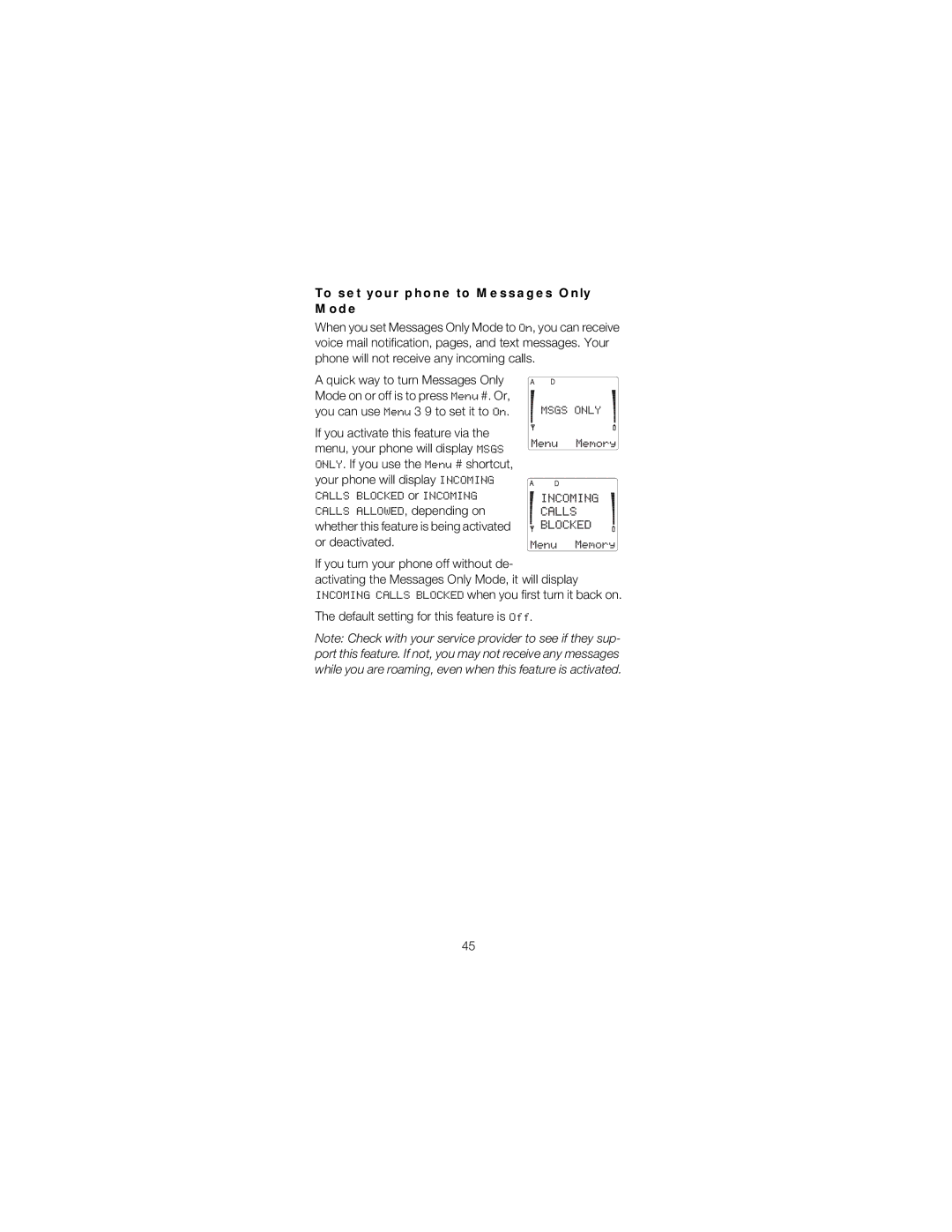
To set your phone to Messages Only Mode
Default setting for this feature is
To exit the current function
Security Features
Security Code
To turn Auto Lock off
Menu 5 1, Automatic Phone Lock
To enter the lock code
Menu 5 3 1, Restrict outgoing calls
Menu 5 3, Restrict Calls
To change your lock code
Menu 5 3 2, Restrict international calls
Menu 5 4, Hide Memory
Automatic PIN Calls
Menu 5 3 3, Restrict all incoming calls
To make calls using PIN Codes
Menu 01 2, Answered Calls
Temporary Lists Call Timers
Menu 01 1, Dialed Numbers
Menu 01 3, Missed Calls
To clear temporary lists and notepad
To store numbers and names in notepad
To see numbers and names in notepad
Menu 01 7, Call Timers
To clear Call Timers
Touch Tones
Touch Tone Settings
What is DTMF?
Menu 4 3, Manual Dtmf Tones
To send a Touch Tone string
Touch Tone Strings
To store Touch Tone strings
To store Touch Tone strings with a phone number
To receive a data or fax call
Data & Fax Calls
To start an outgoing data or fax call
Batteries
Accessories
Keep all accessories out of the reach of small children
Approximate battery operation times
NiMH of in Municipal WASTE. NiCd
Also, see When should you charge? on
Chargers
Rapid Travel Charger ACH-4U
If the charger is connected
Fuse Replacement
Rapid Cigarette Lighter Charger LCH-2
Compact Desktop Charging Stand CHH-2
Light Desktop Charging Stand CHH-2L
Care & Maintenance
Operating Environment
For Your Safety
Traffic Safety
Emergency Calls
Emergency calls on your phone
Technical Data
Nokia One-Year Limited Warranty
Page
Page
Index
Call Forwarding
Making a call 10 Menu