Installing Your LCD Monitor
• Front View Produt Description
• Connecting to Your PC
•The Base
•Getting Started
•Optimizing Performance
Installing Your LCD Monitor
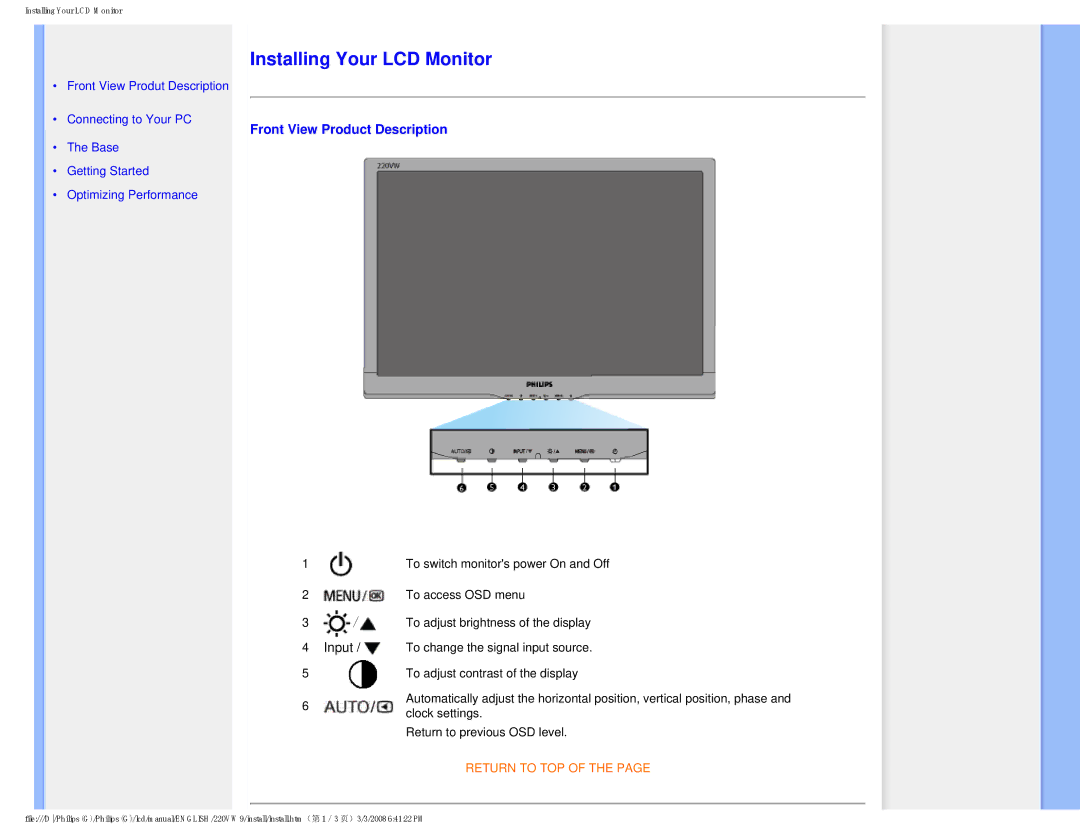
Front View Product Description
1
2
3 /

4Input / 
5
6
To switch monitor's power On and Off
To access OSD menu
To adjust brightness of the display
To change the signal input source.
To adjust contrast of the display
Automatically adjust the horizontal position, vertical position, phase and clock settings.
Return to previous OSD level.
RETURN TO TOP OF THE PAGE
file:///D/Philips (G)/Philips (G)/lcd/manual/ENGLISH/220VW9/install/install.htm(第 1/3 页)3/3/2008 6:41:22 PM