OPERATING INSTRUCTIONS
EXTERNAL CONTROLS
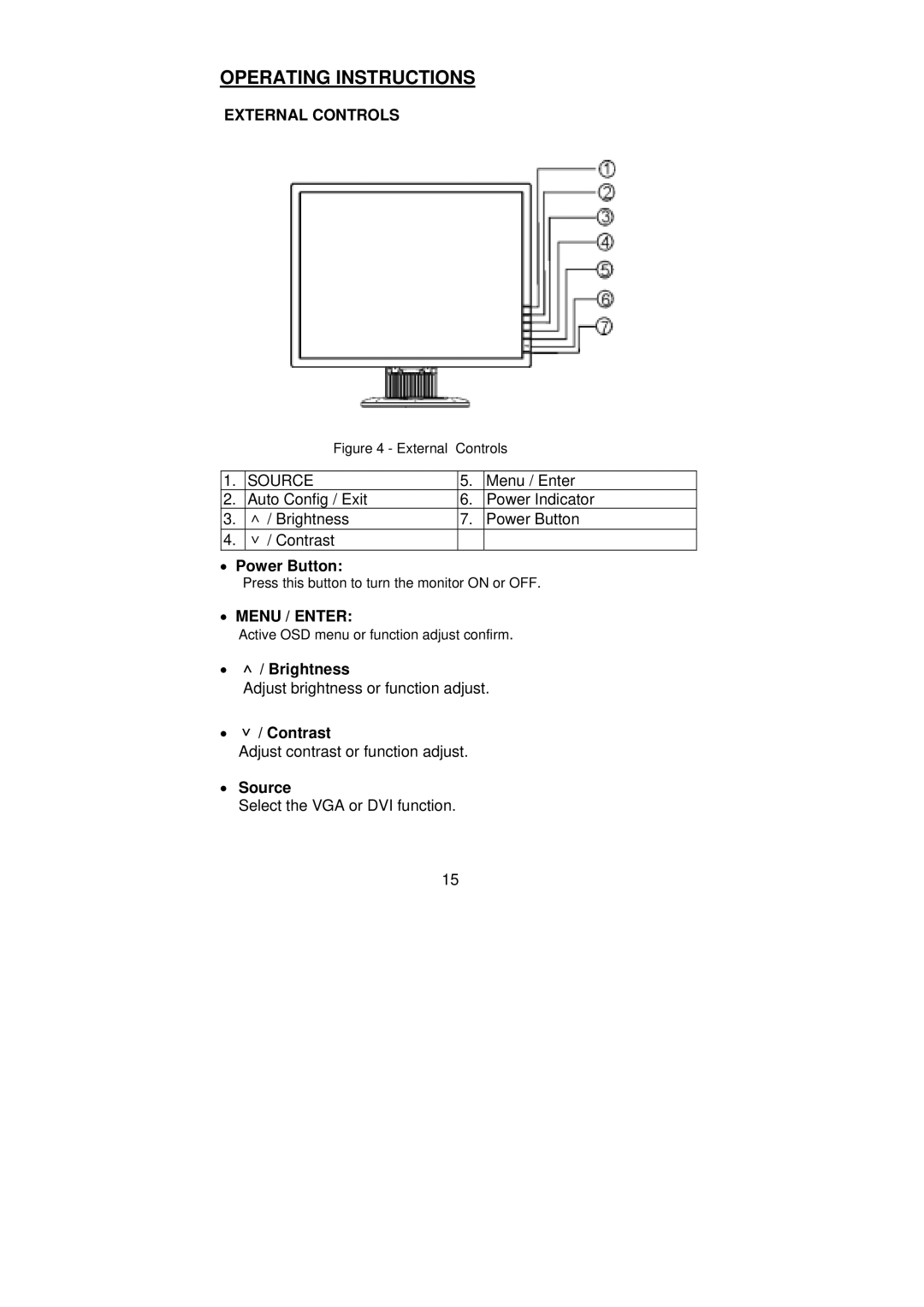
Figure 4 - External Controls
1. | SOURCE | 5. | Menu / Enter |
2. | Auto Config / Exit | 6. | Power Indicator |
3. | ∧ / Brightness | 7. | Power Button |
4. | ∨ / Contrast |
|
|
•Power Button:
Press this button to turn the monitor ON or OFF.
•MENU / ENTER:
Active OSD menu or function adjust confirm.
•∧ / Brightness
Adjust brightness or function adjust.
•∨ / Contrast
Adjust contrast or function adjust.
•Source
Select the VGA or DVI function.
15