
BD-P1400/XEE specifications
The Samsung BD-P1400/XEE is a high-performance Blu-ray Disc player that debuted in the mid-2000s, aimed at providing an exceptional home entertainment experience. As part of Samsung's first generation of Blu-ray players, the BD-P1400 was designed to cater to the growing demand for high-definition media playback, especially with the then-emerging Blu-ray format.One of the standout features of the BD-P1400 is its ability to support various video formats, including 1080p output via HDMI. This means that users can enjoy stunningly clear visuals with a high level of detail and vibrancy, enhancing their viewing experience when watching Blu-ray movies. Additionally, the player supports numerous audio formats, allowing for an immersive sound experience that complements the high-definition video.
Another key characteristic of the BD-P1400 is its compatibility with a range of media options. It can handle both Blu-ray and standard DVDs, making it a versatile choice for users with existing DVD collections. The player also supports CD playback, providing additional value for those who enjoy listening to music on discs. Due to its integrated video scaling technology, the BD-P1400 enhances the quality of standard-definition DVDs, offering users a better viewing experience when older content is played.
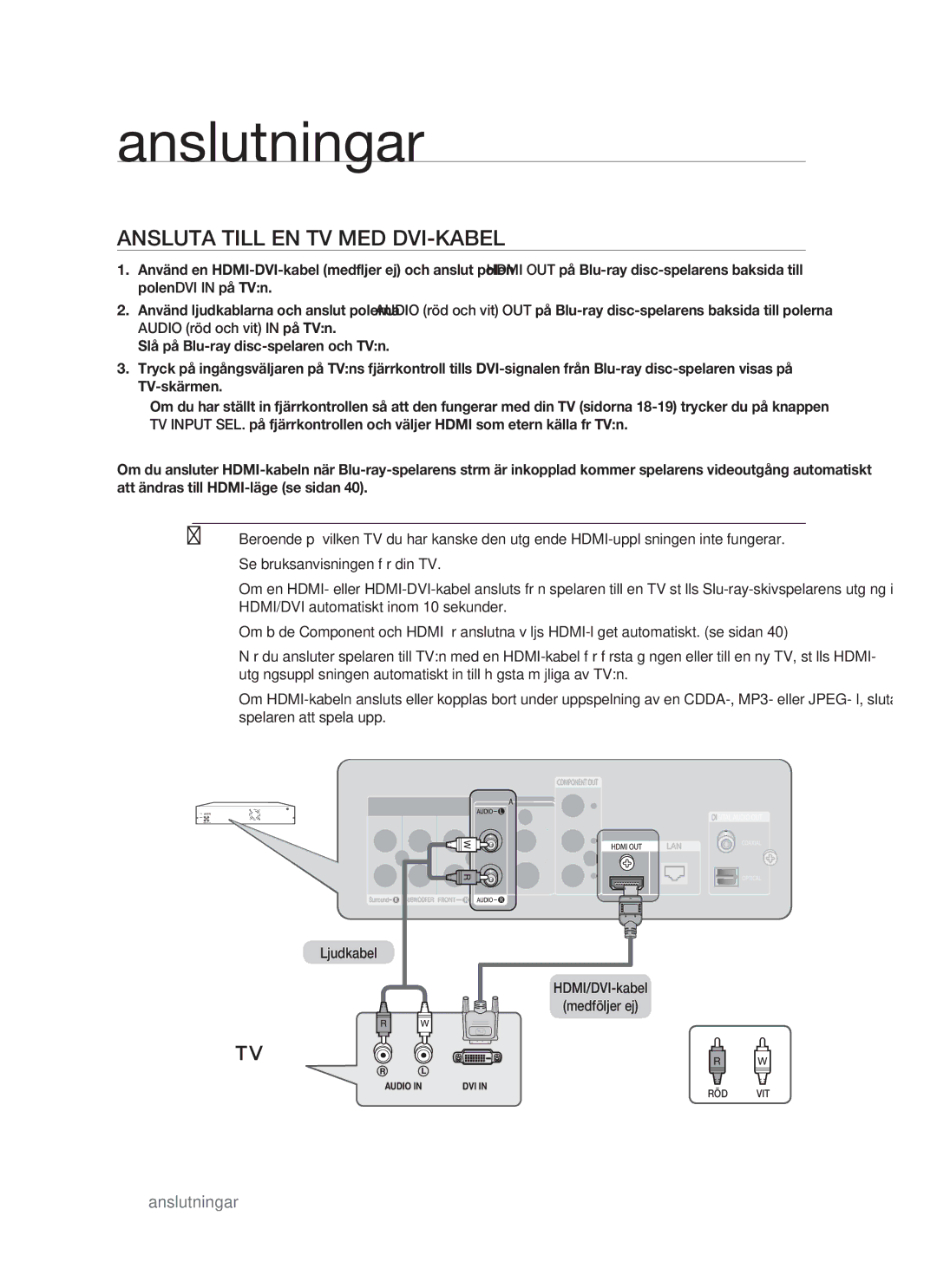
In terms of connectivity, the Samsung BD-P1400/XEE offers an HDMI output, component video outputs, and standard composite video outputs. This range of connections allows users to easily integrate the player into their existing home theater systems, regardless of the components they possess. Additionally, the player features an Ethernet port that facilitates firmware updates, ensuring the device remains up to date with the latest enhancements and fixes.
The design of the BD-P1400 is sleek and modern, fitting well into any home entertainment setup. Its compact size means it can be placed conveniently on shelves without taking up too much space. The user-friendly interface simplifies navigation through menus, allowing users to easily select movies, access settings, and manage playback.
Overall, the Samsung BD-P1400/XEE is a robust Blu-ray Disc player that brought cutting-edge technologies to home theaters, combining excellent video and audio performance with versatile playback options. Its ability to elevate both Blu-ray and DVD viewing experiences makes it a reliable choice for enthusiasts looking to enjoy their favorite films in high definition.