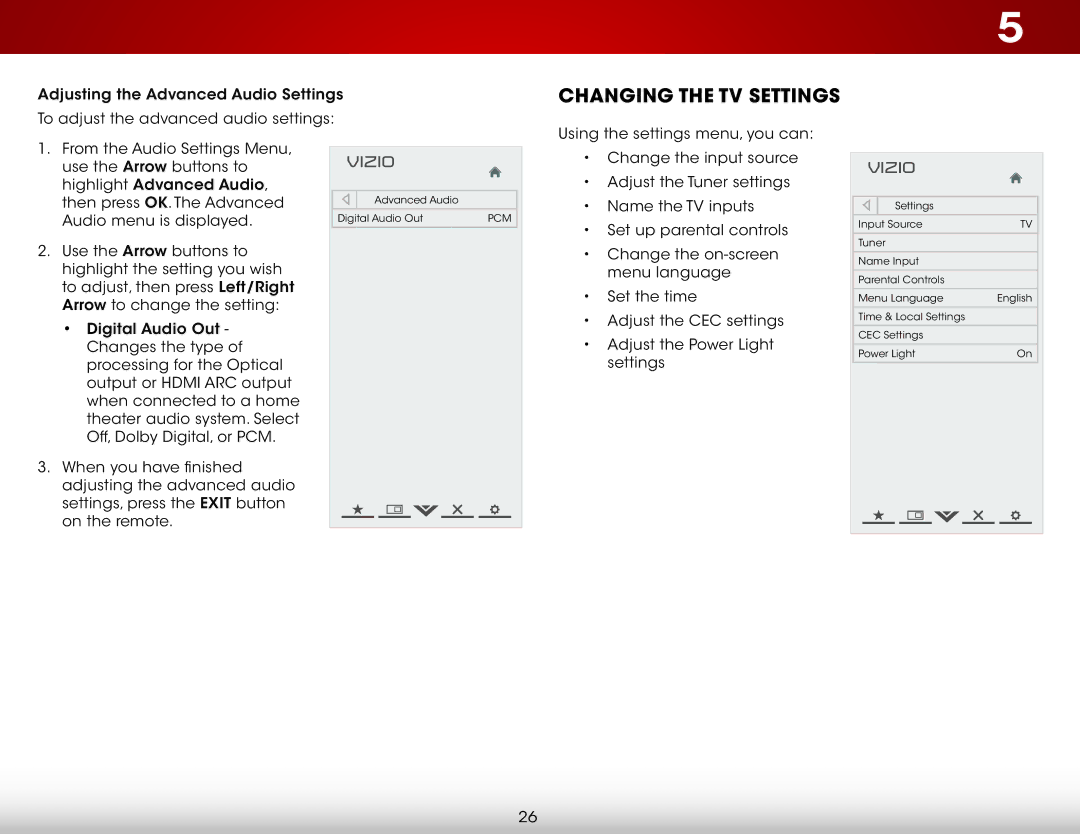
Adjusting the Advanced Audio Settings
To adjust the advanced audio settings:
5
Changing the TV Settings
Using the settings menu, you can:
1.From the Audio Settings Menu, use the Arrow buttons to highlight Advanced Audio, then press OK. The Advanced Audio menu is displayed.
2.Use the Arrow buttons to highlight the setting you wish to adjust, then press Left/Right Arrow to change the setting:
•Digital Audio Out - Changes the type of processing for the Optical output or HDMI ARC output when connected to a home theater audio system. Select Off, Dolby Digital, or PCM.
3.When you have finished adjusting the advanced audio settings, press the EXIT button on the remote.
VIZIO |
|
Advanced Audio |
|
Digital Audio Out | PCM |
•Change the input source
•Adjust the Tuner settings
•Name the TV inputs
•Set up parental controls
•Change the
•Set the time
•
 Adjust the CEC settings
•Adjust the Power Light settings
VIZIO |
|
Settings |
|
Input Source | TV |
Tuner |
|
Name Input |
|
Parental Controls |
|
Menu Language | English |
Time & Local Settings |
|
CEC Settings |
|
Power Light | On |
26