VIZIO E421VO User Manual
Chapter 3 VIZIO Remote Control
Installing the Batteries
1.Remove the battery cover.
2.Insert the batteries into the remote control. Make sure that you match the (+) and
3.Replace the battery cover.
Precautionary Tips for Inserting the Batteries:
∙Do not mix new and old batteries. This may result in cracking or leakage that may cause a fire or lead to personal injury.
∙Inserting the batteries incorrectly may also result in cracking or leakage that may cause a fire or lead to personal injury.
∙Dispose of batteries according to local hazardous waste regulations.
∙Keep the batteries away from children and pets.
Remote Control Range
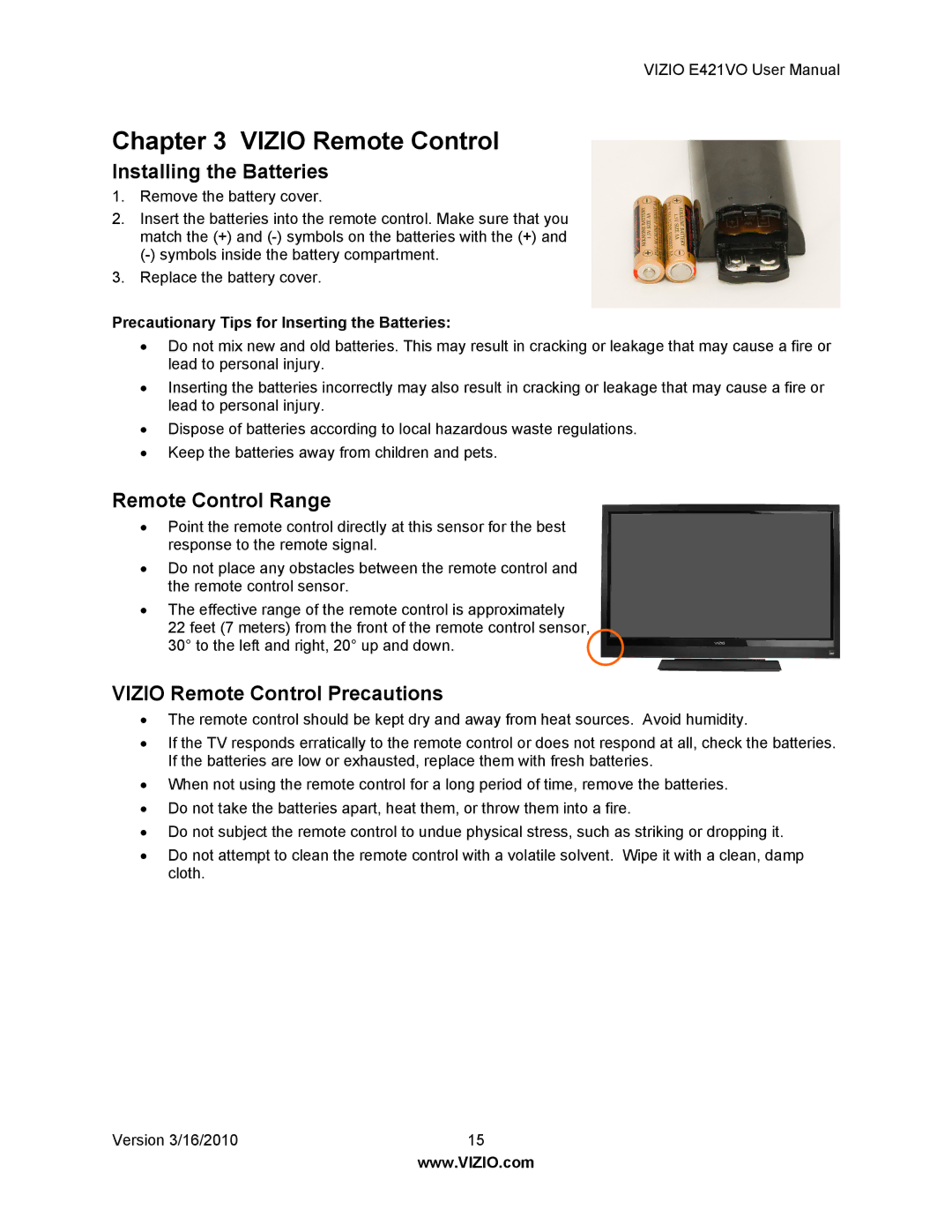
∙Point the remote control directly at this sensor for the best response to the remote signal.
∙Do not place any obstacles between the remote control and the remote control sensor.
∙The effective range of the remote control is approximately
22 feet (7 meters) from the front of the remote control sensor, 30° to the left and right, 20° up and down.
VIZIO Remote Control Precautions
∙The remote control should be kept dry and away from heat sources. Avoid humidity.
∙If the TV responds erratically to the remote control or does not respond at all, check the batteries. If the batteries are low or exhausted, replace them with fresh batteries.
∙When not using the remote control for a long period of time, remove the batteries.
∙Do not take the batteries apart, heat them, or throw them into a fire.
∙Do not subject the remote control to undue physical stress, such as striking or dropping it.
∙Do not attempt to clean the remote control with a volatile solvent. Wipe it with a clean, damp cloth.
Version 3/16/2010 | 15 |
| www.VIZIO.com |