EN 19
Remote Control Unit
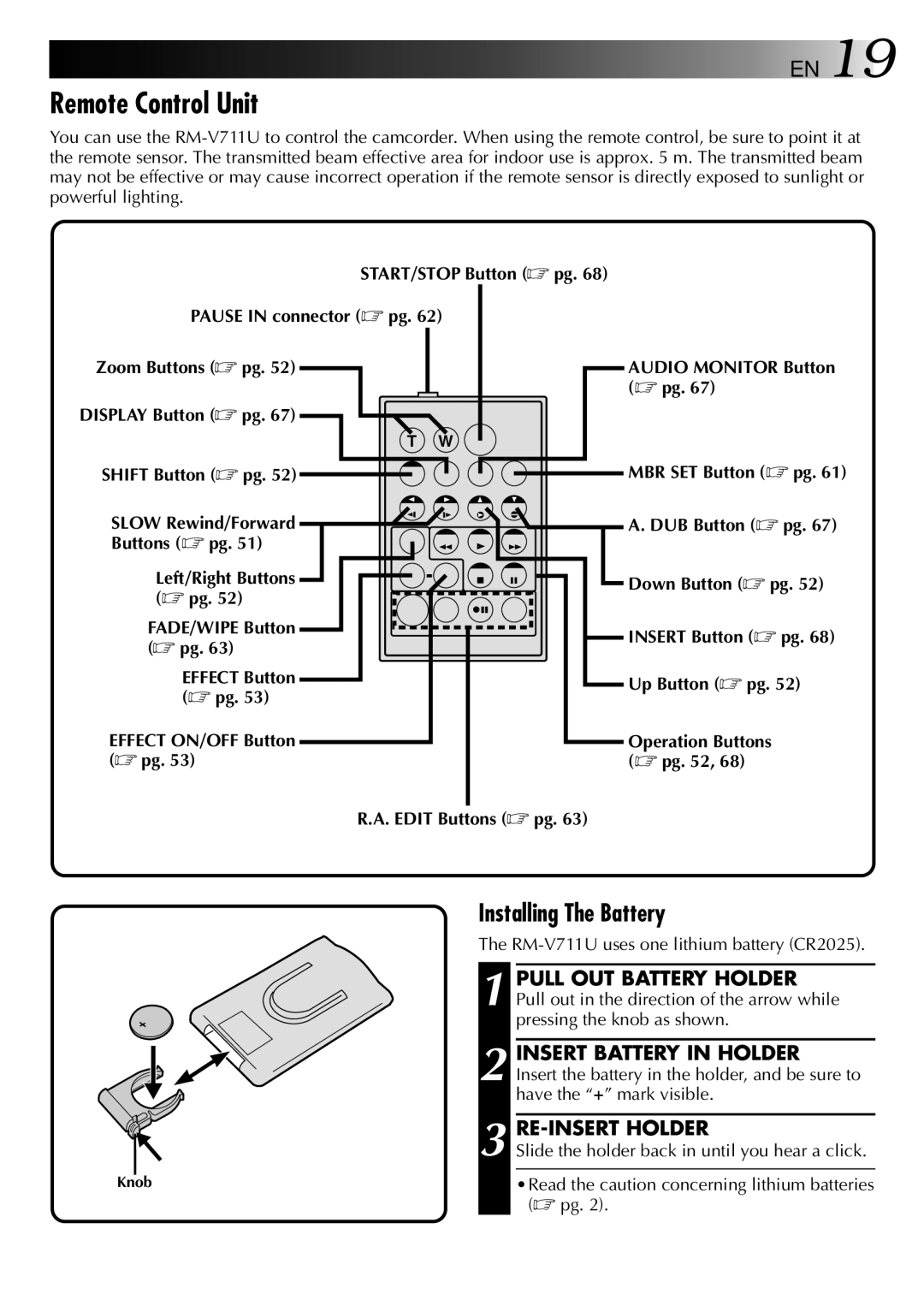
You can use the
START/STOP Button (☞ pg. 68)
PAUSE IN connector (☞ pg. 62)
Zoom Buttons (☞ pg. 52)
DISPLAY Button (☞ pg. 67)
T W
AUDIO MONITOR Button (☞ pg. 67)
SHIFT Button (☞ pg. 52) 

SLOW Rewind/Forward  Buttons (☞ pg. 51)


 MBR SET Button (☞ pg. 61)
 A. DUB Button (☞ pg. 67)
Left/Right Buttons (☞ pg. 52)
FADE/WIPE Button (☞ pg. 63)
EFFECT Button (☞ pg. 53)
EFFECT ON/OFF Button (☞ pg. 53)
Down Button (☞ pg. 52)
 INSERT Button (☞ pg. 68)
Up Button (☞ pg. 52)
Operation Buttons (☞ pg. 52, 68)
R.A. EDIT Buttons (☞ pg. 63)
Installing The Battery
The
| PULL OUT BATTERY HOLDER |
| 1 Pull out in the direction of the arrow while |
| pressing the knob as shown. |
| INSERT BATTERY IN HOLDER |
| 2 Insert the battery in the holder, and be sure to |
| have the “+” mark visible. |
|
|
| 3 Slide the holder back in until you hear a click. |
Knob | •Read the caution concerning lithium batteries |
| (☞ pg. 2). |