

 Troubleshooting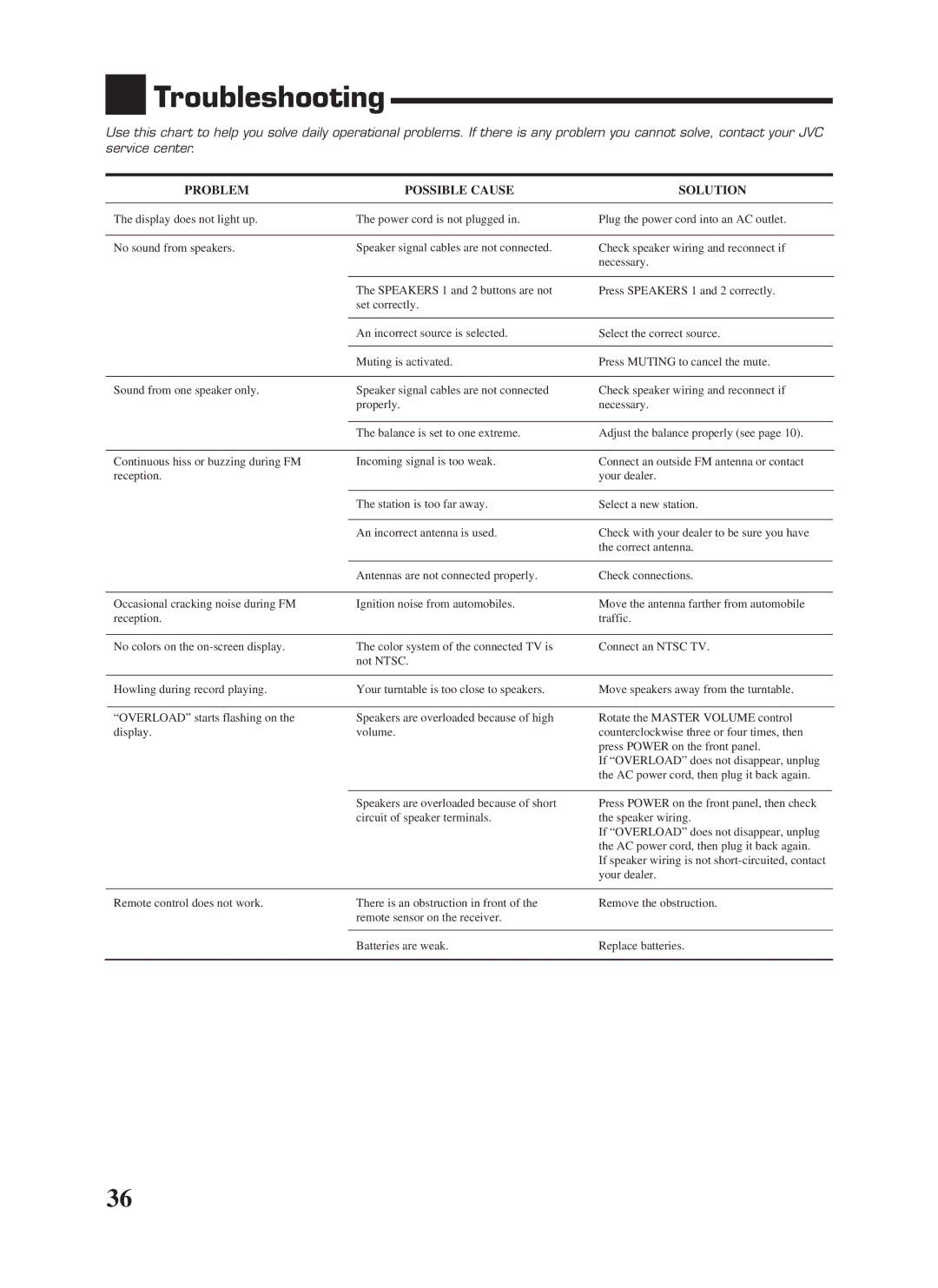
RX-668VBK specifications
The JVC RX-668VBK is a versatile and robust A/V receiver designed to meet the needs of home theatre enthusiasts. With its blend of advanced features and impressive sound quality, this receiver is suitable for both casual viewers and audiophiles alike. It is packed with technologies that enhance listening experiences, making it a popular choice among consumers.One of the standout features of the RX-668VBK is its powerful amplification capabilities. It delivers 100 watts per channel into 8 ohms, providing enough power to drive a variety of speaker setups. This level of power ensures rich, dynamic sound reproduction suitable for everything from music playback to movie watching. The receiver supports surround sound formats, including Dolby Digital and DTS, allowing for an immersive audio environment that draws viewers deeper into their favorite films.
In terms of connectivity, the JVC RX-668VBK boasts an array of inputs and outputs. It includes multiple HDMI ports, facilitating easy connections to modern devices such as Blu-ray players, gaming consoles, and streaming devices. The receiver supports 4K pass-through, ensuring that it can keep up with the latest video formats and resolutions, thus future-proofing your home entertainment system.
Furthermore, the RX-668VBK integrates various audio technologies that enhance sound quality. The built-in DSP (Digital Signal Processing) allows users to select different sound modes tailored for movies, music, or gaming, providing flexibility for different types of content. The receiver also features a comprehensive equalizer that enables users to optimize sound profiles based on personal preferences and room acoustics.
One notable aspect of the RX-668VBK is its user-friendly interface. The on-screen display and intuitive remote control make it easy to navigate through settings and options, ensuring a seamless experience for users of all technical levels. Additionally, the receiver is equipped with a sleep timer and programmable memory functions, enhancing convenience during use.
Overall, the JVC RX-668VBK is a comprehensive A/V receiver that combines robust power, advanced audio technologies, and versatile connectivity options. Its excellent sound quality and user-friendly features make it an attractive option for both home cinema setups and music lovers, ensuring that it meets the demands of today's audio-visual landscape. With the RX-668VBK, JVC continues to establish its reputation as a reliable brand in the home entertainment market.