LevelOne
Table of Contents
Wireless LAN Configuration 120
Internet Access 115
Multi-Function Wireless ADSL2/2+ Modem Router 128
101
Introduction
Wireless ADSL2/2+ Modem Router Features
Internet Access Features
Advanced Internet Functions
VPN Features
Wireless Features
Security Features
LAN Features
Configuration & Management
Package Contents
Physical Details
Power LED Green Status LED Yellow
Front-mounted LEDs
LAN Adsl Wlan
Rear Panel
Rear Panel
Procedure
Installation
Choose an Installation Site
Requirements
Connect LAN Cables
Power Up
Connect Adsl Cable
Check the LEDs
To Do this Refer to
Setup
Overview
Setup
Preparation
Configuration Program
Using your Web Browser
If you cant connect
Setup Wizard
Setup Wizard Home
Connection Type Details ISP Data required
Setup Wizard Internet Access
To Configure additional VCs
Configuring VC2, VC3 and VC4
VCI
Setup Wizard VC Screen
VPI
Navigation & Data Input
Home Screen
Main Menu
TCP/IP
LAN Screen
Data LAN Screen
Using another Dhcp Server
Using the Wireless ADSL2/2+ Modem Routers Dhcp Server
To Configure your PCs to use Dhcp
What Dhcp Does
Data Wireless Screen
Wireless Screen
Identification Region
Station name
Ssid
Access Point
Access Point Enable Wire
Allow access
Trusted Wireless stations only Only wireless stations
Data WEP Screen
Wireless Security
WEP Wireless Security
Data WPA-PSK Screen
WPA-PSK Wireless Security
WPA-PSK
PSK
Data Trusted Wireless Stations
Trusted Wireless Stations
Clear
Add Update
Edit
Password Screen
Password Screen
Device Name Device Mode Language
Mode Screen
Windows Clients
PC Configuration
TCP/IP Settings Overview
Using Specify an IP Address
Checking TCP/IP Settings Windows 9x/ME
Using Dhcp
Gateway Tab Win 98SE/ME
Network Configuration Win
Checking TCP/IP Settings Windows
Using a fixed IP Address Use the following IP Address
Network Configuration Windows XP
Checking TCP/IP Settings Windows XP
TCP/IP Properties Windows XP
Accessing AOL
Internet Access
For Windows 9x/ME/2000
For Windows XP
Linux Clients
Macintosh Clients
Other Unix Systems
Fixed IP Address
Wireless Configuration on Windows XP
Wireless Station Configuration
Wireless Security
Ssid Essid
Insecure Wireless Network Windows XP
If Wireless Security is Disabled
To connect
If using WEP Data Encryption
To connect
Advanced Wireless Networks
Preferred Networks
Wireless Networks Windows XP
If using WPA-PSK Data Encryption
PC Configuration
If the Ssid is not listed
Unlisted Wireless Network
Preferred Networks
Status Screen
Operation Router Mode
Operation and Status
Data Status Screen
LAN
Refresh Screen
Attached Devices
VPN Status
Data PPPoE/PPPoA Screen
Connection Status PPPoE & PPPoA
Data Dynamic IP address
Connection Details Dynamic IP Address
Close
Data Fixed IP address Screen
Connection Details Fixed IP Address
Internet
Advanced Features
Internet Screen
Special Applications
Checkbox Name Outgoing Ports Incoming Ports
Data Special Applications Screen
URL Filter
Using a Special Application
Data URL Filter Screen
Dynamic DNS Domain Name Server
Ddns Services work as follows
Dynamic DNS Screen
Data Dynamic DNS Screen
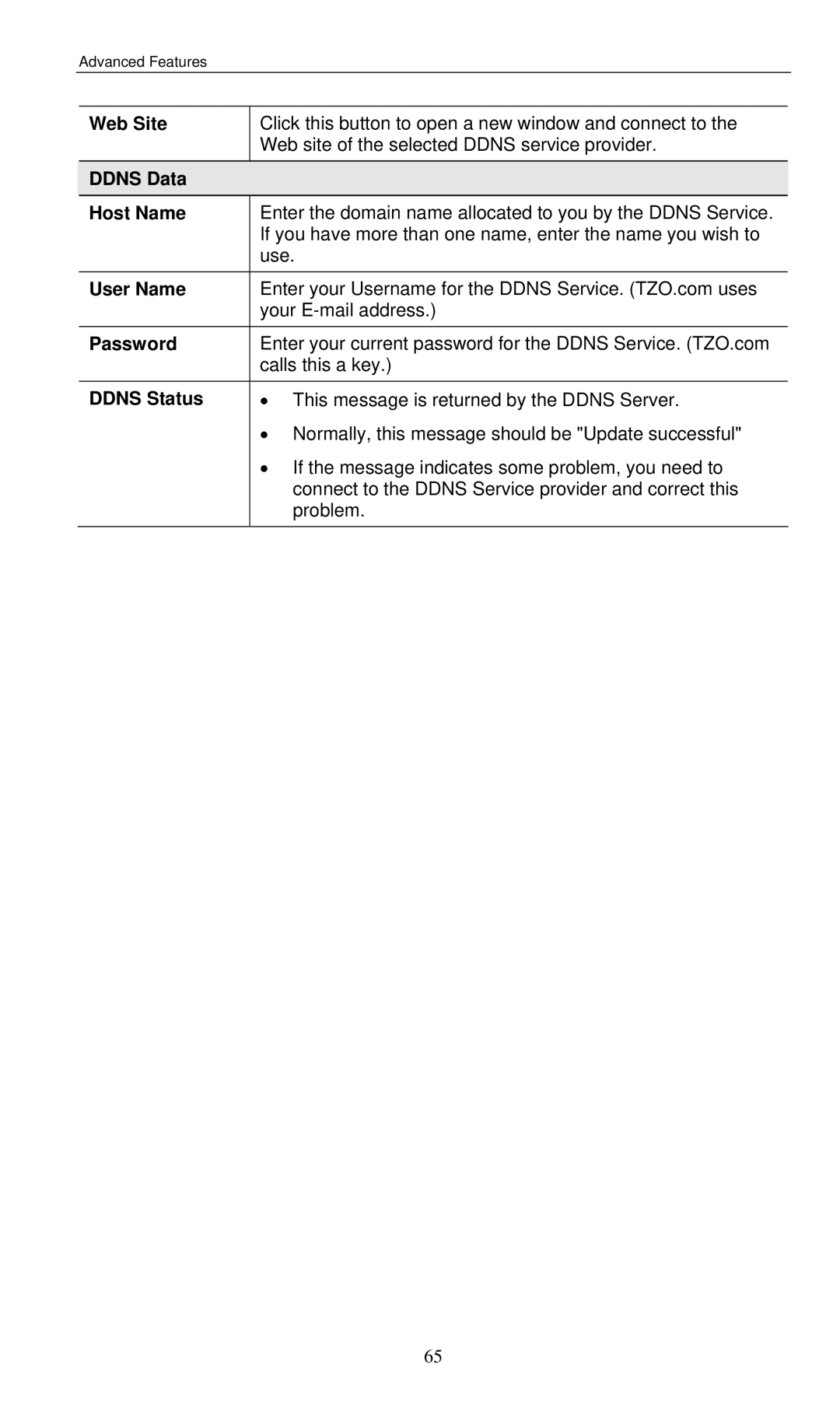
Web Site
Password
Ddns Data Host Name
User Name
Data Firewall Rules
Firewall Rules
Firewall Rules Screen
WAN Users
LAN Server IP
Log
Outgoing Rules
Data Incoming Rules Screen
Incoming Rules Inbound Services
Inbound Services Action Send to LAN Server WAN Users
Data Outbound Rules Screen
Outgoing Rules Outbound Services
Outbound Services Action
LAN Users WAN Users Log
Data User-defined Services
User-defined Services
Data Add/Edit Service
Add/Edit Service
Services Name
Start Port
Data Options Screen
Options
Data Schedule Screen
Schedule
Current Time
Time
Use this NTP
Virtual Servers Screen
Virtual Servers
IP Address seen by Internet Users
Properties Enable
Connecting to the Virtual Servers
Data Virtual Servers Screen
Servers
Wireless ADSL2/2+ Modem Router User Guide
VPN Policies
VPN Setup
Data VPN Policies Screen
VPN Policies Screen
Policy Table
Buttons Save
Icy
VPN Auto Policy Screen
Add Manual Pol
Data VPN-Auto Policy Screen
NetBIOS Enable
General Policy Name
Remote VPN
IKE
Local Identity
Enable PFS Per
Data
Remote Identity
Data VPN-Manual Policy Screen
VPN- Manual Policy Screen
SPI
ESP Configuration
Select the desired Encryption Algorithm, and enter the key
Data VPN Status Screen
VPN Status Screen
Tunnel Table
Buttons Auto Refresh VPN Log
Advanced Administration
PC Database Screen
PC Database
Data PC Database Screen
PC Properties Name
PC Database Advanced
Data Advanced PC Database
Dchp Client Reserved IP Address Select this if the PC
Update Se
MAC Address
Buttons Add as New
Data Config File Screen
Config File
Backup Config
Restore Config
Data Logs Screen
Logs
Syslog Disable
Attempted access to blocked sites If checked
Logs Include Check
Boxes
Data E-mail Screen
Mail
Mail Logs Send Logs
Data Network Diagnostics Screen
Diagnostics
Routing Display
Data Qos Screen
Qos
102
Data Remote Administration Screen
Remote Administration
To connect from a remote PC via the Internet
Routing
Using this Screen
Overview
Routing Screen
RIP
Configuring Other Routers on your LAN
Data Routing Screen
Static Routing Example
For the Wireless ADSL2/2+ Modem Routers Routing Table
Local Router
Other Routers on the Local LAN
For Router Bs Default Route
For Router As Default Route
Entry 1 Segment
Entry 2 Segment
To perform the Firmware Upgrade
Upgrade Firmware
Management Connections
Modem Mode
Home Screen Modem Mode
Operation
Data Mode Screen
Device Name Mode Language
Status Screen Bridge Mode
Data Status Screen Bridge Mode
LAN
Internet Access
Troubleshooting
General Problems
Problem 2 Wireless connection speed is very slow
Wireless Access
Problem 1 My PC cant locate the Wireless Access Point
117
Ad-hoc Mode
About Wireless LANs
Infrastructure Mode
Modes
Channels
WEP Authentication
WEP
Key
Wireless LAN Configuration
IPSec
Wireless ADSL2/2+ Modem Router always uses Tunnel Mode
About VPNs
Policies
VPN Configuration
VPN Endpoint
Local & Remote
Client PC to VPN Gateway
Common VPN Situations
VPN Pass-through
VPN Example
Connecting 2 LANs via VPN
Gateway a Configuration
Configuration Settings Gateway a
Setting LAN a Gateway LAN B Gateway
Configuration Settings Gateway B
Settings
MD5
SA Parameters
Wireless Interface
Specifications
Multi-Function Wireless ADSL2/2+ Modem Router
FCC Statement
Regulatory Approvals
CE Approval
FCC Radiation Exposure Statement
CE Marking Warning
Preamble
GNU General Public License
GNU General Public License
133
134
Repair or Correction
No Warranty