133
G
Audio
H
Symptom
Cause/Solution
Page
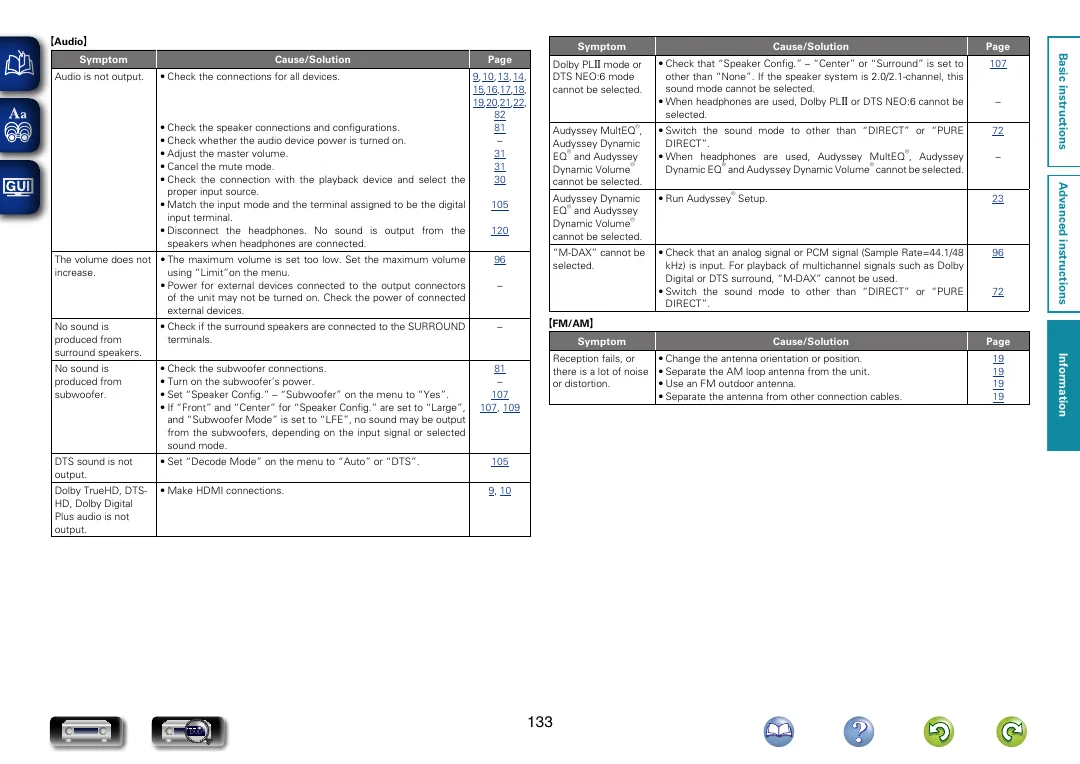
Audio is not output.
•
Check the connections for all devices.
•
Check the speaker connections and configurations.
•
Check whether the audio device power is turned on.
•
Adjust the master volume.
•
Cancel the mute mode.
•
Check the connection with the playback device and select the
proper input source.
•
Match the input mode and the terminal assigned to be the digital
input terminal.
•
Disconnect the headphones. No sound is output from the
speakers when headphones are connected.
9
,
10
,
13
,
14
,
15
,
16
,
17
,
18
,
19
,
20
,
21
,
22
,
82
81
–
31
31
30
105
120
The volume does not
increase.
•
The maximum volume is set too low. Set the maximum volume
using “Limit”on the menu.
•
Power for external devices connected to the output connectors
of the unit may not be turned on. Check the power of connected
external devices.
96
–
No sound is
produced from
surround speakers.
•
Check if the surround speakers are connected to the SURROUND
terminals.
–
No sound is
produced from
subwoofer.
•
Check the subwoofer connections.
•
Turn on the subwoofer’s power.
•
Set “Speaker Config.” – “Subwoofer” on the menu to “Yes”.
•
If “Front” and “Center” for “Speaker Config.” are set to “Large”,
and “Subwoofer Mode” is set to “LFE”, no sound may be output
from the subwoofers, depending on the input signal or selected
sound mode.
81
–
107
107
,
109
DTS sound is not
output.
•
Set “Decode Mode” on the menu to “Auto” or “DTS”.
105
Dolby TrueHD, DTS-
HD, Dolby Digital
Plus audio is not
output.
•
Make HDMI connections.
9
,
10
Symptom
Cause/Solution
Page
Dolby PL
g
mode or
DTS NEO:6 mode
cannot be selected.
•
Check that “Speaker Config.” – “Center” or “Surround” is set to
other than “None”. If the speaker system is 2.0/2.1-channel, this
sound mode cannot be selected.
•
When headphones are used, Dolby PL
g
or DTS NEO:6 cannot be
selected.
107
–
Audyssey MultEQ®,
Audyssey Dynamic
EQ® and Audyssey
Dynamic Volume®
cannot be selected.
•
Switch the sound mode to other than “DIRECT” or “PURE
DIRECT”.
•
When headphones are used, Audyssey MultEQ®, Audyssey
Dynamic EQ® and Audyssey Dynamic Volume® cannot be selected.
72
–
Audyssey Dynamic
EQ® and Audyssey
Dynamic Volume®
cannot be selected.
•
Run Audyssey® Setup.
23
“M-DAX” cannot be
selected.
•
Check that an analog signal or PCM signal (Sample Rate=44.1/48
kHz) is input. For playback of multichannel signals such as Dolby
Digital or DTS surround, “M-DAX” cannot be used.
•
Switch the sound mode to other than “DIRECT” or “PURE
DIRECT”.
96
72
G
FM/AM
H
Symptom
Cause/Solution
Page
Reception fails, or
there is a lot of noise
or distortion.
•
Change the antenna orientation or position.
•
Separate the AM loop antenna from the unit.
•
Use an FM outdoor antenna.
•
Separate the antenna from other connection cables.
19
19
19
19
Basic instructions
Advanced instructions
Information
Information
DVD