322
n
Error Messages
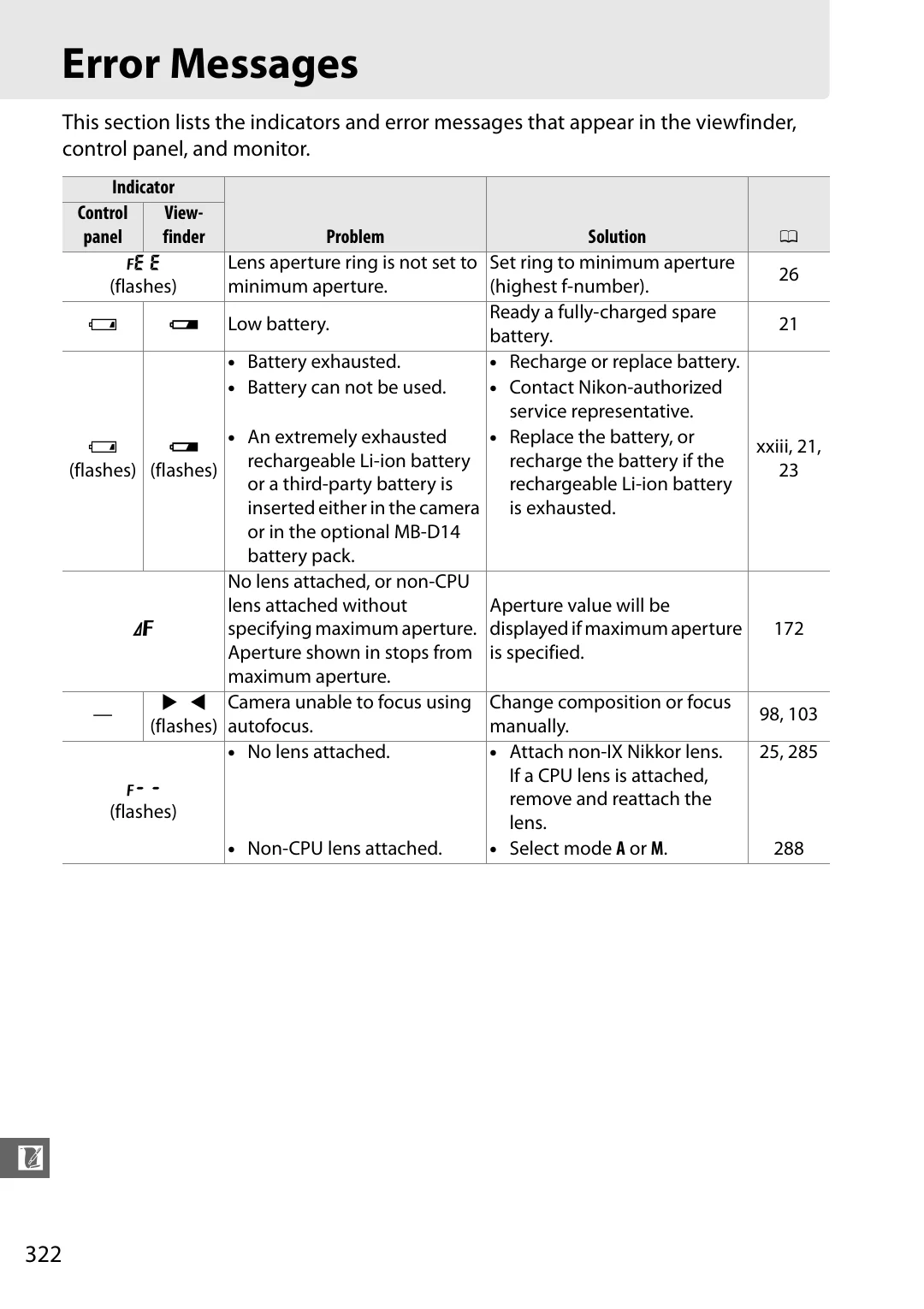
This section lists the indicators and error messages that appear in the viewfinder,
control panel, and monitor.
Indicator
Problem
Solution
0
Control
panel
View-
finder
B
(flashes)
Lens aperture ring is not set to
minimum aperture.
Set ring to minimum aperture
(highest f-number).
H
d
Low battery.
Ready a fully-charged spare
battery.
H
(flashes)
d
(flashes)
•
Battery exhausted.
•
Recharge or replace battery.
•
Battery can not be used.
•
Contact Nikon-authorized
service representative.
•
An extremely exhausted
rechargeable Li-ion battery
or a third-party battery is
inserted either in the camera
or in the optional MB-D14
battery pack.
•
Replace the battery, or
recharge the battery if the
rechargeable Li-ion battery
is exhausted.
F
No lens attached, or non-CPU
lens attached without
specifying maximum aperture.
Aperture shown in stops from
maximum aperture.
Aperture value will be
displayed if maximum aperture
is specified.
—
2 4
(flashes)
Camera unable to focus using
autofocus.
Change composition or focus
manually.
i
(flashes)
•
No lens attached.
•
Attach non-IX Nikkor lens.
If a CPU lens is attached,
remove and reattach the
lens.
•
Non-CPU lens attached.
•
Select mode
A
or
M
.