51
x
Focusing in Live View
To focus using autofocus, rotate the focus-mode
selector to
AF
and follow the steps below to choose
autofocus and AF-area modes. For information on
focusing manually, see page 55.
❚❚
Choosing a Focus Mode
The following autofocus modes are available in live view:
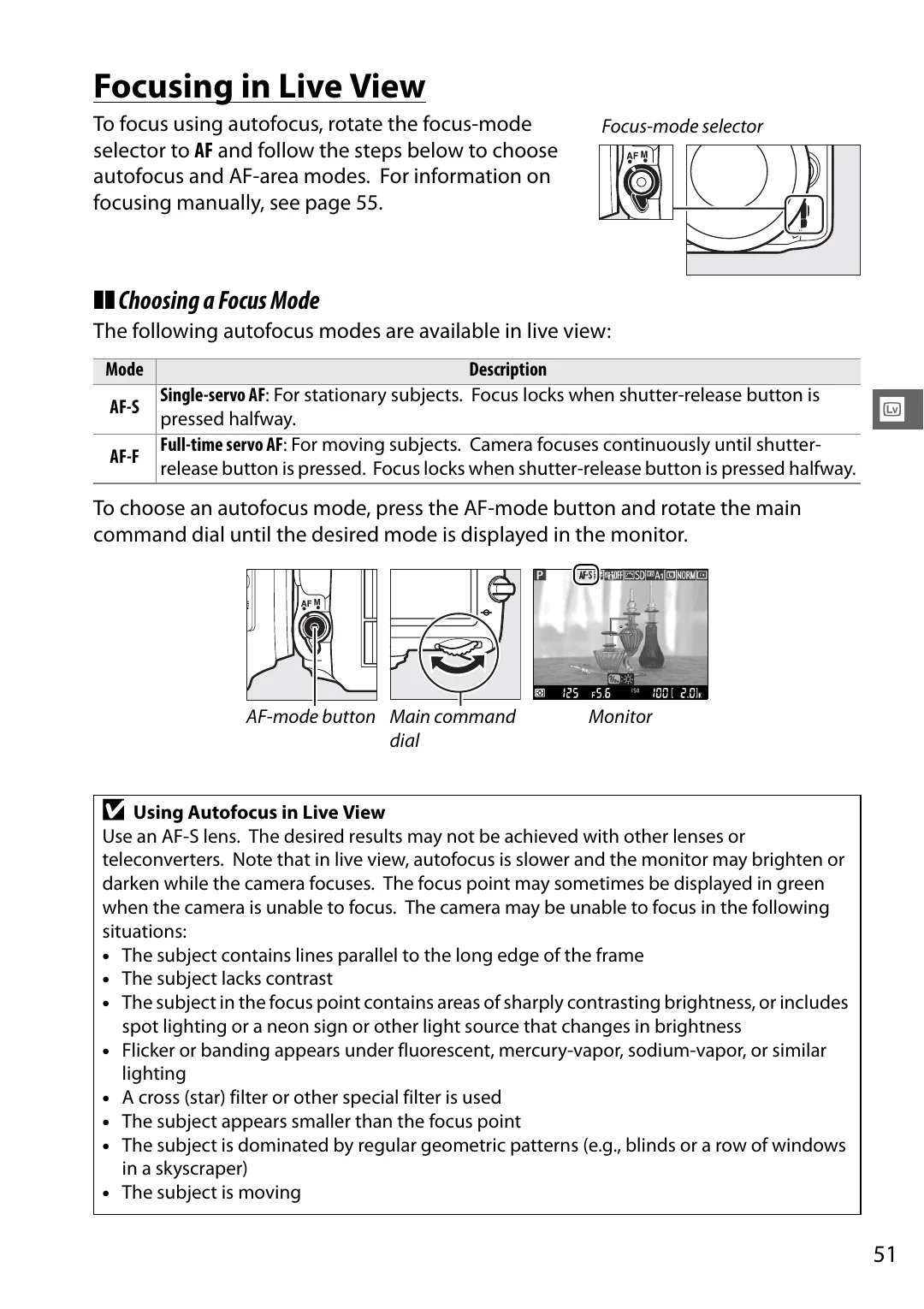
To choose an autofocus mode, press the AF-mode button and rotate the main
command dial until the desired mode is displayed in the monitor.
Mode
Description
AF-S
Single-servo AF
: For stationary subjects. Focus locks when shutter-release button is
pressed halfway.
AF-F
Full-time servo AF
: For moving subjects. Camera focuses continuously until shutter-
release button is pressed. Focus locks when shutter-release button is pressed halfway.
AF-mode button Main command
dial
Monitor
D
Using Autofocus in Live View
Use an AF-S lens. The desired results may not be achieved with other lenses or
teleconverters. Note that in live view, autofocus is slower and the monitor may brighten or
darken while the camera focuses. The focus point may sometimes be displayed in green
when the camera is unable to focus. The camera may be unable to focus in the following
situations:
•
The subject contains lines parallel to the long edge of the frame
•
The subject lacks contrast
•
The subject in the focus point contains areas of sharply contrasting brightness, or includes
spot lighting or a neon sign or other light source that changes in brightness
•
Flicker or banding appears under fluorescent, mercury-vapor, sodium-vapor, or similar
lighting
•
A cross (star) filter or other special filter is used
•
The subject appears smaller than the focus point
•
The subject is dominated by regular geometric patterns (e.g., blinds or a row of windows
in a skyscraper)
•
The subject is moving
Focus-mode selector