23
X
Insert the Battery
Before inserting the battery, rotate the power switch to
OFF
.
1
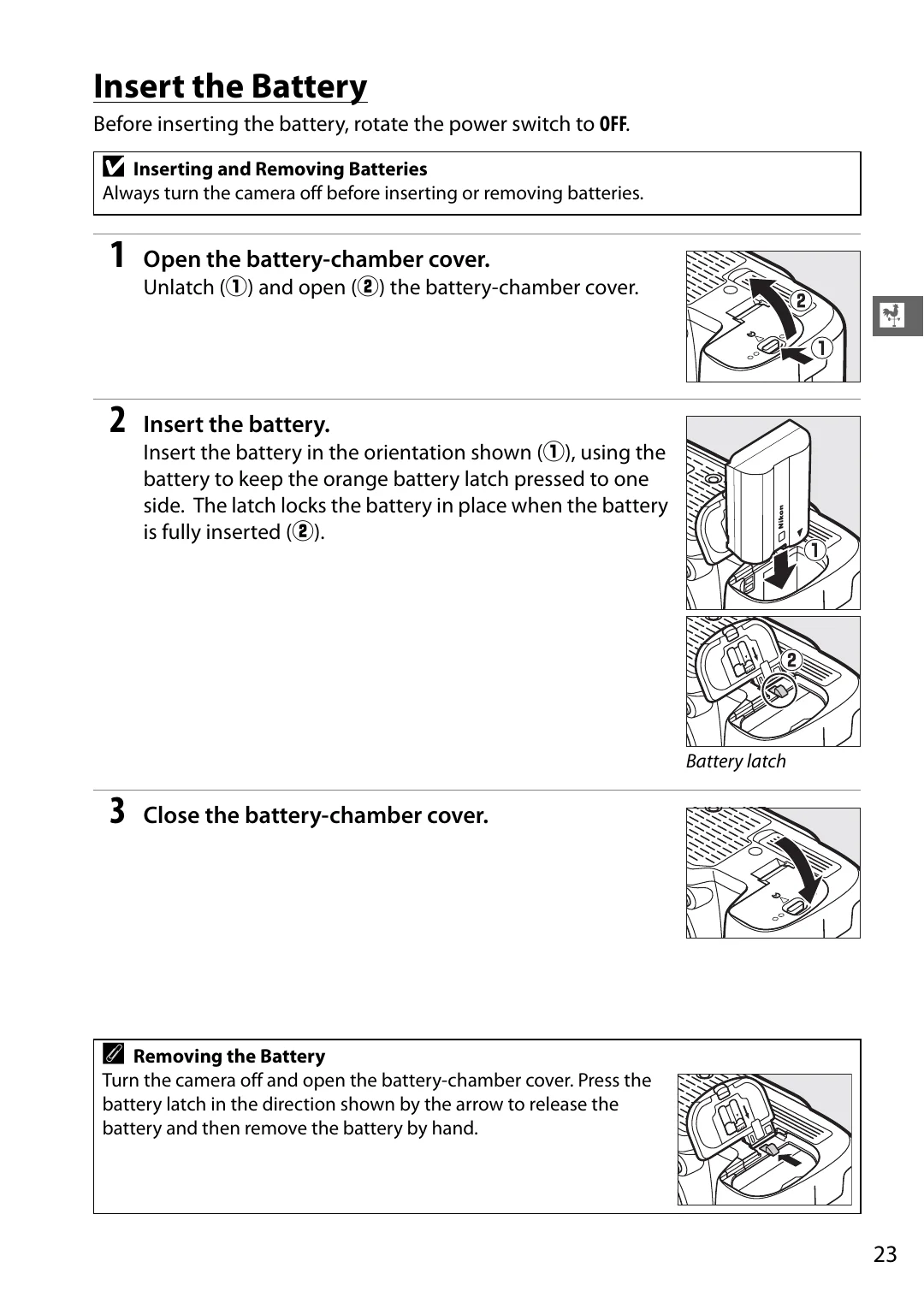
Open the battery-chamber cover.
Unlatch (
q
) and open (
w
) the battery-chamber cover.
2
Insert the battery.
Insert the battery in the orientation shown (
q
), using the
battery to keep the orange battery latch pressed to one
side.
The latch locks the battery in place when the battery
is fully inserted (
w
).
3
Close the battery-chamber cover.
D
Inserting and Removing Batteries
Always turn the camera off before inserting or removing batteries.
A
Removing the Battery
Turn the camera off and open the battery-chamber cover. Press the
battery latch in the direction shown by the arrow to release the
battery and then remove the battery by hand.
Battery latch