14
X
❚❚
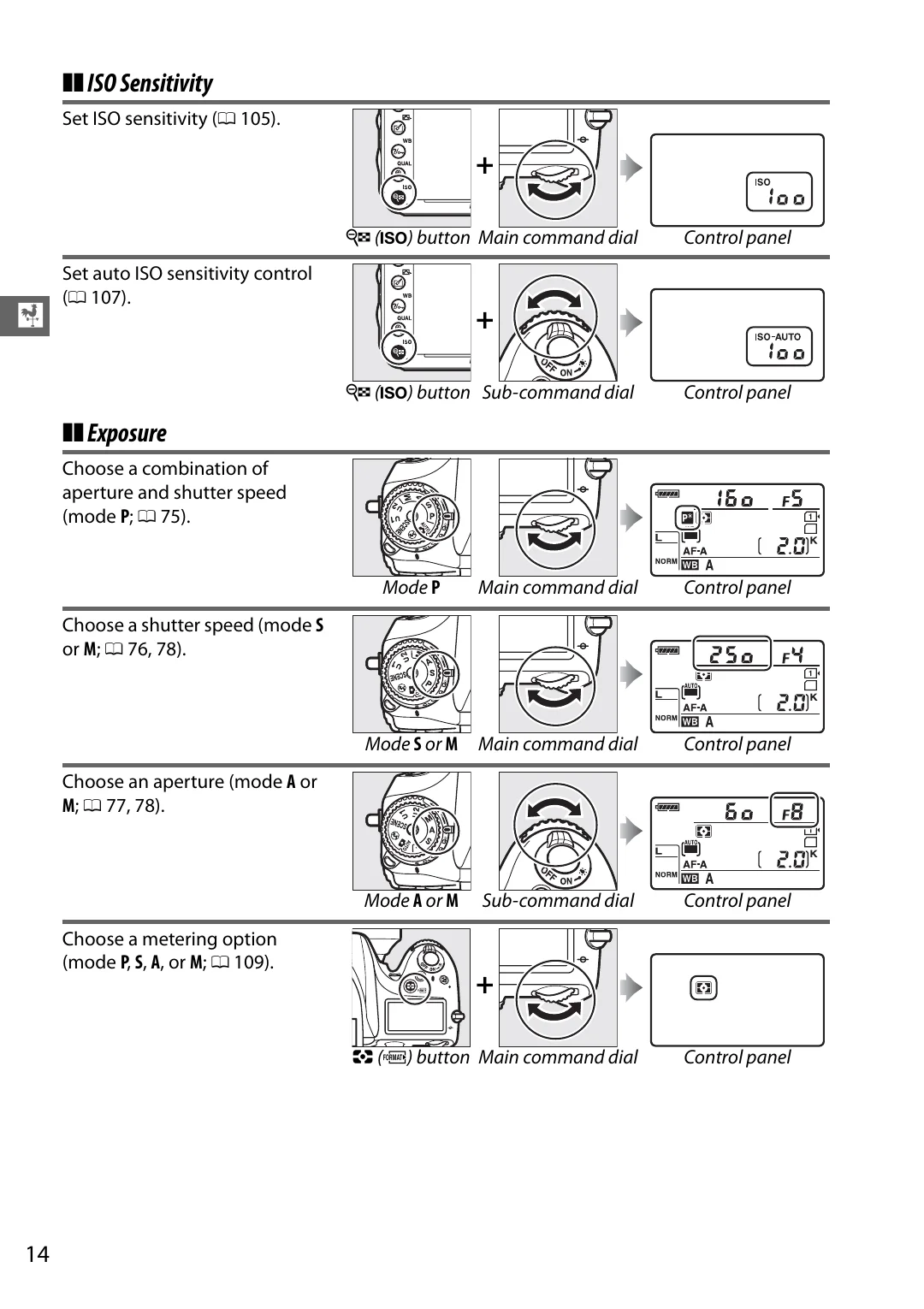
ISO Sensitivity
❚❚
Exposure
Set ISO sensitivity (
105).
+
W
(
S
) button Main command dial
Control panel
Set auto ISO sensitivity control
+
W
(
S
) button Sub-command dial
Control panel
Choose a combination of
aperture and shutter speed
(mode
P
;
Mode
P
Main command dial
Control panel
Choose a shutter speed (mode
S
or
M
Mode
S
or
M
Main command dial
Control panel
Choose an aperture (mode
A
or
M
Mode
A
or
M
Sub-command dial
Control panel
Choose a metering option
(mode
P
,
S
,
A
, or
M
;
+
Z
(
Q
) button Main command dial
Control panel