78
#
M
: Manual
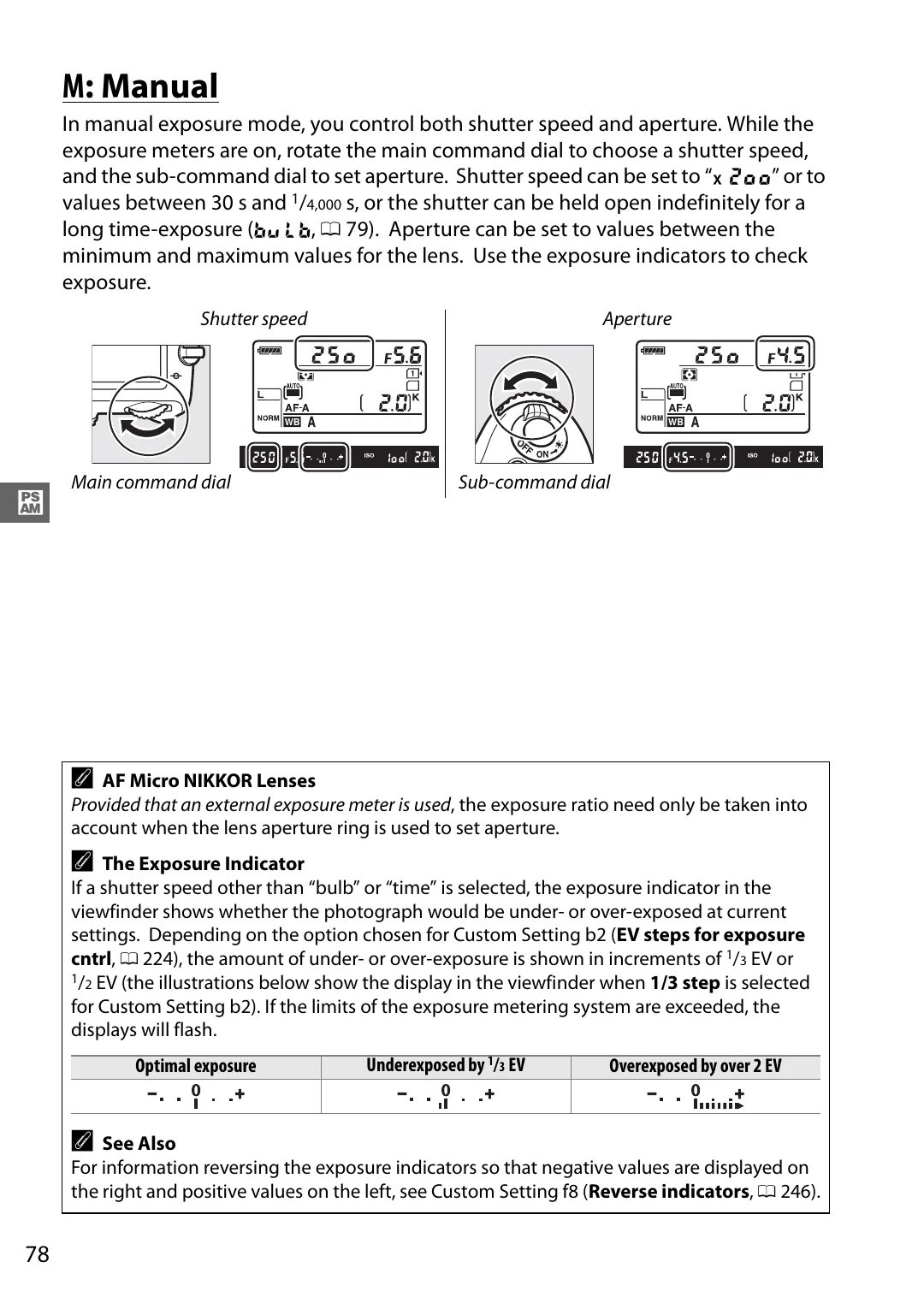
In manual exposure mode, you control both shutter speed and aperture. While the
exposure meters are on, rotate the main command dial to choose a shutter speed,
and the sub-command dial to set aperture. Shutter speed can be set to “
v
” or to
values between 30 s and
1
/
4,000
s, or the shutter can be held open indefinitely for a
long time-exposure (
A
79). Aperture can be set to values between the
minimum and maximum values for the lens. Use the exposure indicators to check
exposure.
Shutter speed
Aperture
Main command dial
Sub-command dial
A
AF Micro NIKKOR Lenses
Provided that an external exposure meter is used
, the exposure ratio need only be taken into
account when the lens aperture ring is used to set aperture.
A
The Exposure Indicator
If a shutter speed other than “bulb” or “time” is selected, the exposure indicator in the
viewfinder shows whether the photograph would be under- or over-exposed at current
settings. Depending on the option chosen for Custom Setting b2 (
EV steps for exposure
cntrl
224), the amount of under- or over-exposure is shown in increments of
1
/
3
EV or
1
/
2
EV (the illustrations below show the display in the viewfinder when
1/3 step
is selected
for Custom Setting b2). If the limits of the exposure metering system are exceeded, the
displays will flash.
Optimal exposure
Underexposed by
1
/
3
EV
Overexposed by over 2 EV
A
See Also
For information reversing the exposure indicators so that negative values are displayed on
the right and positive values on the left, see Custom Setting f8 (
Reverse indicators