81
$
$
User Settings: U1 and U2 Modes
Assign frequently-used settings to the
U1
and
U2
positions on the mode dial.
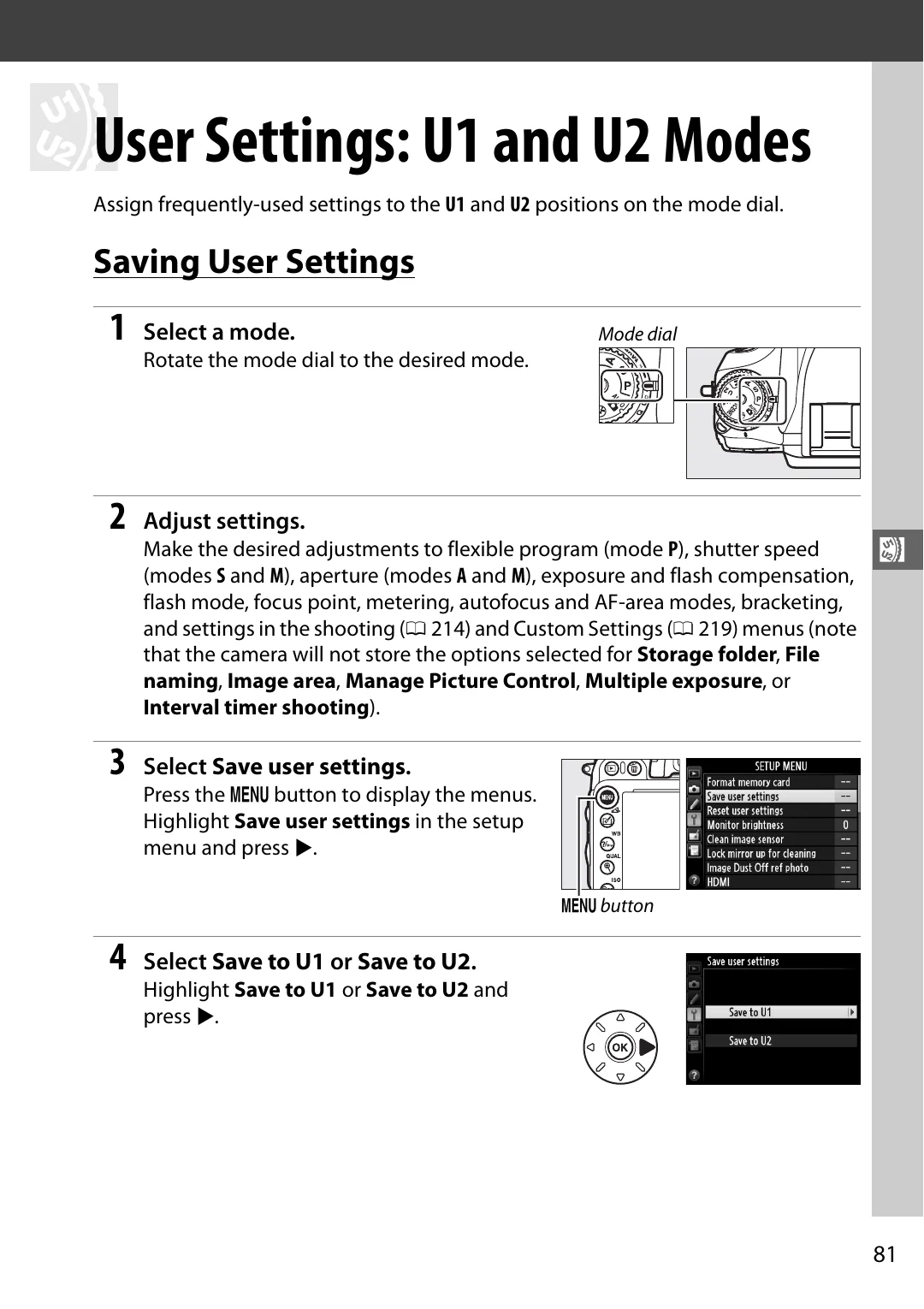
Saving User Settings
1
Select a mode.
Rotate the mode dial to the desired mode.
2
Adjust settings.
Make the desired adjustments to flexible program (mode
P
), shutter speed
(modes
S
and
M
), aperture (modes
A
and
M
), exposure and flash compensation,
flash mode, focus point, metering, autofocus and AF-area modes, bracketing,
and settings in the shooting (
214) and Custom Settings (
219) menus (note
that the camera will not store the options selected for
Storage folder
,
File
naming
,
Image area
,
Manage Picture Control
,
Multiple exposure
, or
Interval timer shooting
).
3
Select
Save user settings
.
Press the
G
button to display the menus.
Highlight
Save user settings
in the setup
menu and press
2
.
4
Select
Save to U1
or
Save to U2
.
Highlight
Save to U1
or
Save to U2
and
press
2
.
Mode dial
G
button