86
k
3
Frame the photograph.
4
Take the photograph.
Self-timer mode
: Press the shutter-release
button halfway to focus, and then press the
button the rest of the way down to start the
self-timer (note that the timer will not start if the camera is unable to focus or in
other situations in which the shutter can not be released). The self-timer lamp
will start to flash. Two seconds before the photograph is taken, the self-timer
lamp will stop flashing. The shutter will be released ten seconds after the timer
starts.
Remote control mode
: From a distance of 5 m
(16 ft) or less, aim the transmitter on the
ML-L3 at either of the infrared receivers on
the camera (
shutter-release button.
In delayed remote
mode
, the self-timer lamp will light for about
two seconds before the shutter is released.
In quick-response remote mode
, the
self-timer lamp will flash after the shutter has been released.
In remote mirror-
up mode
, pressing the ML-L3 shutter-release button once raises the mirror; the
shutter will be released and the self-timer lamp will flash after 30 s or when the
button is pressed a second time. Note that the remote control can not be used
to record movies; even if
Record movies
is selected for Custom Setting g4
(
Assign shutter button
,
248), pressing the shutter-release button on the
remote control will release the shutter and record a photograph.
To cancel shooting, select another release mode.
A
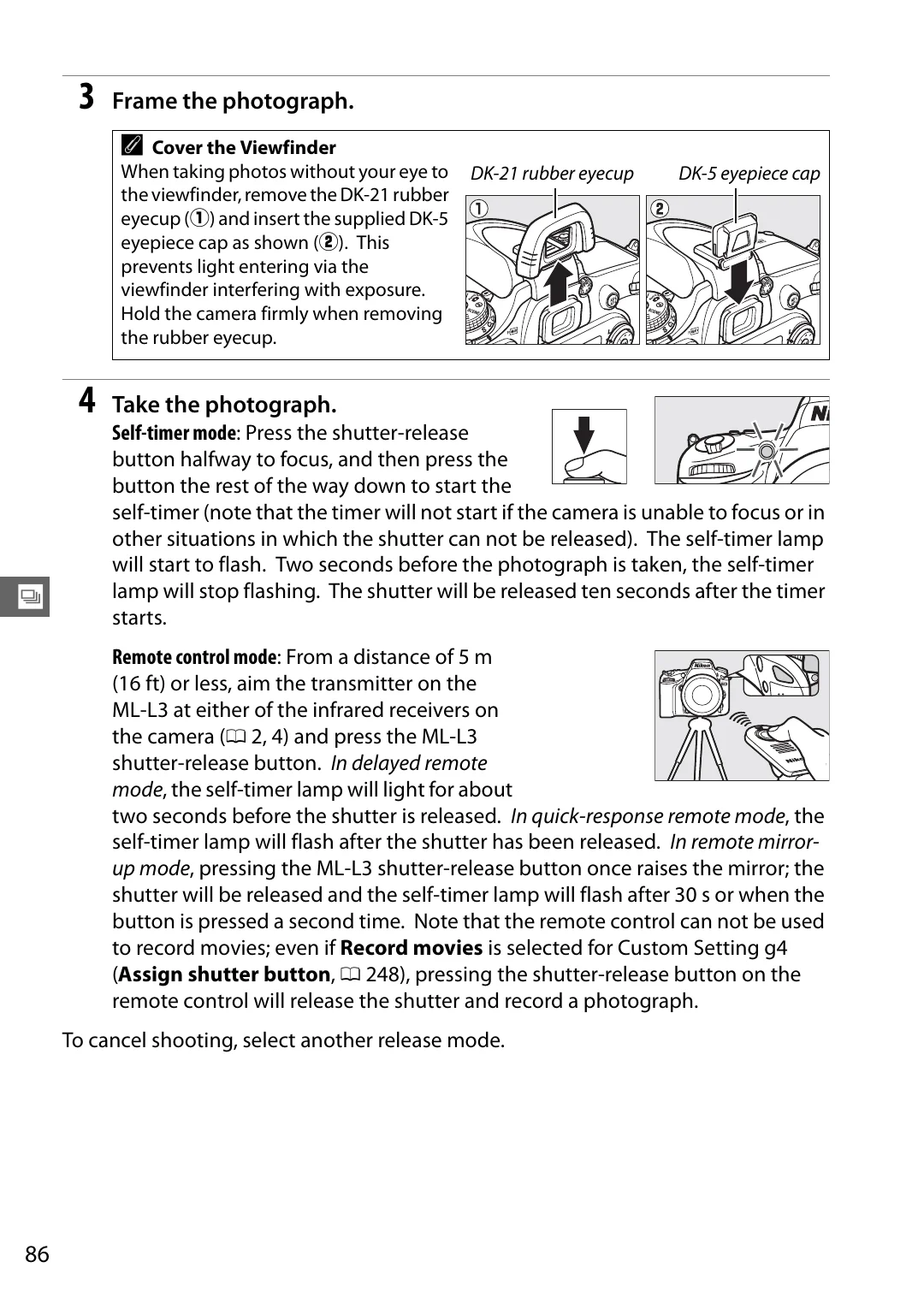
Cover the Viewfinder
When taking photos without your eye to
the viewfinder, remove the DK-21 rubber
eyecup (
q
) and insert the supplied DK-5
eyepiece cap as shown (
w
). This
prevents light entering via the
viewfinder interfering with exposure.
Hold the camera firmly when removing
the rubber eyecup.
DK-21 rubber eyecup
DK-5 eyepiece cap