162
t
4
Choose the amount of gain.
Highlight
Auto gain
and press
2
.
The following options will be displayed.
Highlight an option and press
J
.
•
On
: Gain is adjusted according to number
of exposures actually recorded (gain for
each exposure is set to
1
/
2
for 2 exposures,
1
/
3
for 3 exposures, etc.).
•
Off
: Gain is not adjusted when recording multiple exposure. Recommended
if background is dark.
5
Frame a photograph, focus, and shoot.
In continuous high-speed, continuous low-
speed, and Qc (quiet continuous) release
modes (
83), the camera records all
exposures in a single burst. If
On (series)
is selected, the camera will continue
to record multiple exposures while the shutter-release button is pressed; if
On
(single photo)
is selected, multiple exposure shooting will end after the first
photograph. In self-timer mode, the camera will automatically record the
number of exposures selected in Step 3 on page 161, regardless of the option
selected for Custom Setting c3 (
Self-timer
) >
Number of shots
(
interval between shots is however controlled by Custom Setting c3 (
Self-timer
)
>
Interval between shots
. In other release modes, one photograph will be
taken each time the shutter-release button is pressed; continue shooting until
all exposures have been recorded (for information on interrupting a multiple
exposure before all photographs are recorded, see page 163).
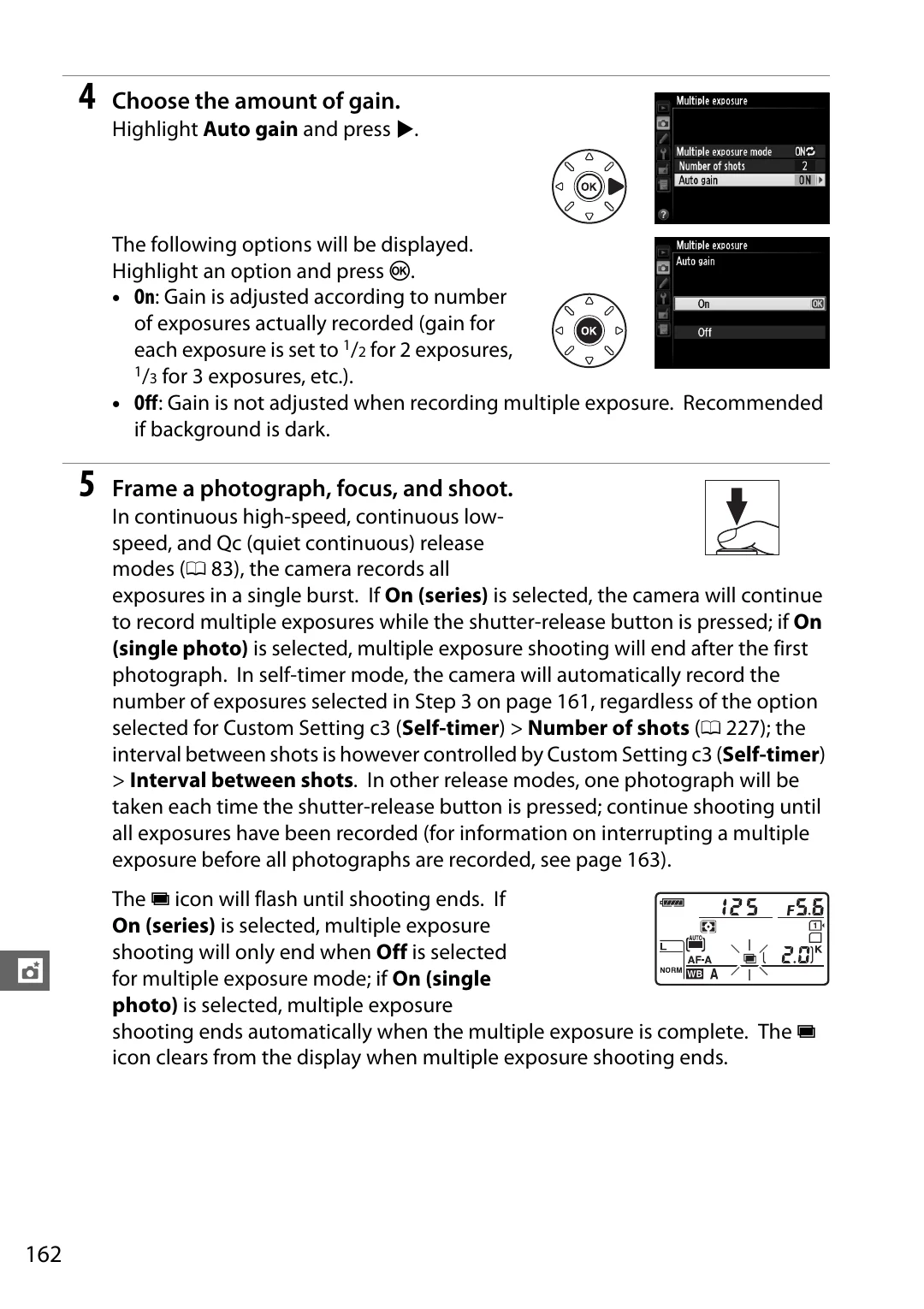
The
n
icon will flash until shooting ends. If
On (series)
is selected, multiple exposure
shooting will only end when
Off
is selected
for multiple exposure mode; if
On (single
photo)
is selected, multiple exposure
shooting ends automatically when the multiple exposure is complete. The
n
icon clears from the display when multiple exposure shooting ends.