Image Size
Image size is measured in pixels. Choose from # Large, $ Medium, or % Small
(note that image size varies depending on the option selected for Image area, 0 89):
Option
Size (pixels)
Print size (cm/in.) *
Large
6,016 × 4,016
50.9 × 34.0/20.1 × 13.4
FX (36×24) 1.0×
Medium
4,512 × 3,008
38.2 × 25.5/15.0 × 10.0
(FX format)
Small
3,008 × 2,008
25.5 × 17.0/10.0 × 6.7
Large
3,936 × 2,624
33.3 × 22.2/13.1 × 8.7
DX (24×16) 1.5×
Medium
2,944 × 1,968
24.9 × 16.7/ 9.8 × 6.6
(DX format)
Small
1,968 × 1,312
16.7 × 11.1/ 6.6 × 4.4
* Approximate size when printed at 300 dpi. Print size in inches equals image size in pixels
divided by printer resolution in dots per inch (dpi; 1 inch=approximately 2.54 cm).
Image area
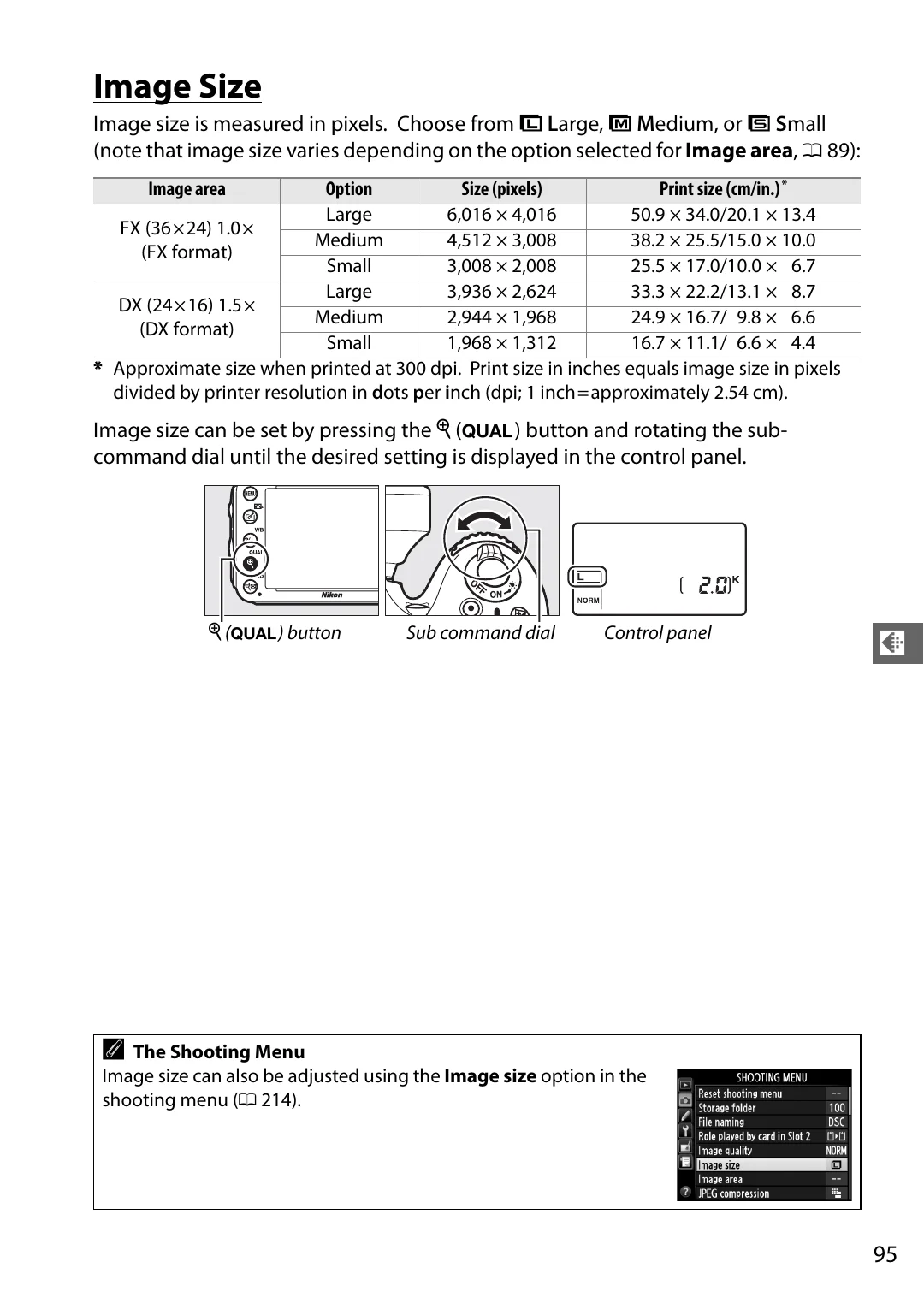
Image size can be set by pressing the X (T) button and rotating the sub-
command dial until the desired setting is displayed in the control panel.
X (T) button
Sub command dial
Control panel
d
A The Shooting Menu
Image size can also be adjusted using the Image size option in the
shooting menu (0 214).
95