98
N
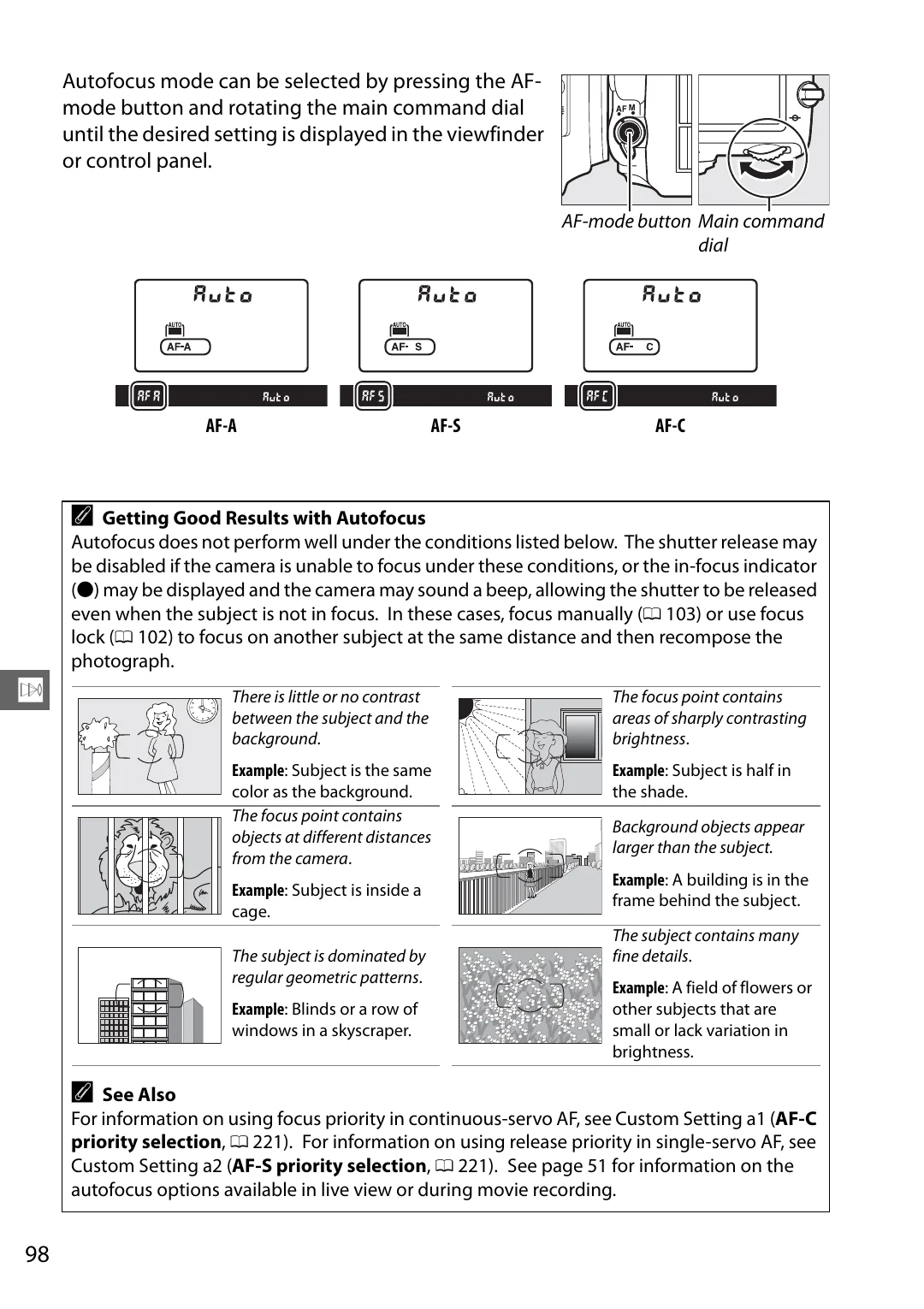
Autofocus mode can be selected by pressing the AF-
mode button and rotating the main command dial
until the desired setting is displayed in the viewfinder
or control panel.
AF-A
AF-S
AF-C
A
Getting Good Results with Autofocus
Autofocus does not perform well under the conditions listed below. The shutter release may
be disabled if the camera is unable to focus under these conditions, or the in-focus indicator
(
I
) may be displayed and the camera may sound a beep, allowing the shutter to be released
even when the subject is not in focus. In these cases, focus manually (
103) or use focus
lock (
102) to focus on another subject at the same distance and then recompose the
photograph.
There is little or no contrast
between the subject and the
background
.
Example
: Subject is the same
color as the background.
The focus point contains
areas of sharply contrasting
brightness
.
Example
: Subject is half in
the shade.
The focus point contains
objects at different distances
from the camera
.
Example
: Subject is inside a
cage.
Background objects appear
larger than the subject.
Example
: A building is in the
frame behind the subject.
The subject is dominated by
regular geometric patterns
.
Example
: Blinds or a row of
windows in a skyscraper.
The subject contains many
fine details
.
Example
: A field of flowers or
other subjects that are
small or lack variation in
brightness.
A
See Also
For information on using focus priority in continuous-servo AF, see Custom Setting a1 (
AF-C
priority selection
,
For information on using release priority in single-servo AF, see
Custom Setting a2 (
AF-S priority selection
,
See page 51 for information on the
autofocus options available in live view or during movie recording.
AF-mode button Main command
dial