324
n
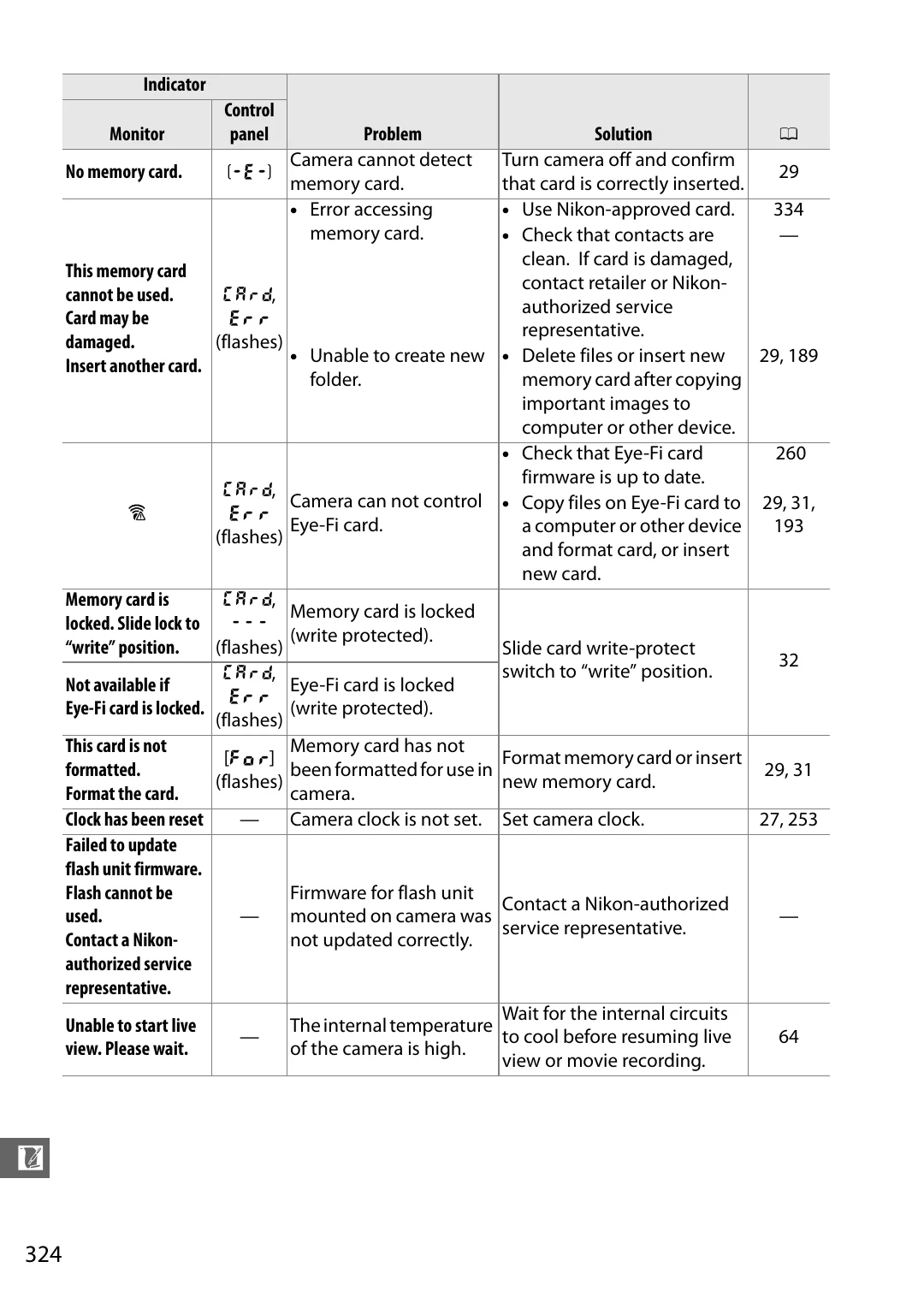
Indicator
Problem
Solution
0
Monitor
Control
panel
No memory card.
S
Camera cannot detect
memory card.
Turn camera off and confirm
that card is correctly inserted.
This memory card
cannot be used.
Card may be
damaged.
Insert another card.
W
,
O
(flashes)
•
Error accessing
memory card.
•
Use Nikon-approved card.
•
Check that contacts are
clean. If card is damaged,
contact retailer or Nikon-
authorized service
representative.
—
•
Unable to create new
folder.
•
Delete files or insert new
memory card after copying
important images to
computer or other device.
g
W
,
O
(flashes)
Camera can not control
Eye-Fi card.
•
Check that Eye-Fi card
firmware is up to date.
•
Copy files on Eye-Fi card to
a computer or other device
and format card, or insert
new card.
Memory card is
locked. Slide lock to
“write” position.
W
,
X
(flashes)
Memory card is locked
(write protected).
Slide card write-protect
switch to “write” position.
Not available if
Eye-Fi card is locked.
W
,
O
(flashes)
Eye-Fi card is locked
(write protected).
This card is not
formatted.
Format the card.
[
C
]
(flashes)
Memory card has not
been formatted for use in
camera.
Format memory card or insert
new memory card.
Clock has been reset
—
Camera clock is not set.
Set camera clock.
Failed to update
flash unit firmware.
Flash cannot be
used.
Contact a Nikon-
authorized service
representative.
—
Firmware for flash unit
mounted on camera was
not updated correctly.
Contact a Nikon-authorized
service representative.
—
Unable to start live
view. Please wait.
—
The internal temperature
of the camera is high.
Wait for the internal circuits
to cool before resuming live
view or movie recording.