272
U
4
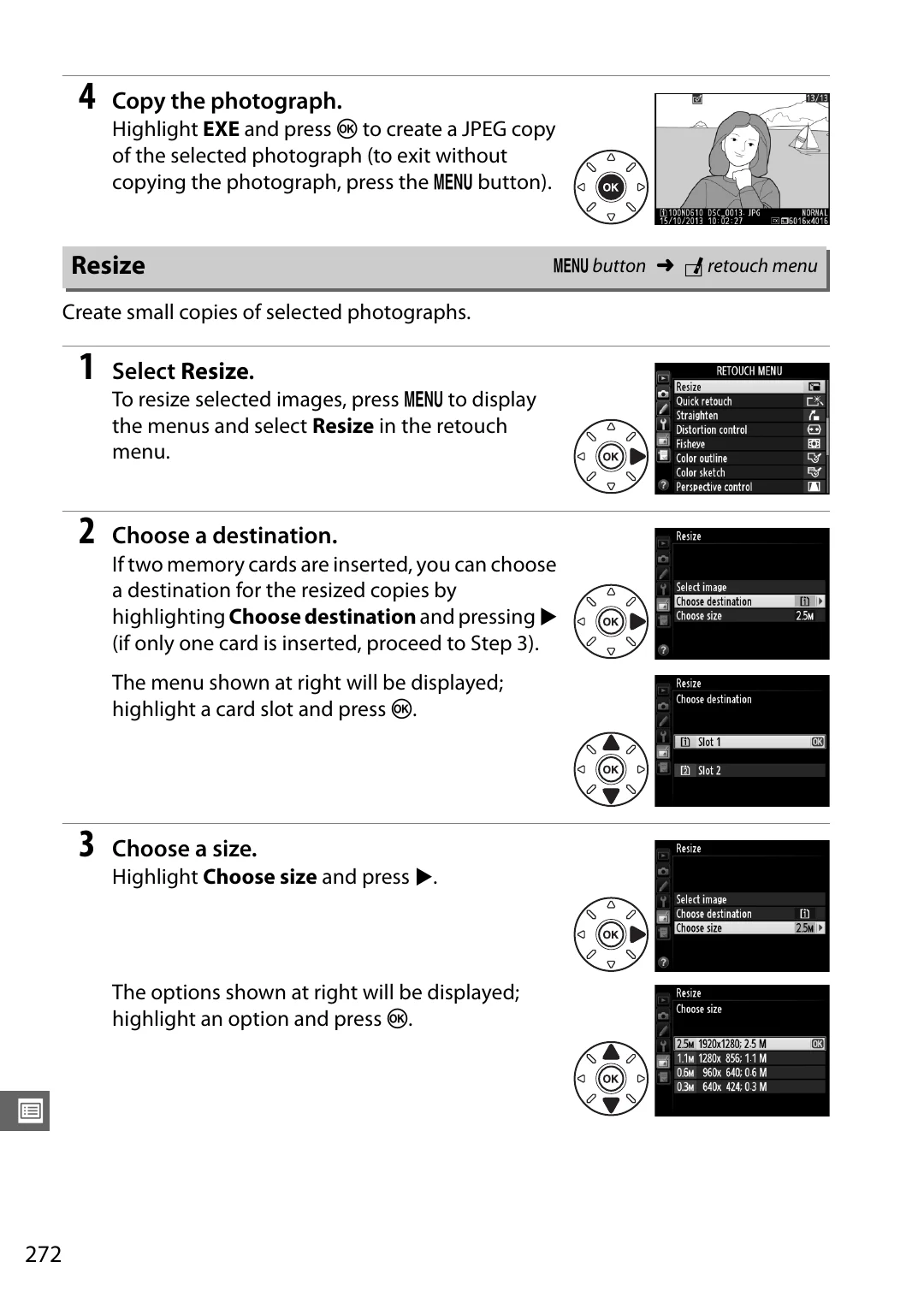
Copy the photograph.
Highlight
EXE
and press
J
to create a JPEG copy
of the selected photograph (to exit without
copying the photograph, press the
G
button).
Create small copies of selected photographs.
1
Select
Resize
.
To resize selected images, press
G
to display
the menus and select
Resize
in the retouch
menu.
2
Choose a destination.
If two memory cards are inserted, you can choose
a destination for the resized copies by
highlighting
Choose destination
and pressing
2
(if only one card is inserted, proceed to Step 3).
The menu shown at right will be displayed;
highlight a card slot and press
J
.
3
Choose a size.
Highlight
Choose size
and press
2
.
The options shown at right will be displayed;
highlight an option and press
J
.
Resize
G
button
➜
N
retouch menu