173
t
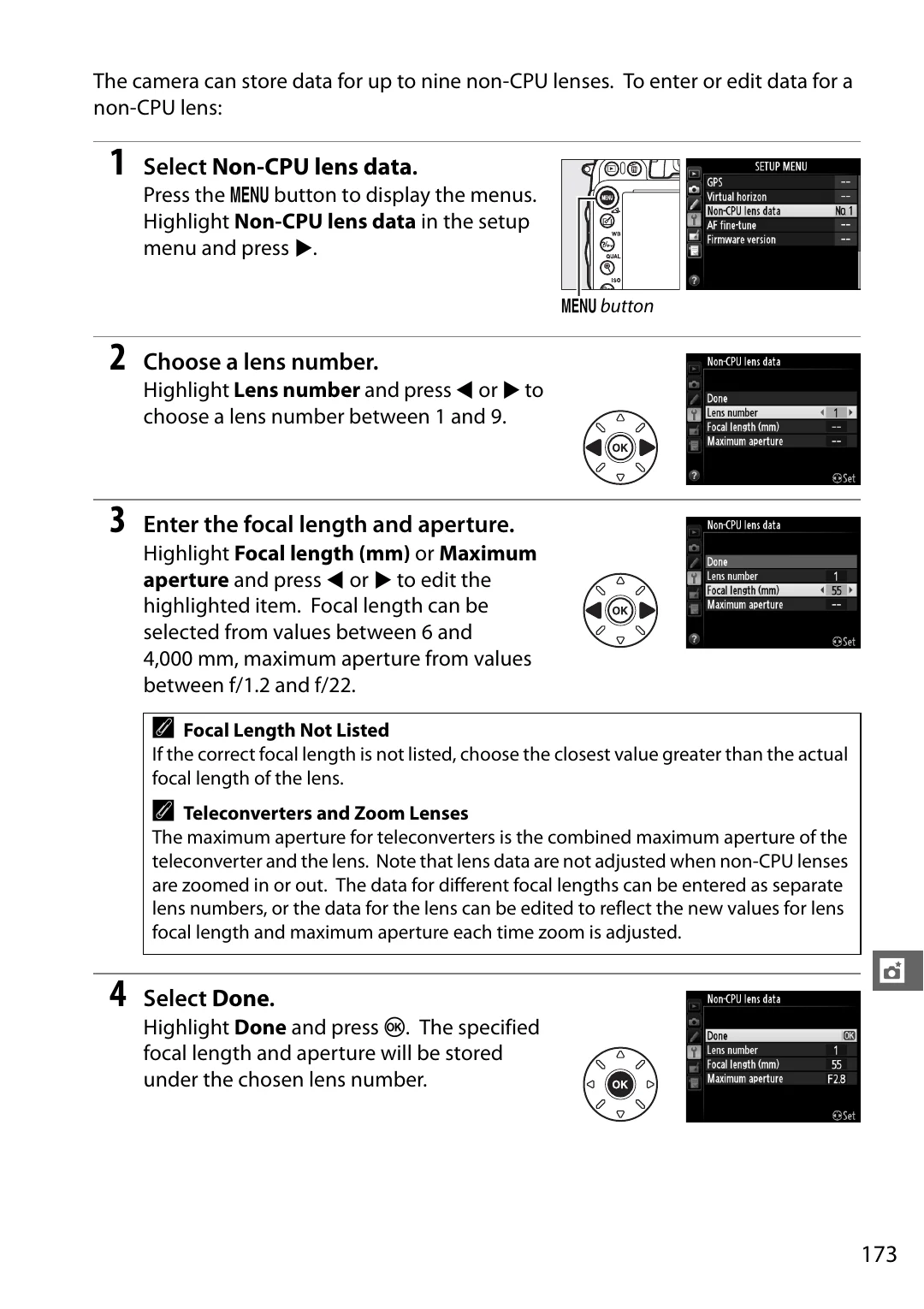
The camera can store data for up to nine non-CPU lenses. To enter or edit data for a
non-CPU lens:
1
Select
Non-CPU lens data
.
Press the
G
button to display the menus.
Highlight
Non-CPU lens data
in the setup
menu and press
2
.
2
Choose a lens number.
Highlight
Lens number
and press
4
or
2
to
choose a lens number between 1 and 9.
3
Enter the focal length and aperture.
Highlight
Focal length (mm)
or
Maximum
aperture
and press
4
or
2
to edit the
highlighted item. Focal length can be
selected from values between 6 and
4,000 mm, maximum aperture from values
between f/1.2 and f/22.
4
Select
Done
.
Highlight
Done
and press
J
. The specified
focal length and aperture will be stored
under the chosen lens number.
A
Focal Length Not Listed
If the correct focal length is not listed, choose the closest value greater than the actual
focal length of the lens.
A
Teleconverters and Zoom Lenses
The maximum aperture for teleconverters is the combined maximum aperture of the
teleconverter and the lens. Note that lens data are not adjusted when non-CPU lenses
are zoomed in or out. The data for different focal lengths can be entered as separate
lens numbers, or the data for the lens can be edited to reflect the new values for lens
focal length and maximum aperture each time zoom is adjusted.
G
button