167
t
❚❚
Pausing Interval Timer Photography
Interval timer photography can be paused by:
•
Pressing the
J
button between intervals
•
Highlighting
Start
>
Pause
in the interval timer menu and pressing
J
•
Turning the camera off and then on again (if desired, the memory card can be
replaced while the camera is off )
•
Selecting self-timer (
E
), remote (
4
), or
M
UP
release mode
To resume shooting:
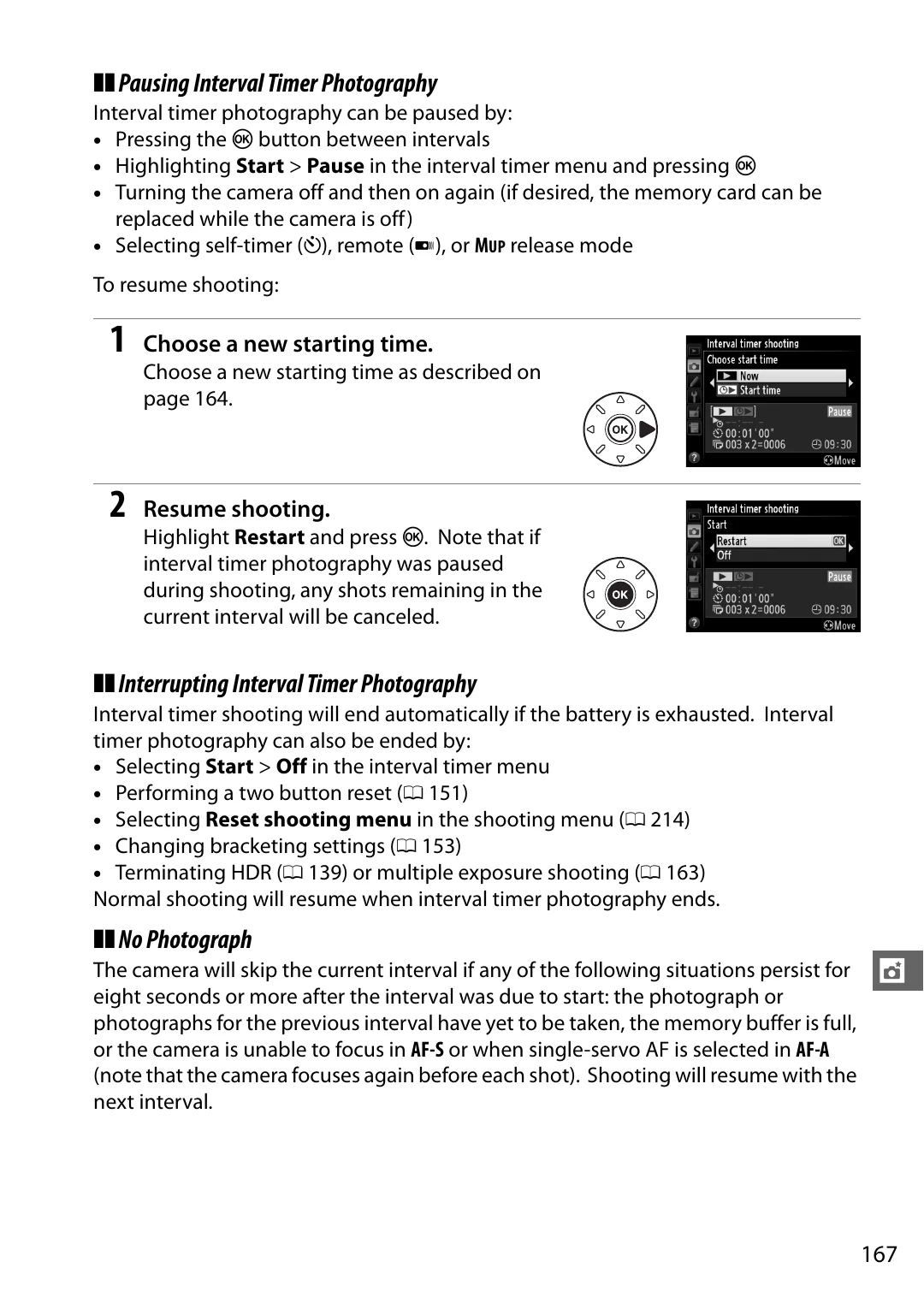
1
Choose a new starting time.
Choose a new starting time as described on
page 164.
2
Resume shooting.
Highlight
Restart
and press
J
. Note that if
interval timer photography was paused
during shooting, any shots remaining in the
current interval will be canceled.
❚❚
Interrupting Interval Timer Photography
Interval timer shooting will end automatically if the battery is exhausted. Interval
timer photography can also be ended by:
•
Selecting
Start
>
Off
in the interval timer menu
•
Performing a two button reset (
•
Selecting
Reset shooting menu
in the shooting menu (
•
Changing bracketing settings (
•
Terminating HDR (
139) or multiple exposure shooting (
Normal shooting will resume when interval timer photography ends.
❚❚
No Photograph
The camera will skip the current interval if any of the following situations persist for
eight seconds or more after the interval was due to start: the photograph or
photographs for the previous interval have yet to be taken, the memory buffer is full,
or the camera is unable to focus in
AF-S
or when single-servo AF is selected in
AF-A
(note that the camera focuses again before each shot). Shooting will resume with the
next interval.