159
t
3
Frame a photograph, focus, and shoot.
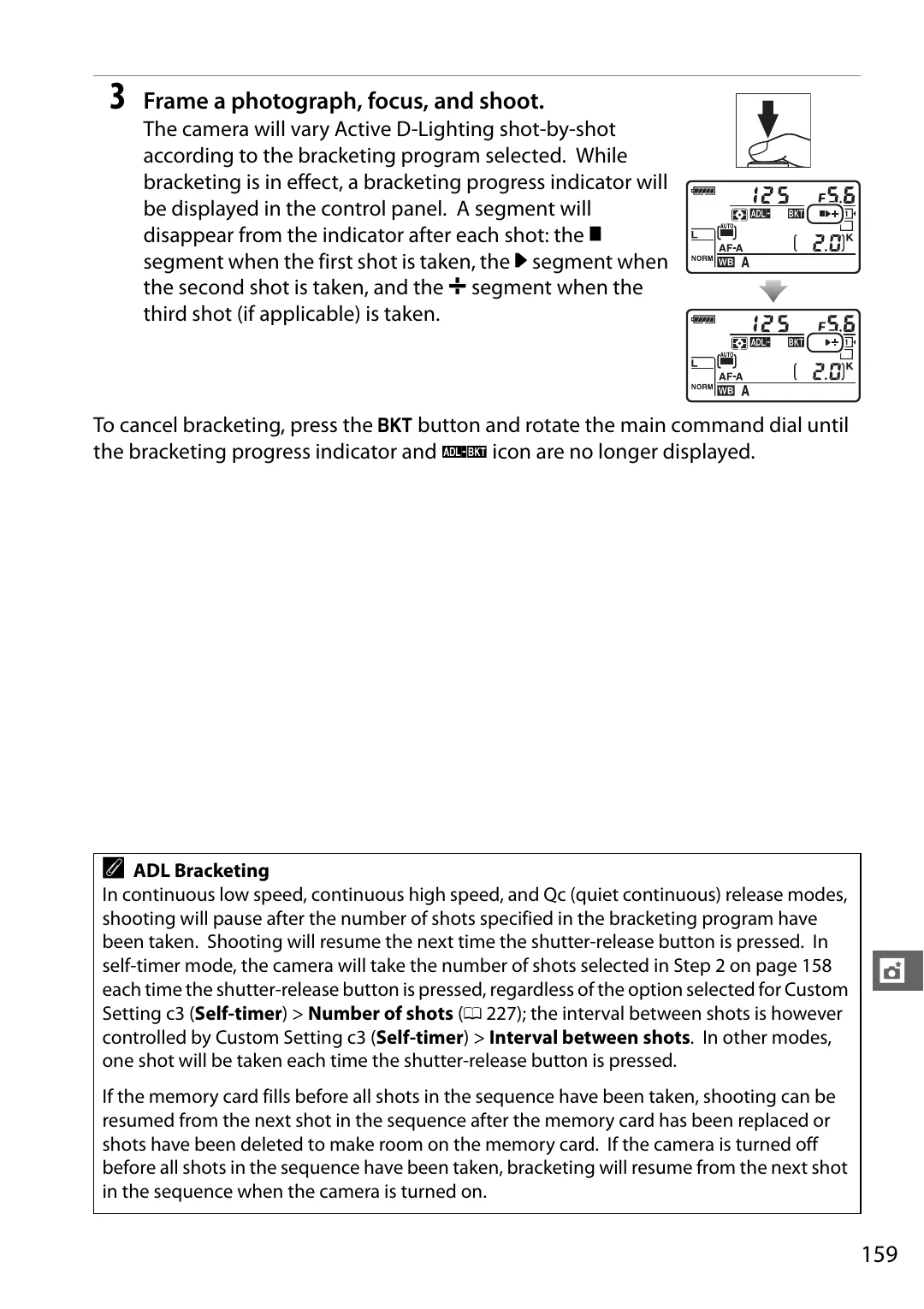
The camera will vary Active D-Lighting shot-by-shot
according to the bracketing program selected. While
bracketing is in effect, a bracketing progress indicator will
be displayed in the control panel. A segment will
disappear from the indicator after each shot: the
y
segment when the first shot is taken, the
0
segment when
the second shot is taken, and the
1
segment when the
third shot (if applicable) is taken.
To cancel bracketing, press the
D
button and rotate the main command dial until
the bracketing progress indicator and
d
icon are no longer displayed.
A
ADL Bracketing
In continuous low speed, continuous high speed, and Qc (quiet continuous) release modes,
shooting will pause after the number of shots specified in the bracketing program have
been taken. Shooting will resume the next time the shutter-release button is pressed. In
self-timer mode, the camera will take the number of shots selected in Step 2 on page 158
each time the shutter-release button is pressed, regardless of the option selected for Custom
Setting c3 (
Self-timer
) >
Number of shots
(
227); the interval between shots is however
controlled by Custom Setting c3 (
Self-timer
) >
Interval between shots
. In other modes,
one shot will be taken each time the shutter-release button is pressed.
If the memory card fills before all shots in the sequence have been taken, shooting can be
resumed from the next shot in the sequence after the memory card has been replaced or
shots have been deleted to make room on the memory card. If the camera is turned off
before all shots in the sequence have been taken, bracketing will resume from the next shot
in the sequence when the camera is turned on.