177
I
I
More on Playback
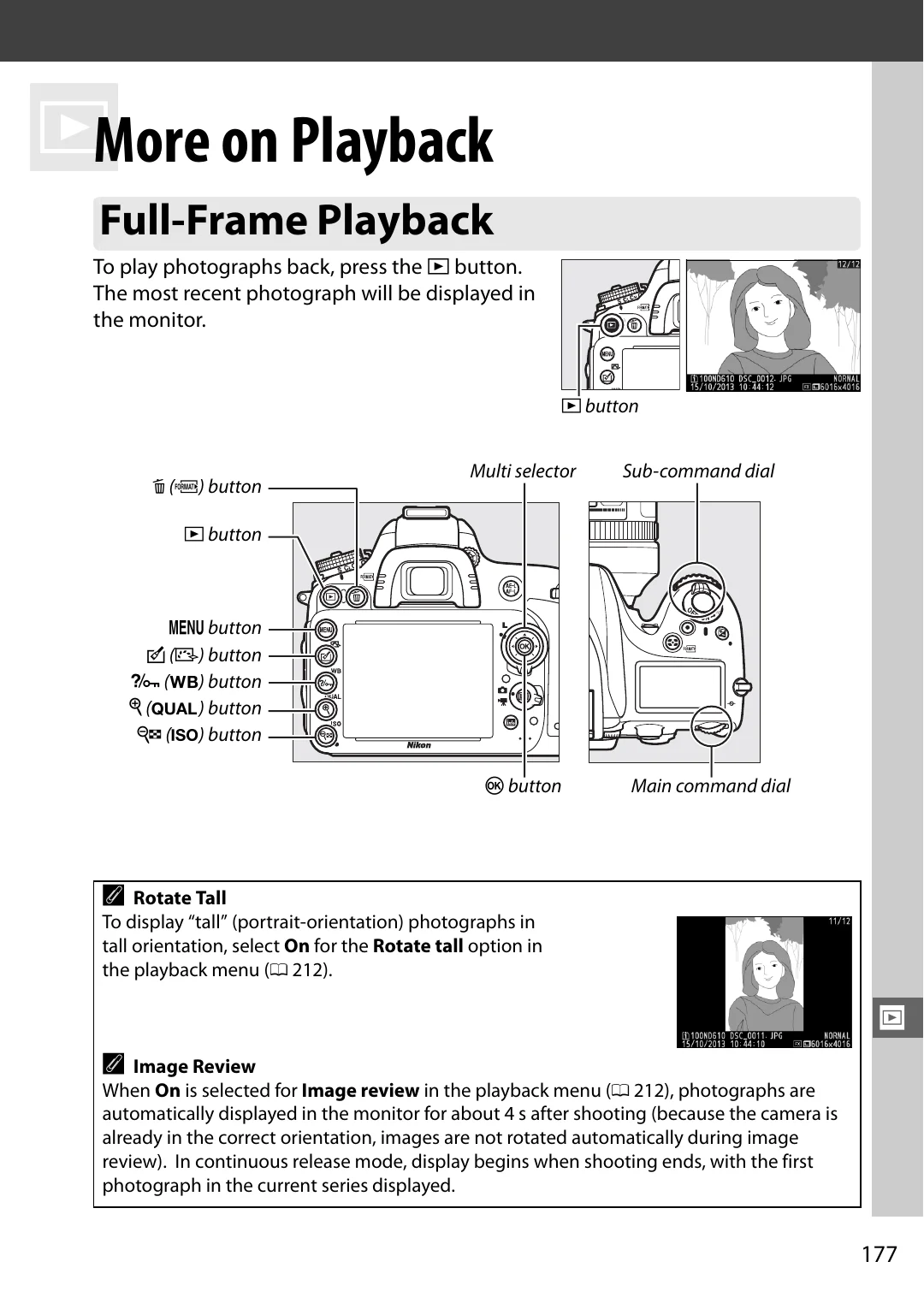
To play photographs back, press the
K
button.
The most recent photograph will be displayed in
the monitor.
Full-Frame Playback
A
Rotate Tall
To display “tall” (portrait-orientation) photographs in
tall orientation, select
On
for the
Rotate tall
option in
the playback menu (
A
Image Review
When
On
is selected for
Image review
in the playback menu (
212), photographs are
automatically displayed in the monitor for about 4 s after shooting (because the camera is
already in the correct orientation, images are not rotated automatically during image
review). In continuous release mode, display begins when shooting ends, with the first
photograph in the current series displayed.
K
button
K
button
W
(
S
) button
L
(
U
) button
J
button
Multi selector
O
(
Q
) button
Sub-command dial
Main command dial
X
(
T
) button
G
button
c
(
b
) button