46
s
Basic Playback
1
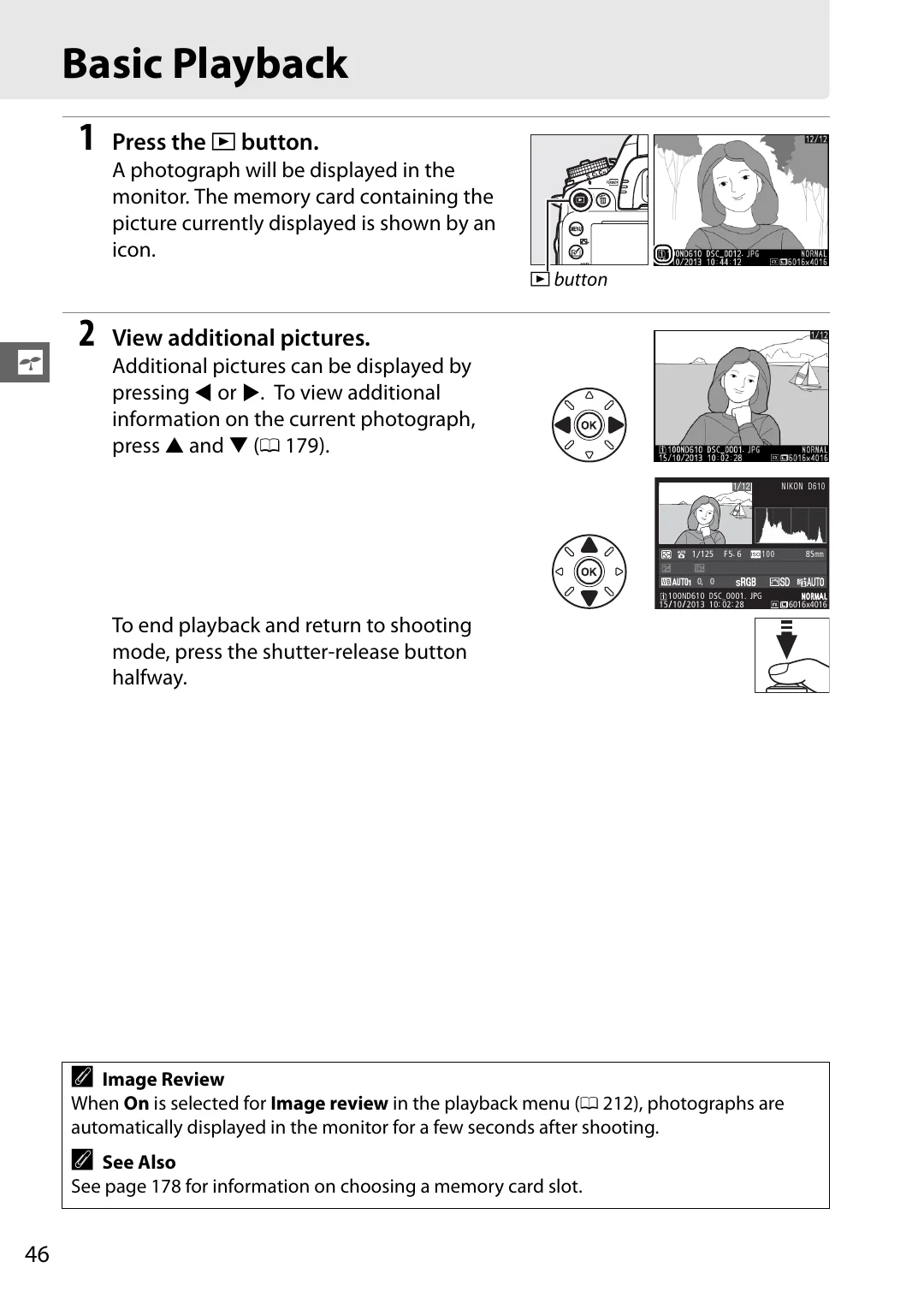
Press the
K
button.
A photograph will be displayed in the
monitor. The memory card containing the
picture currently displayed is shown by an
icon.
2
View additional pictures.
Additional pictures can be displayed by
pressing
4
or
2
. To view additional
information on the current photograph,
press
1
and
3
179).
To end playback and return to shooting
mode, press the shutter-release button
halfway.
A
Image Review
When
On
is selected for
Image review
in the playback menu (
212), photographs are
automatically displayed in the monitor for a few seconds after shooting.
A
See Also
See page 178 for information on choosing a memory card slot.
K
button
0, 0
1
/
125 F5. 6
85mm
100
100ND610 DSC_0001. JPG
15
/
10
/
2013 10: 02: 28
NNOR
ORMAL
AL
6016x4016
NIKON D610
1
/
12