55
x
The Information Display: Live View Photography
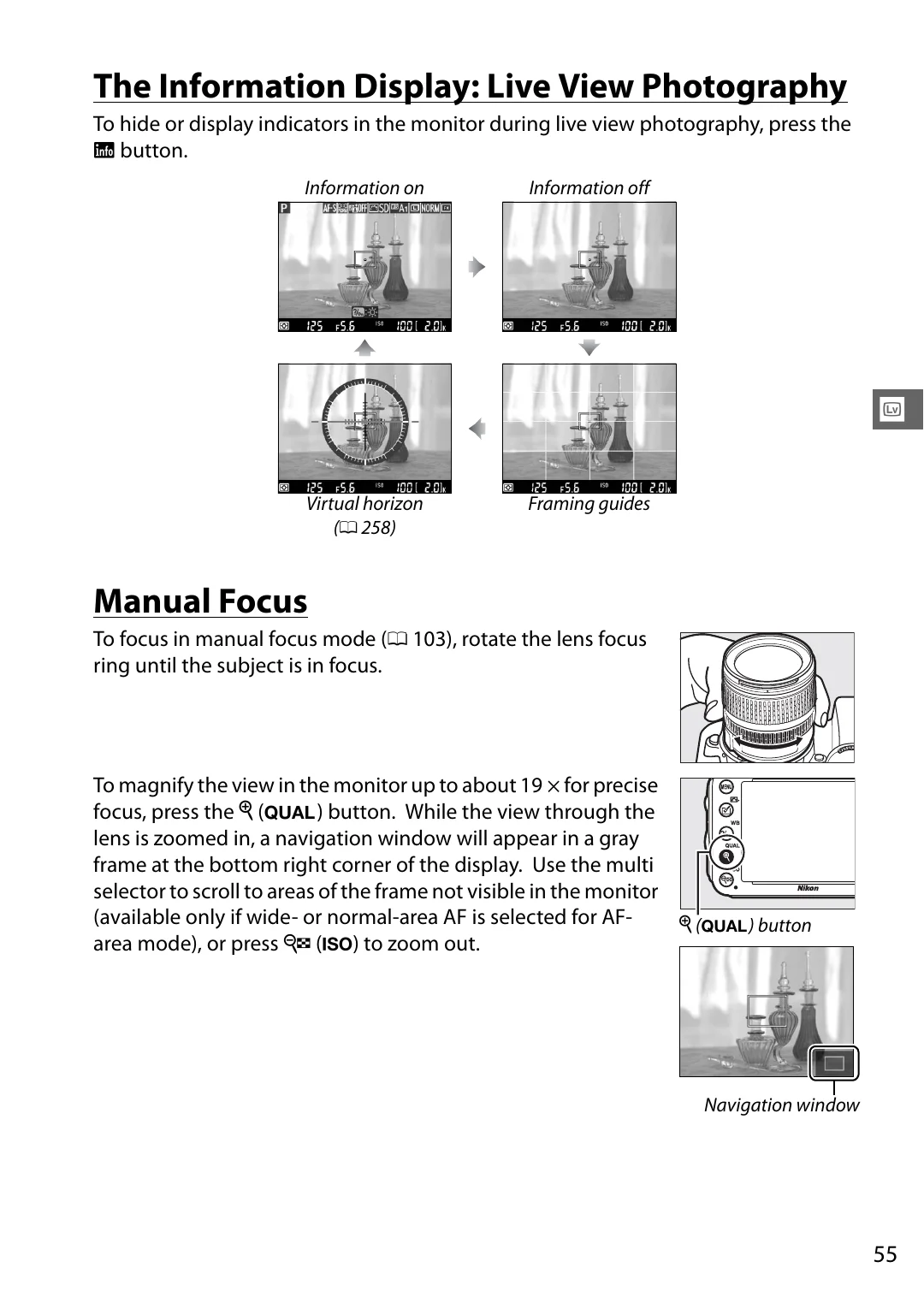
To hide or display indicators in the monitor during live view photography, press the
R
button.
Manual Focus
To focus in manual focus mode (
103), rotate the lens focus
ring until the subject is in focus.
To magnify the view in the monitor up to about 19 × for precise
focus, press the
X
(
T
) button. While the view through the
lens is zoomed in, a navigation window will appear in a gray
frame at the bottom right corner of the display. Use the multi
selector to scroll to areas of the frame not visible in the monitor
(available only if wide- or normal-area AF is selected for AF-
area mode), or press
W
(
S
) to zoom out.
Information on
Information off
Virtual horizon
Framing guides
X
(
T
) button
Navigation window