58
y
5
Focus.
Frame the opening shot and focus as described in Steps 3
and 4 on pages 49 (for more information on focusing in
movie live view, see page 51). Note that the number of
subjects that can be detected in face-priority AF drops in movie live view.
6
Start recording.
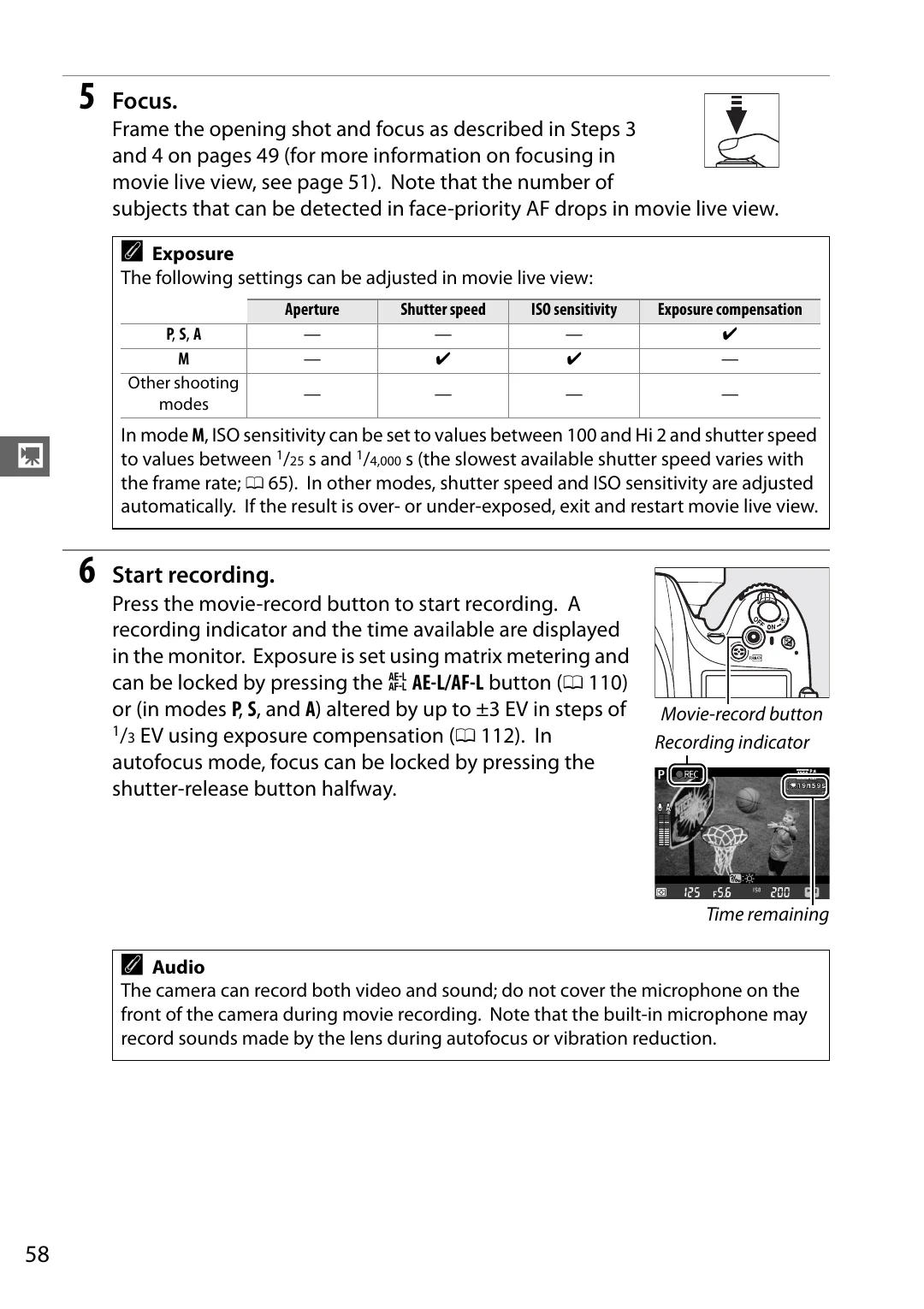
Press the movie-record button to start recording. A
recording indicator and the time available are displayed
in the monitor. Exposure is set using matrix metering and
can be locked by pressing the
A
AE-L/AF-L
button (
110)
or (in modes
P
,
S
, and
A
) altered by up to ±3 EV in steps of
1
/
3
EV using exposure compensation (
112). In
autofocus mode, focus can be locked by pressing the
shutter-release button halfway.
A
Exposure
The following settings can be adjusted in movie live view:
Aperture
Shutter speed
ISO sensitivity
Exposure compensation
P
,
S
,
A
—
—
—
✔
M
—
✔
✔
—
Other shooting
modes
—
—
—
—
In mode
M
, ISO sensitivity can be set to values between 100 and Hi 2 and shutter speed
to values between
1
/
25
s and
1
/
4,000
s (the slowest available shutter speed varies with
the frame rate;
65). In other modes, shutter speed and ISO sensitivity are adjusted
automatically. If the result is over- or under-exposed, exit and restart movie live view.
A
Audio
The camera can record both video and sound; do not cover the microphone on the
front of the camera during movie recording. Note that the built-in microphone may
record sounds made by the lens during autofocus or vibration reduction.
Movie-record button
Recording indicator
Time remaining