299
n
Attaching a Power Connector and AC Adapter
Turn the camera off before attaching an optional power connector and AC adapter.
1
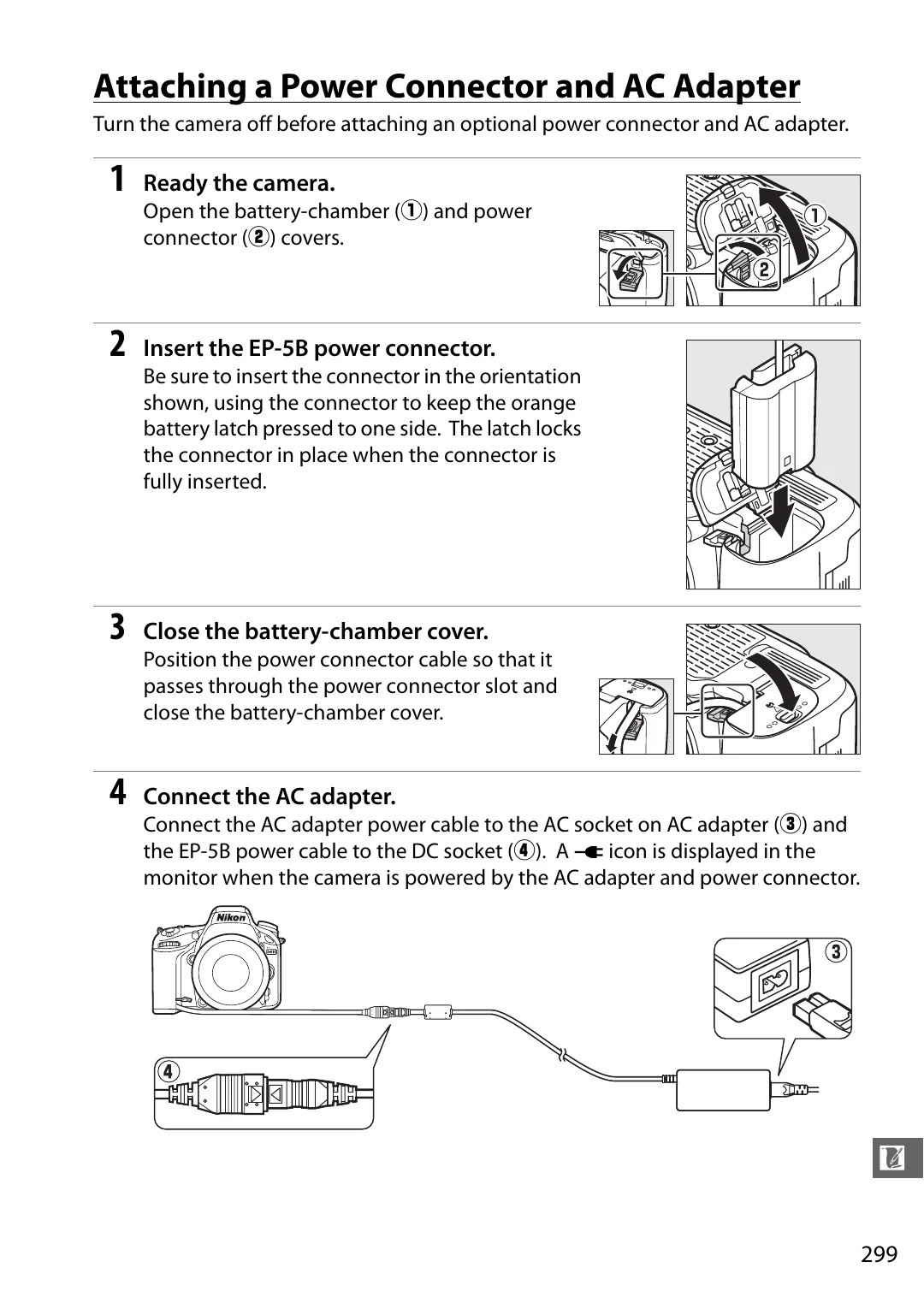
Ready the camera.
Open the battery-chamber (
q
) and power
connector (
w
) covers.
2
Insert the EP-5
B
power connector.
Be sure to insert the connector in the orientation
shown, using the connector to keep the orange
battery latch pressed to one side. The latch locks
the connector in place when the connector is
fully inserted.
3
Close the battery-chamber cover.
Position the power connector cable so that it
passes through the power connector slot and
close the battery-chamber cover.
4
Connect the AC adapter.
Connect the AC adapter power cable to the AC socket on AC adapter (
e
) and
the EP-5B power cable to the DC socket (
r
). A
V
icon is displayed in the
monitor when the camera is powered by the AC adapter and power connector.